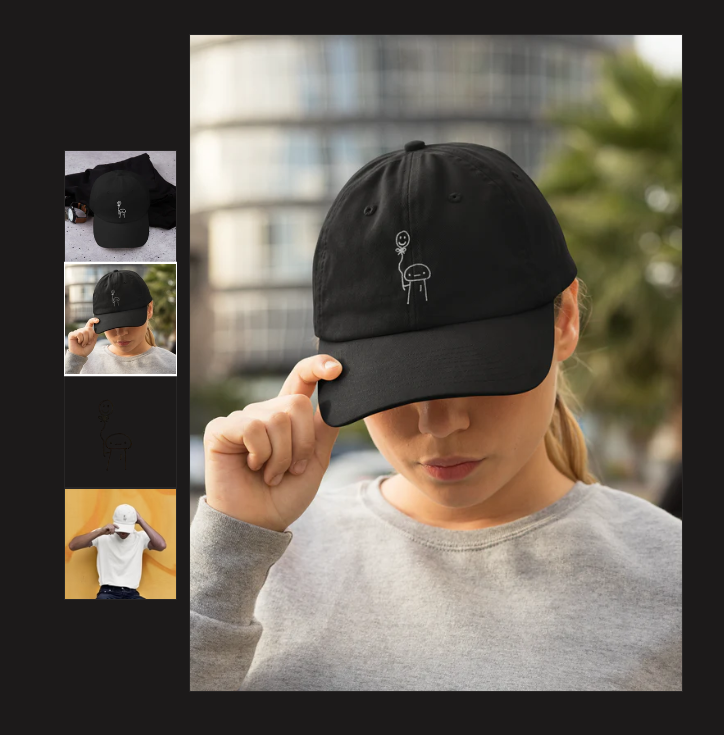
Hi
How can I unify the size of the product on the product page? I’d like a rectangle longer on the y axis
It keeps moving when the customer select a product
simplicityclothing.ca
A store owner wants to standardize product image sizes on their product pages, specifically requesting a rectangular format that’s taller than it is wide. The images currently shift when customers select different product variants.
Solution Provided:
.product-media-container with a fixed height of 500pxCurrent Issue:
The CSS solution works for some products but not others. The store owner has shared specific product URLs where the code isn’t functioning properly (panda-t-shirt and ramen-t-shirt pages).
Additional Question:
The owner also asks how to change the right-side image by hovering over the left image.
Status: Ongoing troubleshooting - awaiting further diagnosis of why the solution works inconsistently across different products.
Hi
How can I unify the size of the product on the product page? I’d like a rectangle longer on the y axis
It keeps moving when the customer select a product
simplicityclothing.ca
Hi @bobylands ,
Here are the steps you can follow:
1, Navigate to Online Store > Themes > Edit Code.
2, Locate and open the base.css (or theme.css, custom.css) file.
3, Paste the code snippet provided below at the bottom of the file, then save your changes.
@media screen and (min-width: 750px) {
    .product-media-container {
        /* You can adjust this value according to your preference */
        height: 500px;
    }

    .product-media-container .product__media {
        /* This value has to match the above height */
        height: 500px;
    }
}
Here is the result
We hope this assists in resolving the issue.
If you find our solution helpful, kindly consider Liking and Marking it as Accepted. Thank you!
I’m not sure why but it works with some product, and for some it doesnt 
Do you know why?
Also, how can I change the picture on the right by hovering the mouse over the image on the left? thanks
Can you please provide us the URL of some products for which the code didn’t work?