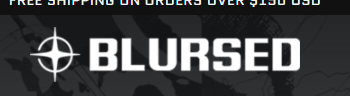
How can I improve the quality of my Motion theme header logo?

Trying to find a solution to increase logo quality, it seems to be down sampled from 1200x700 to a small resolution, and then upscaled to fit the Theme settings.
This leads to a blurry end result on the website.

I know it’s possible to forcefully replace the logo with a .svg file to fix this, but I’d prefer to avoid doing this to easier manage the store configuration later on.

Any ideas where in the code the resolution of the image is downsampled?

Preview link - https://28x38yzbem51frl6-50647859379.shopifypreview.com/

… is this not possible? :confused:

Hello @lion_no ,

Try for 387 × 209 px.

Hi again @SagarikaDas ,

Unfortunately reducing the size of the logo to match the resolution given did not help. It’s still blurry…
As seen here:

lion_no_1-1636138030863.png

Is the only way to solve this to override the logo file and force it to use .svg by code?

Did you find solution? having same problem..

@lion_no

Please share your store URL I will check your shop and send the correct solution to you!

Thanks!