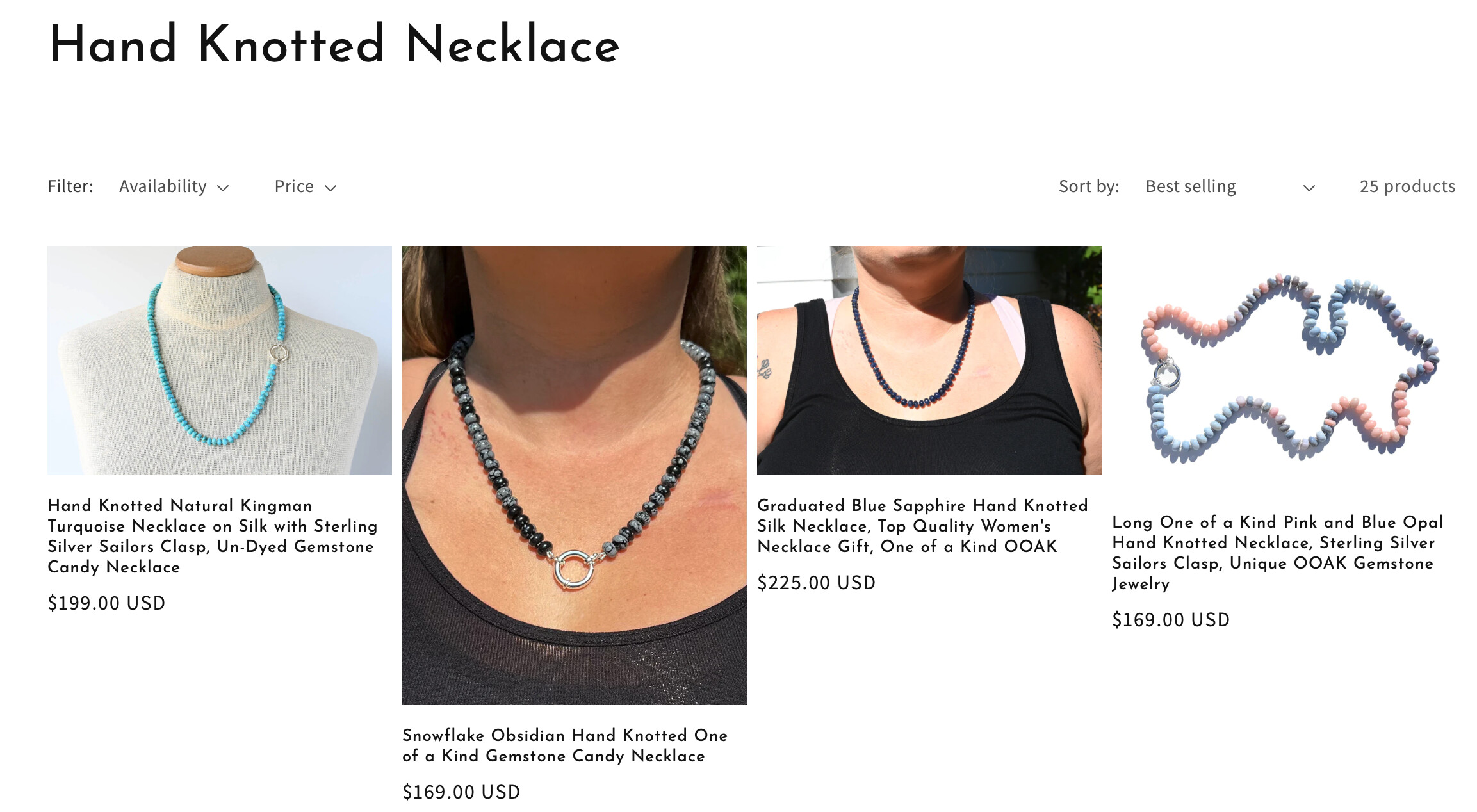
I would like my photos to be uniform is size. Is there a setting I can change to make my pictures the same size in a collection(not home page)? Also what is the best size and ratio to make my photos when I edit them, I use LR.
Hi @KateLane .
I’m Richard Nguyen from PageFly- Free Landing Page Builder
You can go to Online store => themes => actions => edit code and add this code on file base.css
.card__inner.color-background-2.gradient.ratio{
min-height: 300px !important;
}
Hope this answer helps.
Best regards,
Richard | PageFly
Hi @KateLane
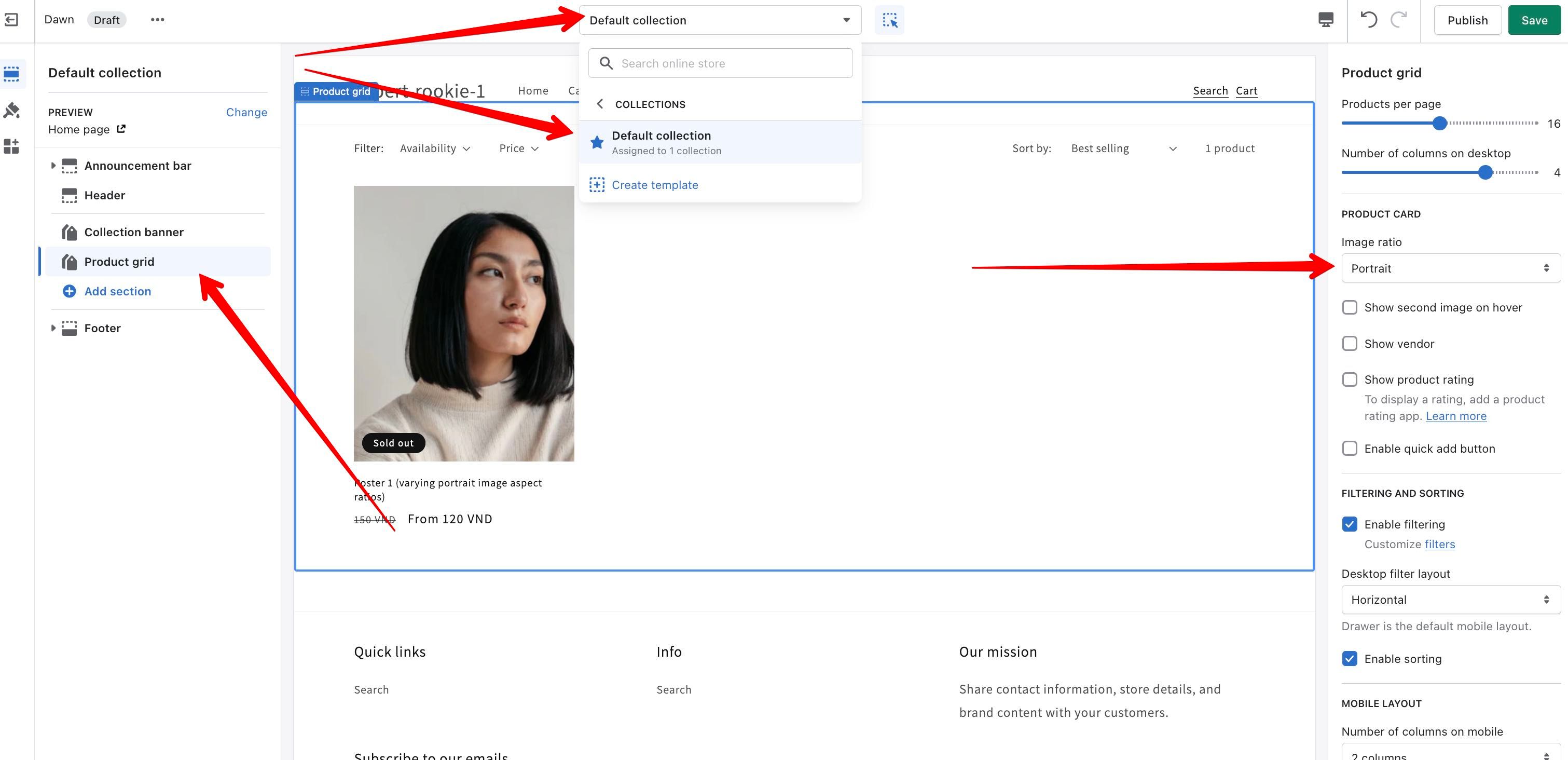
in this case Dawn theme already support for option change the image size on collection page.
You needn’t add any code.
Please have a look on the image to know more detail:
Someone created my store for me. So I am super new to making any changes to my store. Your picture is a great help but how do I get to that screen? Thank You.