Make Images All The Same Size On Collection Pages And Product page in Theme Sense

Topic summary

A user seeks to standardize image sizes across collection and product pages in the Shopify Sense theme to create uniform card layouts.

Solution Provided:

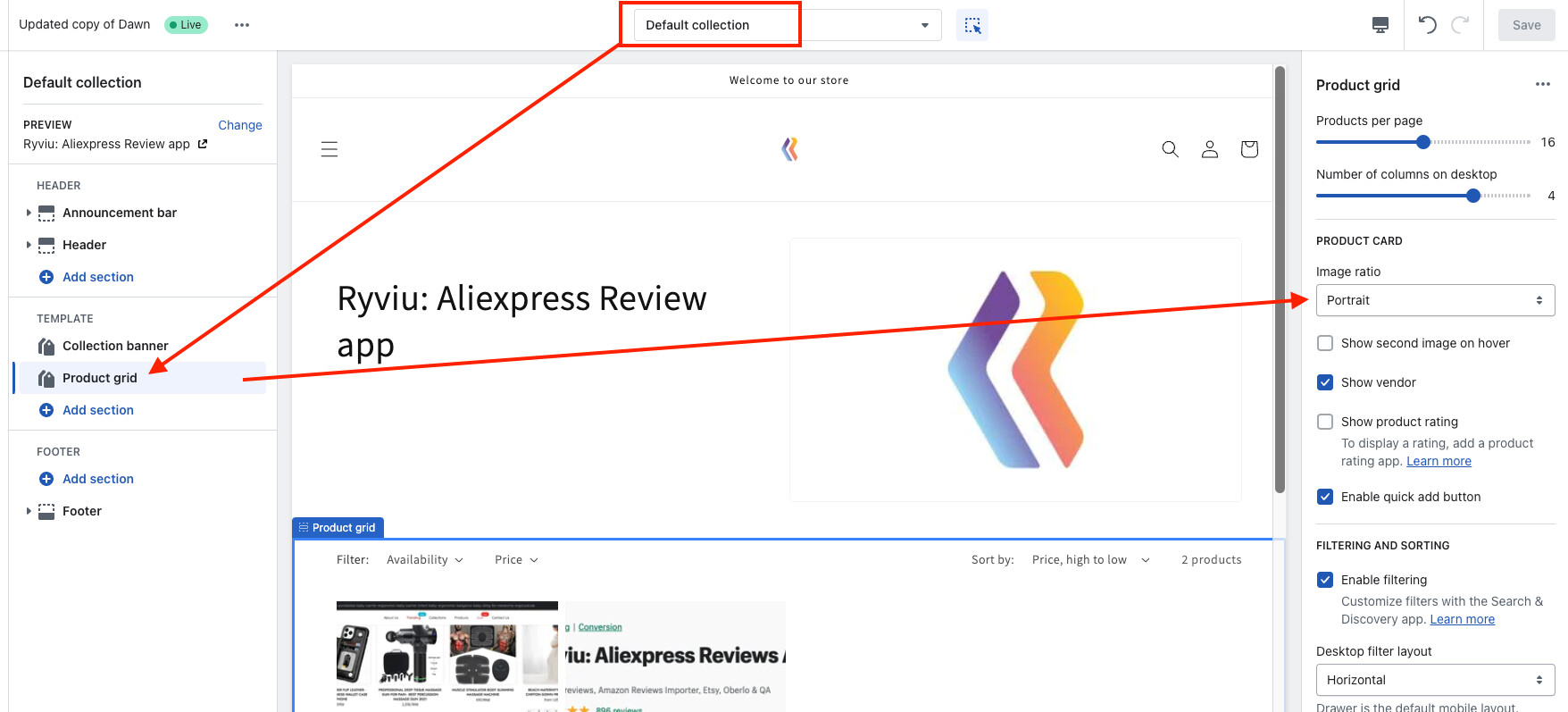
  • Navigate to Online Store > Themes > Customize > Collections > Default collection > Product grid
  • Change Image ratio to Portrait or Square for consistent collection page images
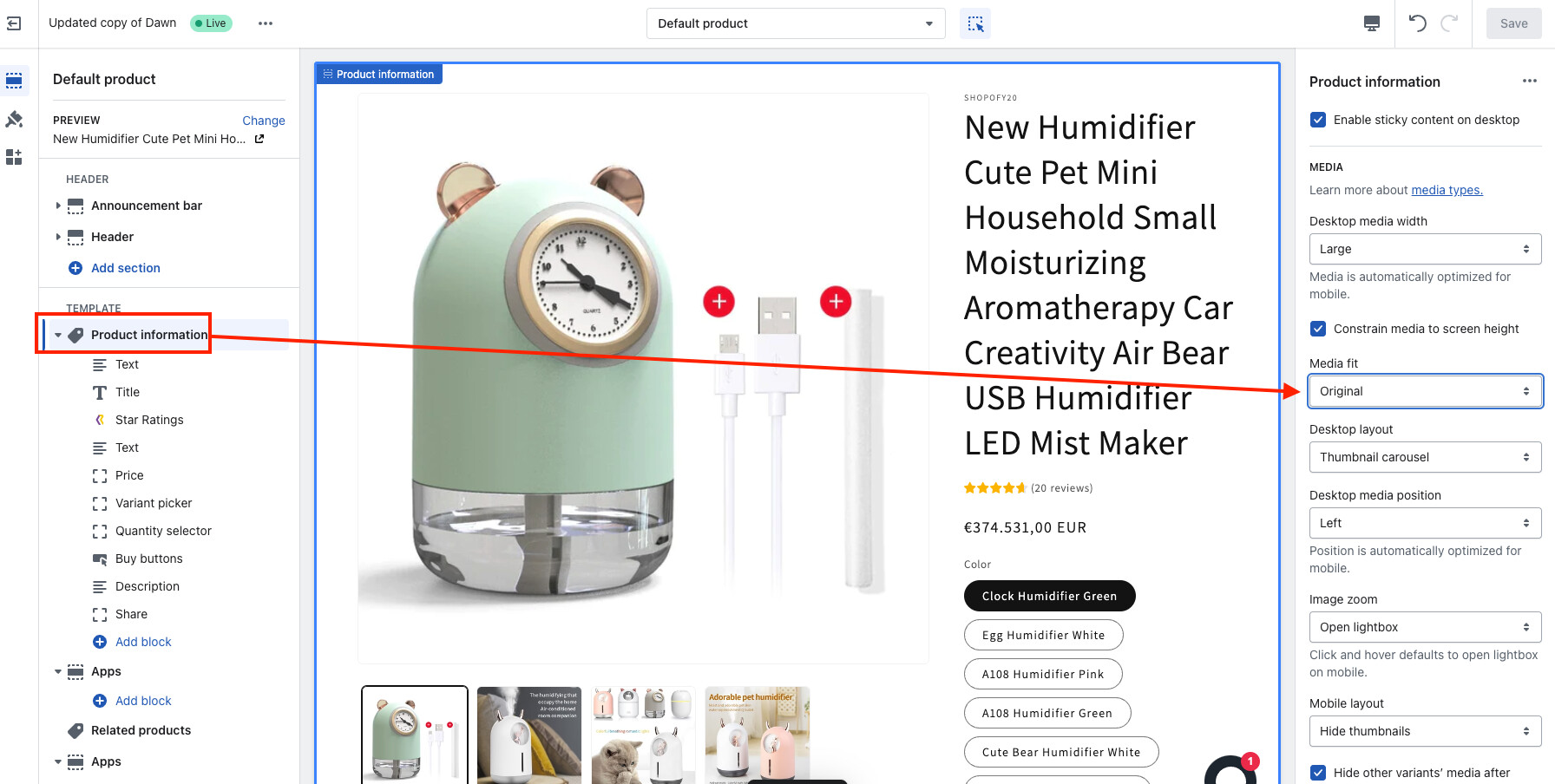
  • For product pages: go to Products > Default product > Product information > Media fit > Fill

Follow-up Question:
Another user asks how to set a custom aspect ratio (e.g., 3:4 width:height) for collection page images, as the theme appears to offer only preset ratio options.

Status: The original issue is resolved, but the custom ratio question remains unanswered.

Summarized with AI on November 7. AI used: claude-sonnet-4-5-20250929.

Hi ,

I want to Make Images All The Same Size On Collection Pages And Product page regardless of what their actual size is. I am using theme sense. Basically I want in each card the image and description below it to be in line with all other cards. uniform. Thank you in advance.

Here is my url: https://www.linojewels.com/collections/bracelets

Hi @hadi0815

You can change image ratio on collection page in Online store > Themes > Customize > Collections > Default collection > Product grid > Image ratio > select Portrait or Square

You also can change image on product page Online store > Themes > Customize > Products > Default product > Product information > Media fit > Fill

1 Like

Awesome. Thank you Dan!

1 Like

Welcome

Thank you! That works! If you know how to change aspect ration to my custom one? For example if I need to pictures shown on my “collection” page with ratio 3:4 (width:height)

Thank you for your expertise!

was this solved?