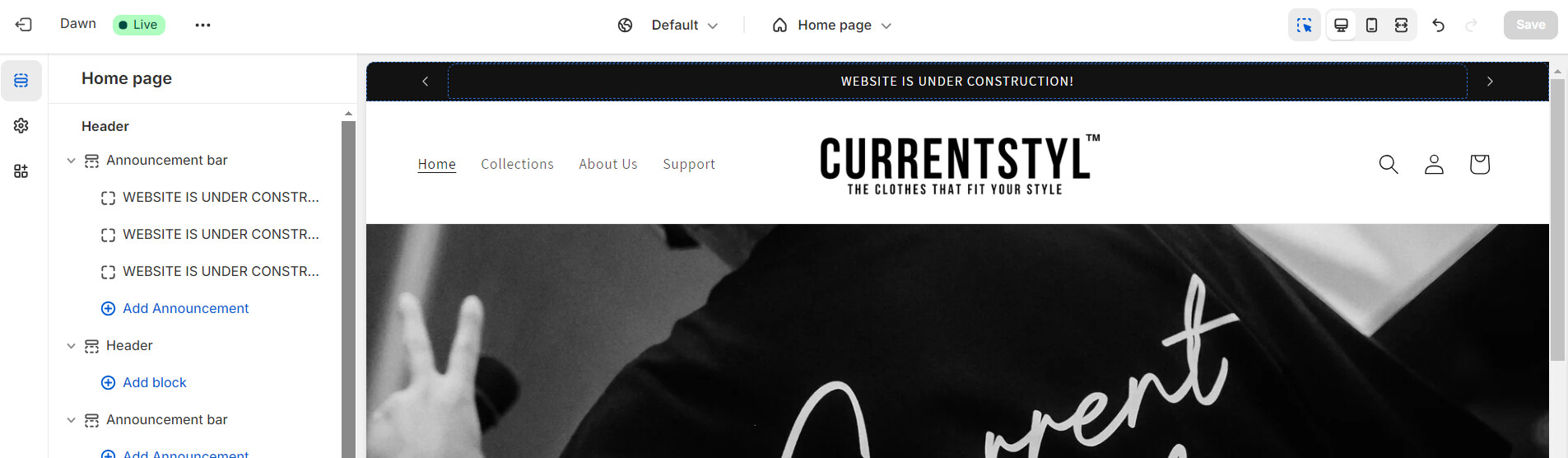
how can i make my announcement bar show, ive saved the changes it shows it, but when i open the website it isnt there even in mobile. and how do i make it move, and can i change the contents in the future but still make it move.

url: currentstyl.com
A user is experiencing issues with their announcement bar not displaying on their website (desktop or mobile) despite saving changes. They also want to:
Two screenshots were shared showing the configuration.
Proposed Solution:
Another user suggested editing the theme.liquid file by adding markup code before the </head> tag.
Current Status:
The proposed solution did not work. The issue remains unresolved, and the user is still seeking a working fix for both the visibility and animation of their announcement bar.
how can i make my announcement bar show, ive saved the changes it shows it, but when i open the website it isnt there even in mobile. and how do i make it move, and can i change the contents in the future but still make it move.
url: currentstyl.com
Hi @currentstyl ,
If my reply is helpful, kindly click like and mark it as an accepted solution.
Thanks!
it didn’t work