Hello Shopify Community !
- I have a problem adding breadcrumb in my product page , 2. i want the breadcrumb to show the collection or Product category too . but it only show 2 Steps.
I tried this tutorial but it didn’t appear :How to Add Breadcrumb Navigation to Your Shopify Store: DIY Tutorial U – EcomExperts
i follow all the steps , created the breadcrumb.liquid ,
I don’t know where should i exactly place the {% render ‘breadcrumbs’ %} code inside my theme.liquid ,
I tried to place it here but it looks like this in my product page (a little grey line in the upper part of my page):


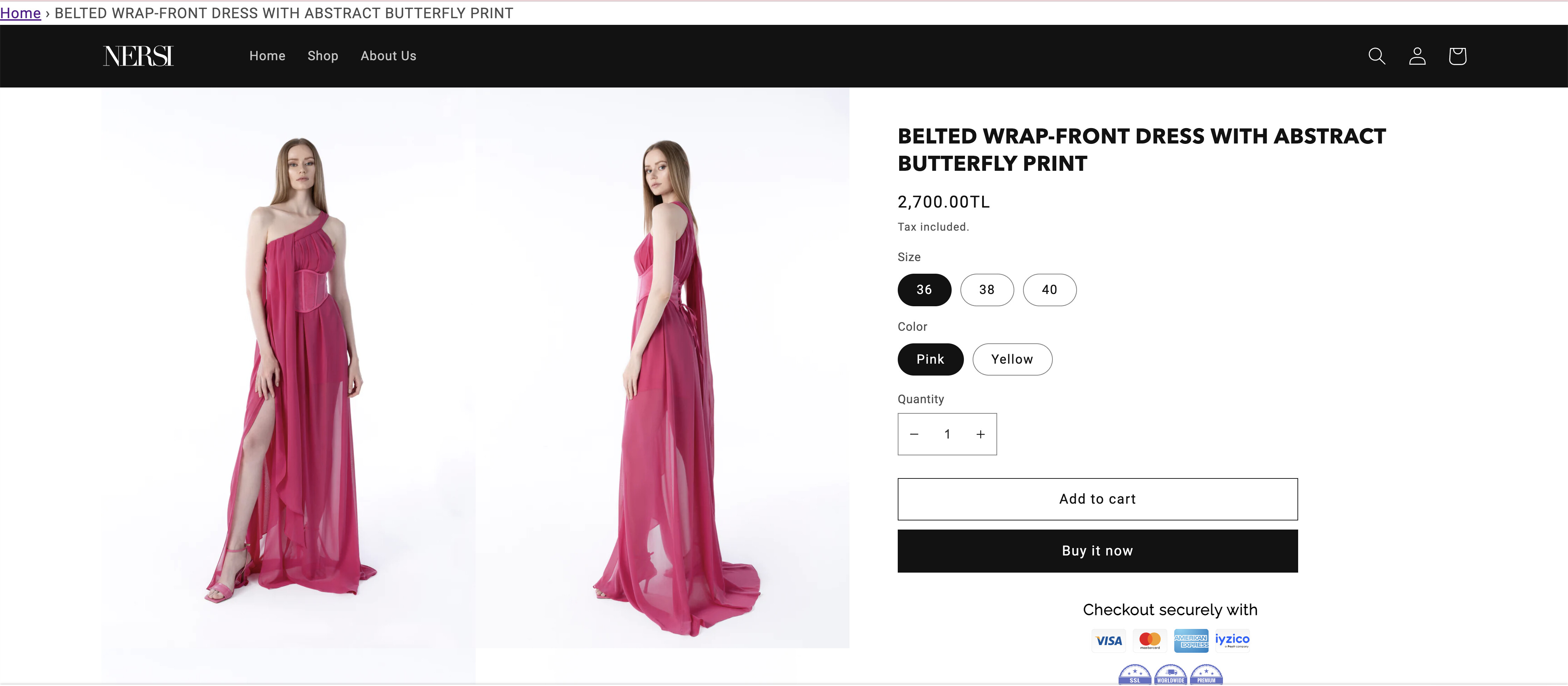
i want it to look like this :

.
.
.
HERE’S THE LINK TO MY SHOPIFY SHOP (PRODUCT) :
https://nersi-8194.myshopify.com/products/test-ayda?variant=44436711932222
.
https://nersi-8194.myshopify.com/collections/all

