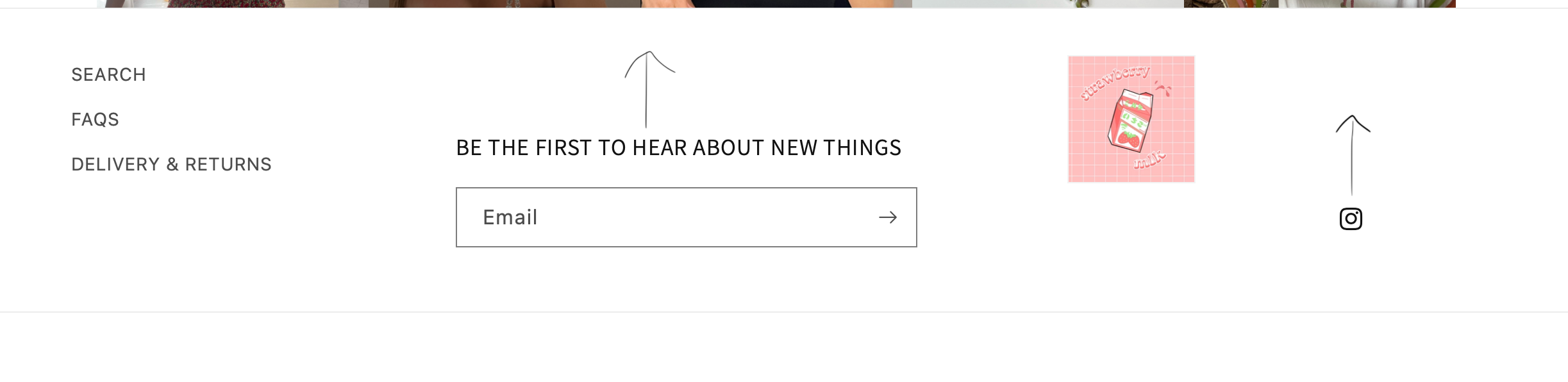
Hi, I am wanting to move the contents of my footer so all in a line as per below. Please could someone assist with this? Thanks in advance!
my site is https://strawberrymlk.com/ and password str@wb3rry
A user wants to rearrange their Dawn theme footer elements to display in a single horizontal line instead of stacked vertically.
Proposed Solutions:
CSS margin adjustment approach: Add custom CSS to the section-footer.css file to reduce bottom margins on footer newsletter blocks and social list elements (specifically setting margin-bottom: 60px and margin-bottom: 80px).
Flexbox layout approach: Apply display: flex styling to the outer footer div container and use align-items property to arrange footer contents in one line.
Status: The discussion remains open with two different CSS-based solutions offered but no confirmation of which approach the original poster implemented or whether either resolved the issue.
Hi, I am wanting to move the contents of my footer so all in a line as per below. Please could someone assist with this? Thanks in advance!
my site is https://strawberrymlk.com/ and password str@wb3rry
Hi @strawberrymlk .
I understand that you want to move the contents of the footer higher.
Try this.
.footer-block__newsletter {
    margin-bottom: 60px;
}
ul.footer__list-social.list-unstyled.list-social {
    margin-bottom: 80px;
}
result:
You can adjust the size, whatever you want.
I hope it help.
Apply display flex style on outer div and then apply align-items start in css file in theme code. It will become in one line