Hi I don’t like the way the original quantity selector looks like on debutify and I wanted to know how I could customize it from this
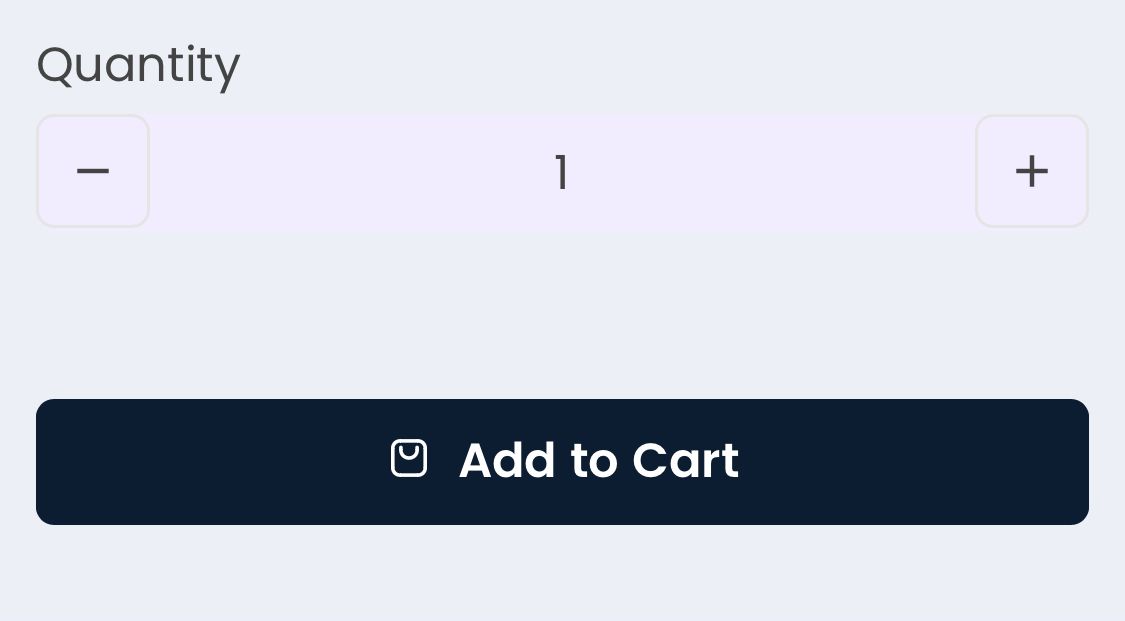
to something like this
A user wants to customize the quantity selector on their Shopify store (using the Debut theme) to change its appearance from the default design to a rounded button style shown in a reference image.
Initial Solution Provided:
Current Status:
Key Details:
Hi I don’t like the way the original quantity selector looks like on debutify and I wanted to know how I could customize it from this
to something like this
Hello @itshector10
Thank you for submitting your query to the Shopify community. I’d be happy to assist you. Could you please provide the store URL and password (if it’s password-protected) so I can review and get back to you with an update?
Yes the website is shwazzy.com and the password is iasats. Thank you!
Hello @itshector10
Go to Online Store, then Theme, and select Edit Code.
Search for assets/theme.css Add the provided code at the end of the file.
.product-quantity {
    max-width: fit-content!important;
}
.product-quantity__button--minus span.material-icons::before {
  content: '-';
  font-size: 18px;
  color: #555;
  font-weight: bold;
  display: inline-block;
}
.product-quantity__button--minus span.material-icons {
  font-size: 0;
}
.product-quantity__button--plus span.material-icons::before {
  content: '+';
  font-size: 18px;
  color: #555;
  font-weight: bold;
  display: inline-block;
}
.product-quantity__button--plus span.material-icons {
  font-size: 0;
}


