Hi! We’re happy to share your feedback with our developers for considerations in future updates. Any requests that are released as new features will be posted in the Shopify Changelog. Please note that we are not able to share which requests are being considered or are in progress.
I recommend checking out an app like Advanced Shipping Rules to split the cart into different shipment types or set certain products as pickup-only. If you haven’t found a shipping app that works for your store, try posting a new topic on the Shopify Apps board for recommendations from other store owners.
Hi. Something of a dodgy solution but it worked for us; we have set an upper limit on the weight of the orders that we ship.
If there are products that we don’t want to ship and only want to be collected (in our case, it’s fragile items that would not survive postage), we just set their weight to be above this upper limit.
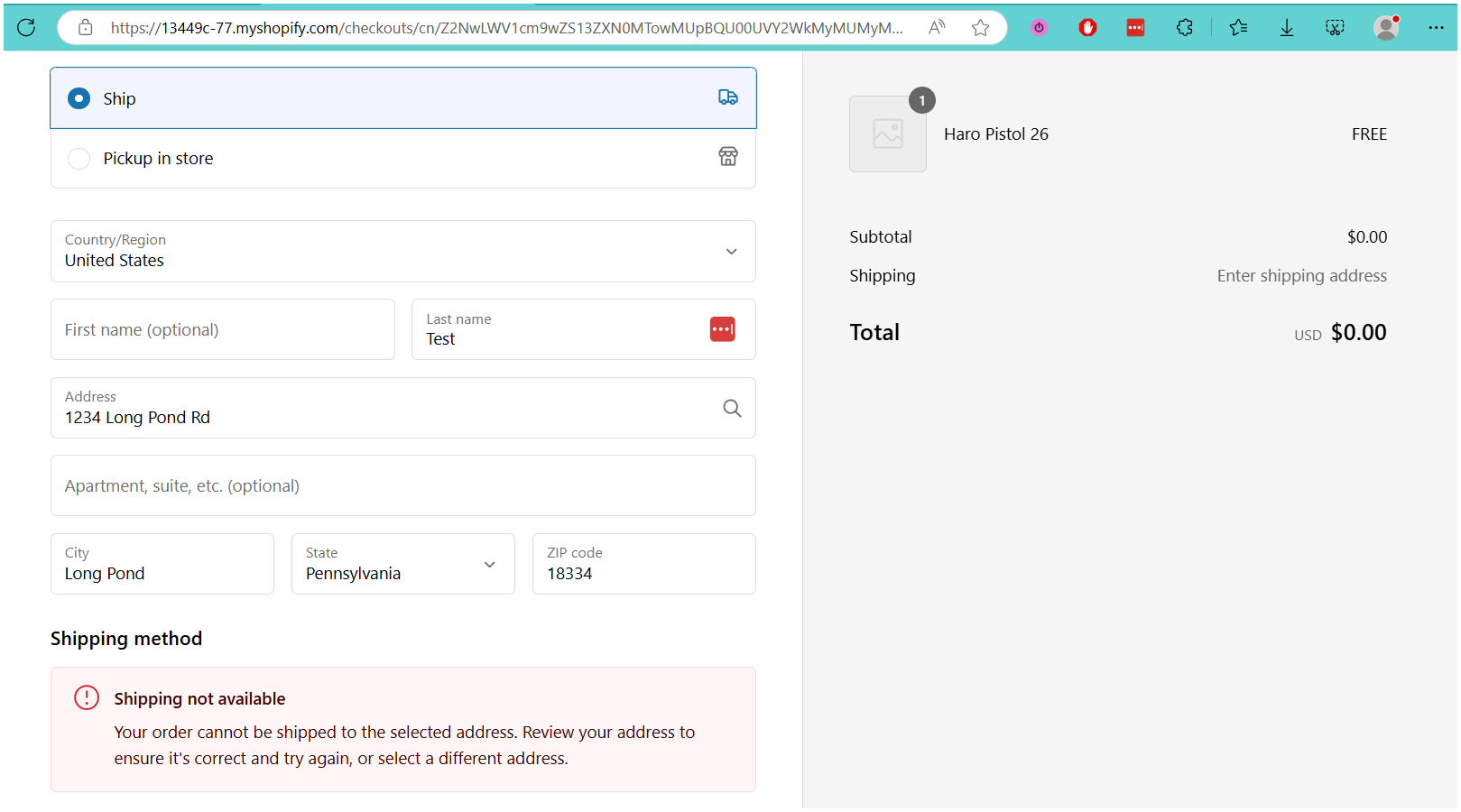
Checkout shows “Shipping not available” if delivery is selected, but will still allow collection from store.
Hi. Something of a dodgy solution and won’t work with split orders but it worked for us; we have set an upper limit on the weight of the orders that we ship.
If there are products that we don’t want to ship and only want to be collected (in our case, it’s fragile items that would not survive postage), we just set their weight to be above this upper limit.
Checkout shows “Shipping not available” if delivery is selected, but will still allow collection from store.
Google is now penalizing merchants because of this. Our Merchant Center account was suspended for misleading customers. There is no fix on our end; it is a problem with Shopify’s “new” checkout experience. This is poor service.
Hey @Sophia and @Shay - is there a fix? We need to be able to ship certain merch and have beer available for pickup only. I fixed it in a backwards, temporary way, but it is not elegant and produces an error if both a shippable and non shippable item are in the same cart.
I have applied high delivery prices for expensive products as shown in that video which is just a temporary solution. But unfortunately there is no specific information provided about how to include or exclude perticular products. If anyone find perfect fix then please share your video on it. I would like to exclude some of my products from local delivery as well. Thanks in advance.
Not helpful at all- everyone here has delivery set up or pickup set up but don’t want those options showing for carts with products that are ineligible for one of those delivery options.
This is still not possible… this thread is years old now, and still no way to split an order at checkout to have in store pickup and shippable products together. ugh
I wonder that as well. anyone know if you can split orders in shopify plus,
so you can check out normally and some items ship, and some are clearly
marked as pick up only and paid for still with no shipping charges. One
streamlined, not confusing , smooth checkout experience.