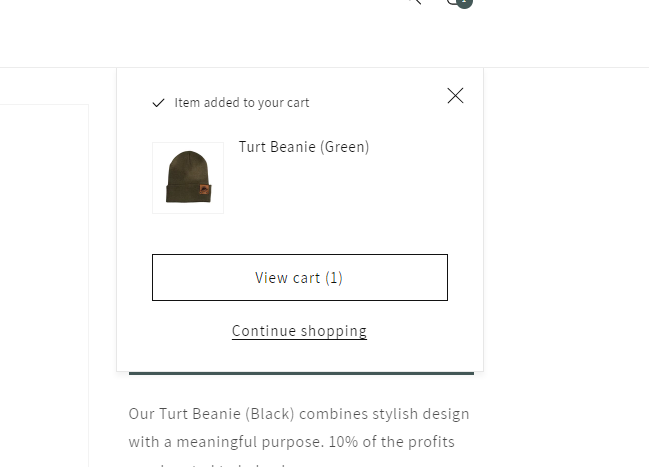
Hello,
I want to remove the “checkout” button on the pop-up cart, and I need some help doing that. I don’t want to remove the pop-up cart only the checkout button. So that I am left with only “view my cart” button on the pop-up cart. Thank You -Anthony
www.turtapparel.com
1 Like
Hi @AnthonyAustin
Check this one.
- From your Shopify admin dashboard, click on “Online Store” and then “Themes”.
- Find the theme that you want to edit and click on “Actions” and then “Edit code”.
- In the “Assets” folder, click on “base.css, style.css or theme.css” file, depending on which file your theme uses to store its CSS styles. At the bottom of the file, add the following CSS code:
#cart-notification-form > button {
  display: none;
}
Please don’t forget to Like and Mark Solution to the post that helped you. Thanks!