hello does somebody know how to add a quick view button on your site like the one on the screenshots maybe with code or something or do i need to add a app for that feature?
Topic summary
A user is seeking guidance on adding a quick view button to their website, sharing screenshots as reference for the desired functionality.
Initial Response:
- Another user suggests that no app installation is necessary
- Recommends navigating to Theme Settings → Product Items Settings → Use Quick View option
Issue Identified:
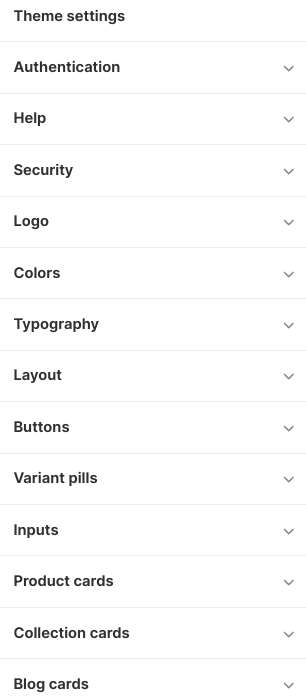
- The original poster reports their theme settings don’t include a “Product Settings” section
- Screenshots show only limited theme customization options available
Proposed Solution:
- The helper then advises downloading a product review app as an alternative approach
Current Status:
- The discussion remains open with no confirmation whether the suggested app solution was implemented or successful


@Distinctz There is no need to install app. In Theme settings → In Product Items Settings → click on Use Quick View → Save
1 Like
i dont have a product setting in my theme settings the sections on the picture are the only one i have?


@Distinctz then you have to downlead product review app