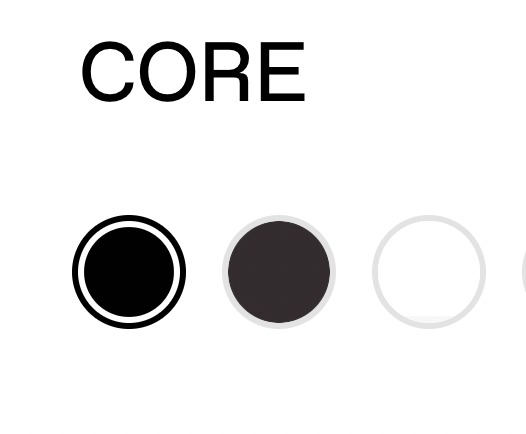
Hi community, is there a way I can add a thin boarder round the edge of my white colour swatch only, currently it’s struggling to show up against the background.
URL – https://pantee.co.uk/?_ab=0&_fd=0&_sc=1&preview_theme_id=144118972631
Colour swatch white: #fafafa
Current white swatch (last colour) –
What I need (think light grey border around the white swatch only) –
2 Likes
Hi @BSS-TekLabs thank you for the help. Unfortunately that code doesn’t work, it adds a border round all of my colour swatches, plus the swatch and border has padding whereas I want the border to be directly around the swatch with no white space in between. Thank you anyway 
What that code does –
1 Like
Hi @emilyaugstudios
Check this one.
From you Admin page, go to Online Store > Themes
Select the theme you want to edit
Under the Asset folder, open the main.css(base.css, style.css or theme.css)
Then place the code below at the very bottom of the file.
.swatch-method-swatches.swatch-style-icon_circle label[data-swatch="white"]::before {
    border: 1px solid grey;
}
And Save.
Result:

And if you like all the color:
.swatch-method-swatches.swatch-style-icon_circle .opt-label--swatch::before {
     border: 1px solid grey;
}
And save.
Result:

Please don’t forget to Like and Mark Solution to the post that helped you. Thanks!
1 Like
HEllo @emilyaugstudios
Go to online store ----> themes ----> actions ----> edit code ----> assets ---->main.css
add this code at the end of the file.
.swatch-style-icon_circle .option-selector .opt-label--swatch::before, {
border: 0.1px solid black;
}
result
If this was helpful, hit the like button and accept the solution.
Thanks