How to change background header image from template theme

Topic summary

A user is trying to locate and change the header background image on their Shopify store but cannot find it in the theme settings.

Suggested Solutions:

  • Navigate to Online Store → Theme → Customize and look for the relevant section in the visual editor
  • Access the code editor via Online Store → Themes → Edit code, then modify the frame.scss.liquid file around line 2006 where the image URL is specified
  • Search for .breadcrumb or “Breadcrumbs and Tag Sorting Module” markup in the code

Current Status:

  • The user attempted to locate the image in the code files but was unsuccessful initially
  • They believe they may have found the correct location but are experiencing implementation issues
  • The discussion remains ongoing with the user still seeking guidance to successfully change the image
Summarized with AI on November 11. AI used: claude-sonnet-4-5-20250929.

I am having trouble finding where to change the image that is being used as a header image for all my pages on a shopify store. How can I locate and change this image?

https://aprilonebourbon.myshopify.com/pages/contact

You can try to find it by following the steps below:

Step 1: Go to Online Store->Theme->Customize.

Step 2: Find the section on the contact page that needs to be modified, You can most likely find it in the editor.

If you will unable to find it then I’m happy to do this for you, let me know.
I can hlep you change it so that this will work well for you.
Hopefully it will help you. If yes then Please don’t forget hit Like and Mark it as solution!

Hi @msrwalsh

You can find and change it from Online Store > Themes > Edit code > open frame.scss.liquid file, go to line 2006, change the image URL

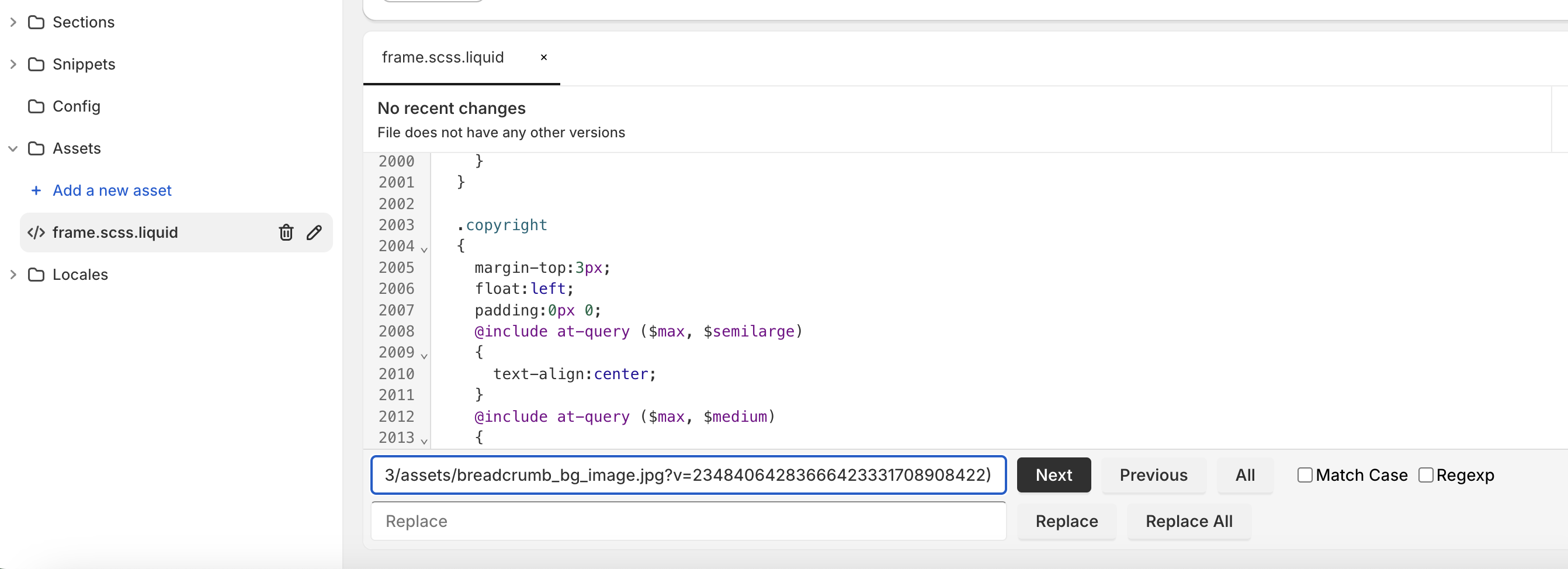
Unfortunately, I was not able to find the image in the code.

You can try to find this only

.breadcrumb

Or this

Module | Breadcrumbs and Tag Sorting

I think I found it but am having issues with getting it to work. Your advice is appreciated.