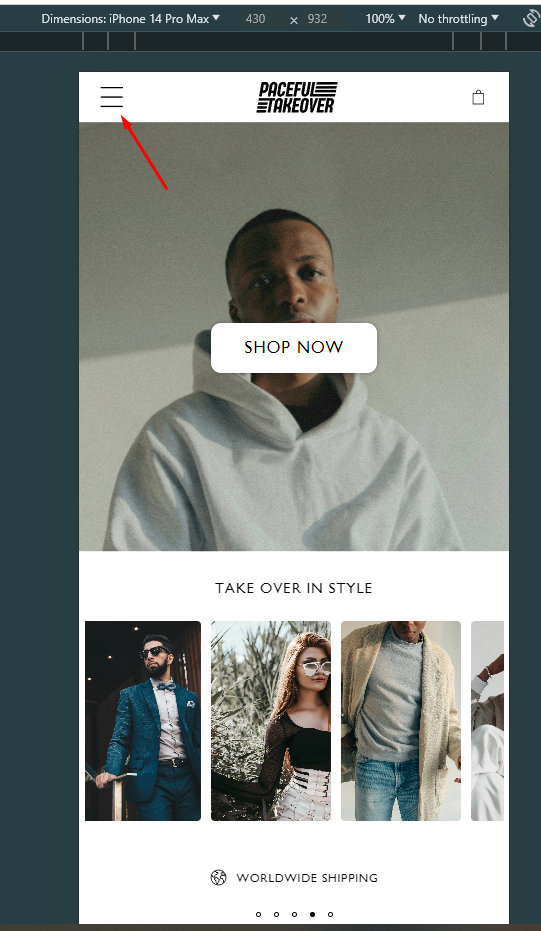
Hi guys,
I would like to change the size of the hamburger menu icon but I don’t know how. I’ve already tried some codes but nothing worked. I’m using the refresh theme, can anyone help?
Hi guys,
I would like to change the size of the hamburger menu icon but I don’t know how. I’ve already tried some codes but nothing worked. I’m using the refresh theme, can anyone help?
Hello @Aihaam
would you like to share your store URL and password if any please.
so i can check and provide you possible solution for your question.
password: shetra
Hello @Aihaam
Go to online store ----> themes ----> actions ----> edit code---->base.css
add this code at the end of the file.
svg.icon.icon-hamburger {
transform: scale(1.3);
}
result
If this was helpful, hit the like button and accept the solution.
Thanks
Hi @Aihaam
svg.icon.icon-hamburger {
height: 3rem;
width: 3rem;
}
Hi @Aihaam ,
I have reviewed your requirement, you just need to edit css script and the issue will be resolved. You can follow my instructions!
Step 1: Go to Admin → Online store → Theme > Edit code:
Step 2: Search for the file base.css. And add this code snippet to the end of the file.
@media only screen and (max-width: 768px) {
  svg.icon.icon-hamburger {
    scale: 2 !important;
  }
}
Step 3: Save and reload home page.
=>> The result:
I hope these instructions will help you. If they are helpful, please give us likes and mark as the solution.
Have a nice day sir!
You can add code by following these steps
Go to Online Store → Theme → Edit code.
Open your theme.liquid file
Paste the below code before on theme.liquid
Was my reply helpful? Click Like to let me know!
Was your question answered? Mark it as an Accepted Solution.