How to create a one-time popup notification on Shopify,

Topic summary

A merchant wants to display a one-time “buy one get one” popup notification that appears once per browsing session on their Shopify store.

Custom Code Solutions:

  • Multiple respondents provided similar HTML/CSS/JavaScript implementations using sessionStorage to track whether the popup has been shown
  • Code snippets involve adding markup to theme.liquid before the </body> tag, with styling before </head>
  • The solutions use session-based cookies or browser storage to prevent repeated displays

App-Based Alternatives:

  • Several free and paid apps were recommended as no-code options:
    • Klaviyo - for customizable popup forms
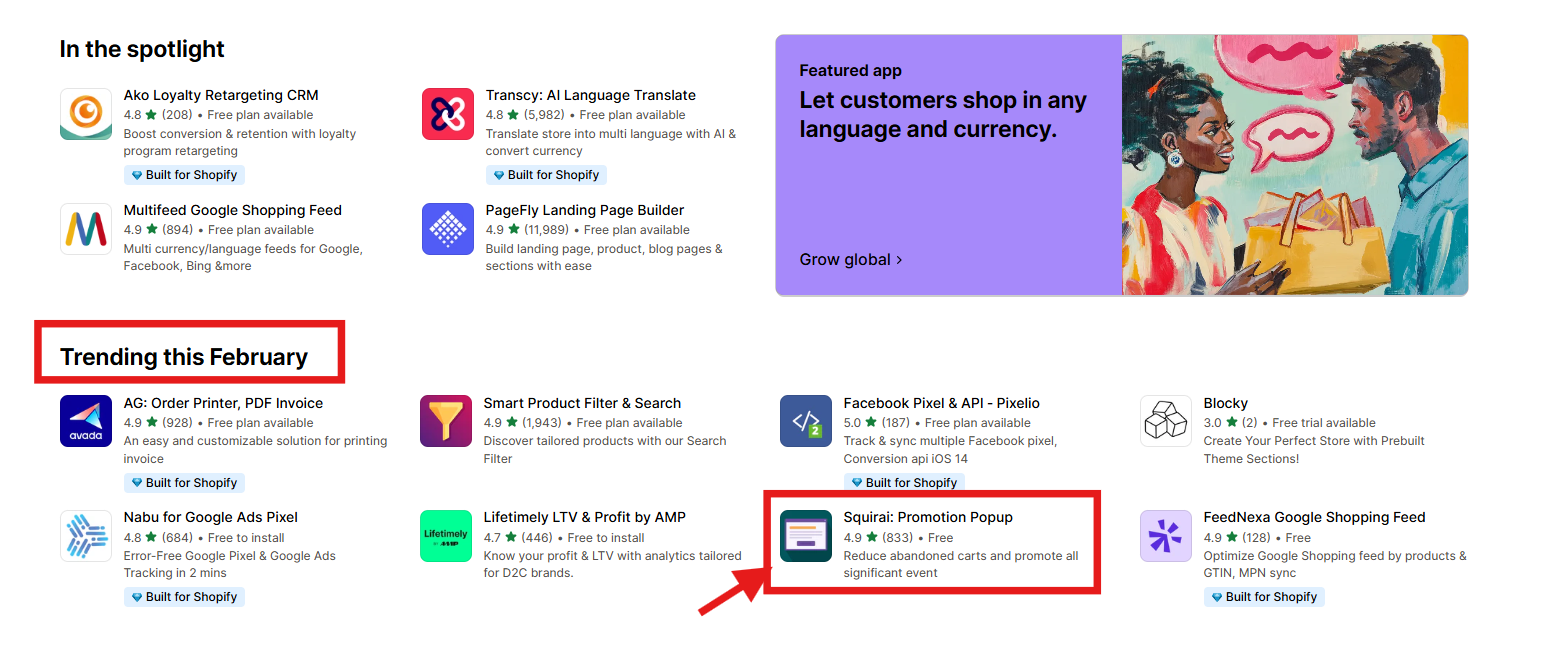
    • Promotion Popup - trending free app with BOGOS integration
    • Privy, Sale Kit by Qikify - general popup solutions
    • Popup for Conversions by Vector - offers cookie-based session control with configurable hours
    • Searchanise Upsell & Marketing - includes notification, cross-sell, and email collection popups
    • Bevy Design - features templates and engagement display controls

Key Feature:
All solutions emphasize using session storage or cookie settings to ensure the popup displays only once per visitor session, maintaining a non-intrusive user experience while promoting the offer.

Summarized with AI on October 26. AI used: claude-sonnet-4-5-20250929.

Hey,

I want to add a pop up notification on my store of giving information about my ‘buy one get one’ offer.

But I want that it should be shown once whenever a client is landing on my website. Like it should be once per session.

Please let me know how to go about it.

4 Likes

Hi @Yashika21 , to do this, please follow our instruction below:

Step 1: Open Online Store → Themes → Edit code

Step 2: Find theme.liquid file

Step 3: Paste this CSS code before the close tag (You can custom its if you want):


Step 4: Paste the following code before close tag:


      ×
      ## Buy One Get One Free!
      

Hurry up! Don't miss this amazing offer on selected items. Buy one and get another free!


This is Richard from PageFly - Shopify Page Builder App
Hi @Yashika21
Please add code here to do that:

  1. Go to your Shopify Admin > Online Store > Themes.
  2. Click “Edit Code” in the theme you are using (e.g., Dawn Theme).
  3. Open the theme.liquid file.
  4. Before , add the following HTML and CSS:


        ×
        ## Special Offer!
        

Buy One, Get One Free! Limited Time Offer.

        Shop Now
    

​

And here is result

Hope my solution will help you resolve the issue.Best regards,
Richard | PageFly

Hi, same question. Is there any free shopify app that can enable this?

Hi,

You can use the Klaviyo app to create a form for this purpose. It also allows you to set up a popup form for various needs.

If you need custom code to implement this, please share more details about your requirements, and I’d be happy to help!

Richard | PageFly

Hi @Yashika21 and @Christinebeauty :blush:

You can try out this TOTALLY FREE pop up app (which is trending this February):

It also integrates seamlessly with BOGOS to create engaging gift offers, smart discounts, and effective bundles. You can get 7-free days started with BOGOS today - the app makes it super easy to create and manage all your promotional offers while working seamlessly with your popup strategy.

1 Like

Hello @Yashika21 ,

Some custom coding is needed to add this pop-up. You can also consider apps like Privy, Sale Kit by Qikify, and so on.

Please, get in touch if you need any consultation or assistance.

Best regards,
Anastasia

Hi @Yashika21 , thanks for reaching out.

In this case, you can consider the Avada Email Marketing app to create forms and popups.

Liz

Hi Yashika,

Our popup app Popup for Conversions by Vector has this functionality. So if you’d go to Settings after setting up your popup. You can Enable Cookies and set the hours. This, is going to restrict the popup from coming up multiple times per session, it’ll only come up once until the they reboot their browsing session or number hours you’ve added here have expired.

Hope this helps. I’m certain there are others apps on Shopify App store that can help you achieve the same.

Best
Ayesha
Popup for Conversion Team

Hi,

If you’re looking for a hassle-free solution with no coding required, consider using Searchanise Upsell & Marketing.

This app includes a variety of powerful Pop-up features:

  • Notification Pop-ups – Display one-time messages based on triggers.
  • Cross-Sell Pop-ups – Automatically suggest the right product to the right customer at the right time.
  • Email Collection Pop-ups – Collect emails in exchange for discounts or store credits to grow your subscriber list.
  • Redirect Pop-ups – Seamlessly guide users from one page to another based on your strategy.

You can find the app via the link in the description.

Hope this helps!

Upsellise

Hey @Yashika21 , try out our pop-up builder app “Bevy Design” . It offers a wide range of features, including the specific one you’re looking for.

To appear the pop-up only once, you can turn off the “display after engagement” feature or set the maximum display as you like. The app is easy to use, and we have pre-made templates from which you can create your desired pop-up in minutes.

If you need assistance with setting up your campaign, I’m just a message away. Don’t hesitate to reach out.

Link of the app - Shopify App Store

For additional information, visit our website: Bevy Design

Use a popup app like Poptin or Privy, set it to show once per session using cookie settings. For privacy-compliant control, consider using Ketch.

Solution:
Use custom HTML, CSS, and JavaScript with sessionStorage to show the popup only once per session. No app is required.

Steps:

  1. Edit your theme code:
    Go to Online Store > Themes > Edit Code, open the theme.liquid file (or footer.liquid), and add this code just before the closin
    This will ensure your popup is shown only once per session, giving customers a clean experience while still promoting your offer.
    i hope this we help you
    let me know if you don’t understand

Hey,

Speaking of app solutions, you can check out Shopify store to find our Popup app there.

You can adjust triggers and scenarios for the app to show it on specific pages and for specific behaviour on the website.

Cheers,

Elfsight Team

Hi,

You can achieve this by setting up a one-time popup using Adoric PopUp’s campaign rules. Enable the “Show once per session” option in your campaign settings, and target the specific product or page where you want the offer to appear. This ensures the notification shows just once when a customer lands on your site, without repeating during the same session.

Let me know if you’d like help setting it up — happy to walk you through it!