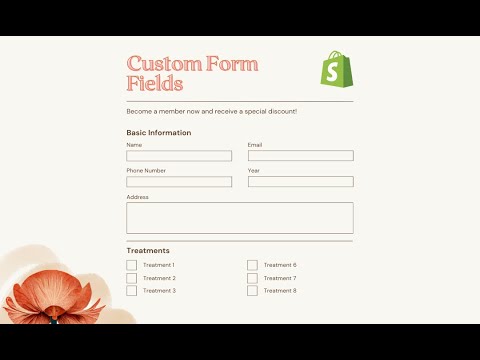
Goal: add custom fields (e.g., Social media handle, Subject) to a Shopify theme’s contact form and have submissions arrive via email.
Options suggested:
No‑code: Use third‑party form builder apps from the Shopify App Store (e.g., Form Builder, G:Form Builder, Contact Form Builder). These support custom fields; app developers can answer feature-specific questions.
Code-based: Edit the theme’s contact form template following Shopify Developer documentation to add fields manually.
Assistance: A member offered to implement the code as a collaborator.
Tutorial: A shared YouTube video demonstrates adding additional fields.
Integrations: Form apps can connect to tools like Zapier (automation) and Mailchimp (email marketing) and may allow custom JavaScript for deeper customization.
Email handling:
Not explicitly resolved. With apps, email routing/notifications are typically built-in. With custom code, you must ensure the new fields are included in the form submission and notification template.
Status: No confirmed implementation or final resolution. Next steps are to choose between an app or custom code, consult app developers or the offered collaborator, and follow the provided docs/video.
Summarized with AI on December 10.
AI used: gpt-5.
Such a great idea to add more fields onto your contact form! It will definitely allow you to get more information from your customers, and potentially start a conversation with them outside of an emailing platform if you do decide to add a custom social media handle field.
If you aren’t comfortable with coding, the easiest way to add custom fields to your contact form is by installing a third party app. There are a few apps on our Shopify App Store here that can help you customise your contact form. I did a bit of search on my end and was able to find some that you might be interested in, feel free to take a look at them:
Just a note that these apps are made by third-party developers outside of Shopify. So if you need more information about each respective app’s functionality, I recommend getting in touch with the app developers as they are best equipped to answer app specific queries.
If you’re comfortable with coding, you can take a look at our Shopify Developers page here on how to add some extra codes onto your theme’s coding to add more contact form fields.
Having a personalised and easy to navigate contact form on your store is important, as customers are more likely to be comfortable in reaching out to you! It looks like customer engagement and retention is an area that you’re currently focusing on your store at the moment. One of the best strategies for this is to create a customer loyalty program. So if you haven’t already done so, I would suggest to look into this further if this is something that interests you! Here’s one of our Shopify Blogs you can take a look at for more information on this.
Let me know how you get on with the information above! I’m happy to help if you have any other questions.
You would need to have a Form Builder app (like ours or take an option from those that were mentioned above). For better integrations, you may need Zapier or Mailchimp, and for deeper customization you want your app to work with custom js. Once you get an app that does both - you can reach the goal of your task.
Hope this helps! If yes then Please don’t forget hit Like and Mark it as solution!
If you will unable to implement the same then I’m happy to do this for you, let me know.