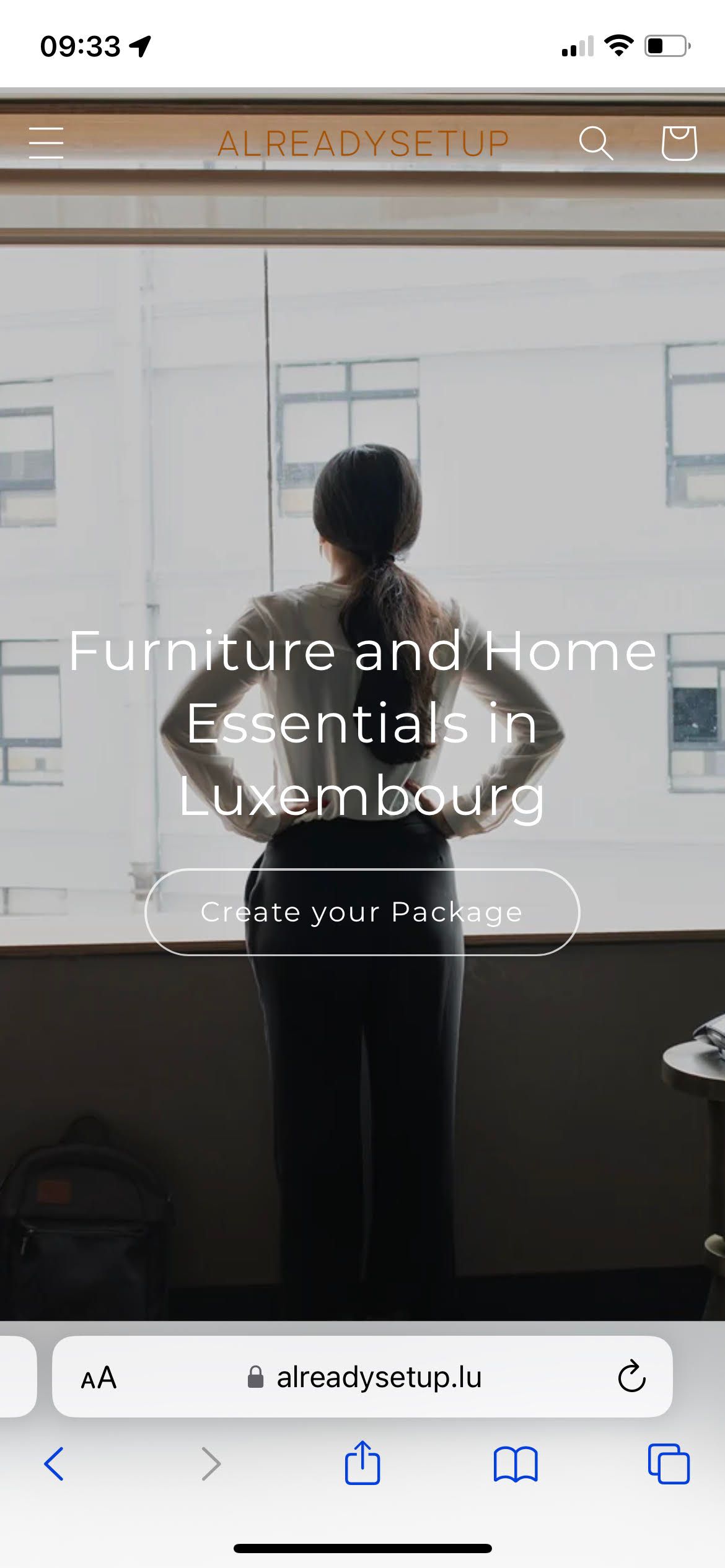
I am looking to adapt the CSS script so my image banner takes the full screen of any mobile. I’ve already tried to adapt the script by myself (including with ChatGPT…) but I still might me missing something here… any help from this amazing community would be very much welcomed.
Step1: Go to Online Store > Themes > Edit Code.
Step2: Find theme.liquid and open it. Scroll to end of the page. Find tag and paste the code below before the tag.
Amazing! It worked perfectly on my Iphone (cf. see attached)! Thank you very much!
May I take this opportunity to ask for your help and share the relevant CS Code to make the image banner fit to screen on (any) desktop screen size. (cf. see attached a screenshot taken from my 24’’ Dell P2423DE monitor). I would like the image banner to fit “almost” all the screen size when customers are landing on my website (like on Bonsoirs.com’s website attached.)