Hi, i put a code with the picture so that if you press the image you see in the first screenshot it goes to my collection all page, but when i go to my site with mobile view the picture won’t show? How do i fix that?

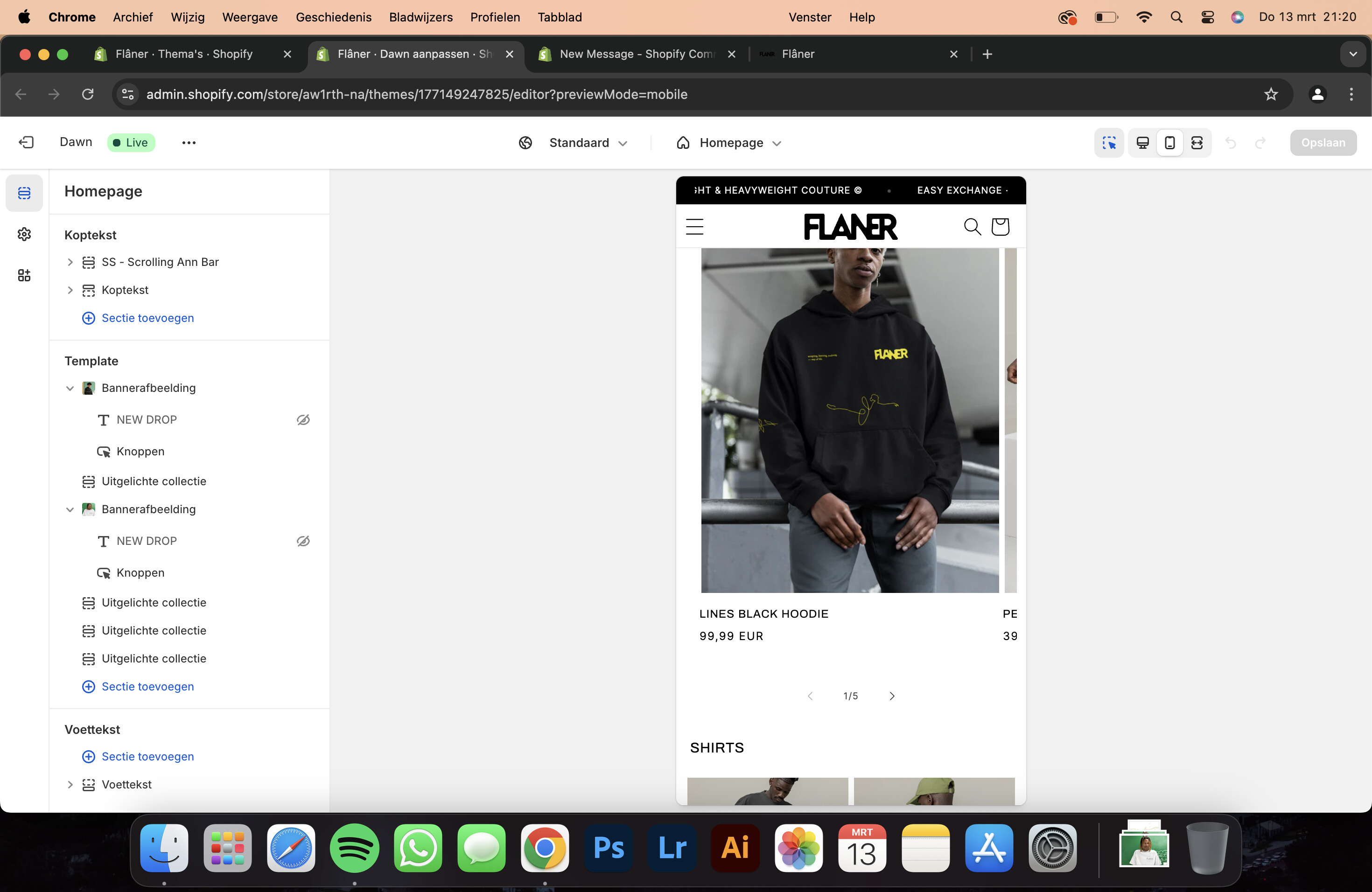
Hi there! 
Here’s the CSS code to resolve your issue:
@media screen and (max-width: 767px) {
div#Banner-template--24448134447441__image_banner {
display: block;
height: 100vw;
}}
To add this to your Shopify theme, follow these steps:
- Go to Online Store in your admin panel.
- Click on Customize next to your active theme.
- Scroll down in the side panel until you find Custom CSS.
- Paste the code I provided.
- Save the changes.
You should see the updates in real-time. Let me know if you need any more help!
1 Like
Hi! It worked thank you!
Hi! By any chance, do you know how i can make the picture bigger?
Hi there! I’m glad my response was helpful and solved your issue!
If you’d like to stay updated with more Shopify tips and solutions, feel free to follow me on social media:
 https://www.instagram.com/e.nnovative/
If you want to support my work, you can buy me a coffee here:  https://buymeacoffee.com/ennovative
Thanks again, and best of luck with your store! 
Hi! I’ve followed you on Instagram. By any chance do you know how i can get the image bigger on mobile view?
you can change the:
height:100vw
to 120vw
130vw
try and choose the best fit for you