ISSUE: required scope not updating for protected customer data

Topic summary

  • Main issue: On a development store, Required scopes in Partner Dashboard stayed at write_products and would not update to write_customers for protected customer data. Completing “select your data use in step 1” did not change scopes.

  • Symptom: Using the app’s access token to query GraphQL for customer segments resulted in Access Denied. This indicated the app did not actually have the needed customer scope.

  • Resolution: Add the write_customers scope to shopify.app.toml and run shopify app deploy to publish a new version. After deployment, Partner Dashboard correctly showed write_customers under Required scopes.

  • Notes: The need to deploy for scope changes to take effect was not mentioned in the docs. Screenshots were shared but are not essential to applying the fix.

  • Status: Resolved. Key takeaway: updating scopes requires changing the app configuration and deploying so the Partner Dashboard and permissions reflect the new scopes.

Summarized with AI on December 18. AI used: gpt-5.

I am working on just a development store. I want to have write_customers scope enabled but my Partner Dashboard write_products for Required scopes. I completed “select your data use in step 1 to access protected customer data.” but scopes did not update. I also tried running the app and using the access token to try to query GraphQL for segments but received Access Denied error.

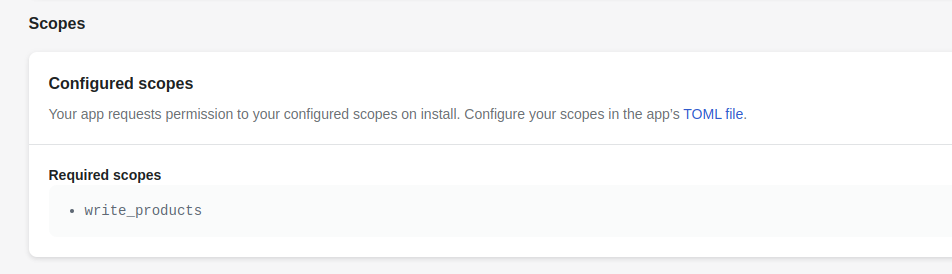
Please help. This is blocking development.

I resolved the issue.

In case anyone else is stuck on this problem, i resolved it by updating the scopes inside shopify.app.toml and running shopify app deploy which deploys a new version of the app including the new scopes. The Partner Dashboard will then show write_customers scope. This is not mentioned anywhere in the docs. Hope this is helpful for others.