Issue with Scopes Update after rejection of shopify application

Topic summary

Permissions/scopes for a Shopify app disappeared after a recent app review rejection. The developer attempted to restore them by pushing the app configuration (npm run shopify app config push and --force). The CLI reported success (“config is live”), but the Shopify App Dashboard did not reflect updated scopes.

Details: Org, App, and Client ID values were verified as correct. Screenshots show terminal output, the API access page, and the previous (working) configuration, indicating the scopes used to exist but are now missing.

Another participant reports the same symptom: the “Configured Scopes” section in API access is empty for their app and asks if a fix was found.

Context: “Scopes” are the permissions an app requests for Shopify APIs; the API access section should list them if applied.

Status: Unresolved/ongoing. Open questions: why config pushes don’t propagate to the dashboard, and how to restore scopes after an app rejection.

Summarized with AI on January 5. AI used: gpt-5.

Permissions Update Issue:
I noticed that some required permissions for my Shopify application were removed. To rectify this, I attempted to update the configurations and permissions using the command “npm run shopify app config push” And “npm run shopify app config push – --force”. However, despite the terminal indicating “Your shopify.app.toml config is live for your app users”, but the application did not reflect the changes.

“Org”, “App”, “Client ID” are correct in place.

Terminal Screenshot:
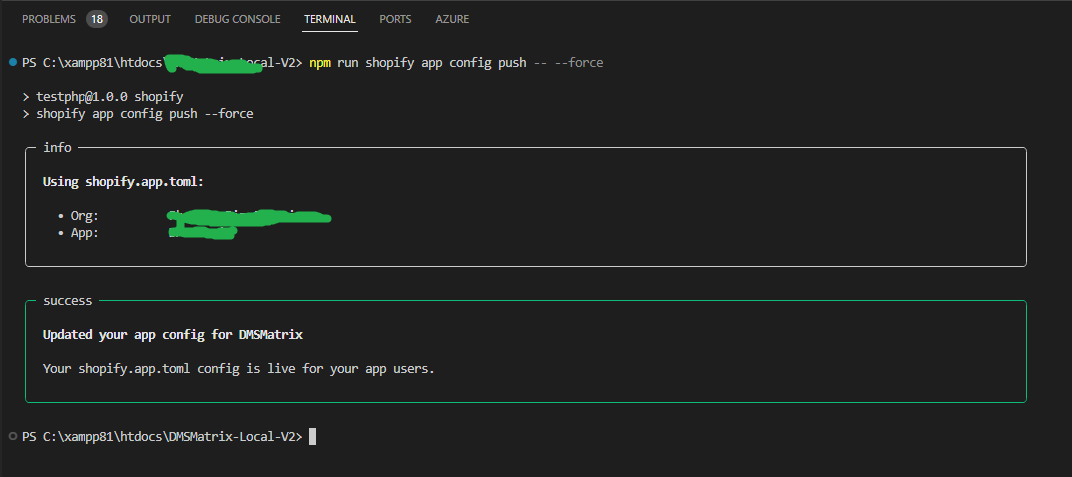
API Access, Shopify App Dashboard Screenshot:

Previous Configuration:
For your reference, the previous configuration was as follows:

1 Like

Hi @dmsmatrix , is this issue resolved for you? We are facing a similar issue where the Configured Scopes are missing from the API access section for our app.

1 Like