A merchant is seeking an app that displays a progress tracker for discount offers like “Buy 2 Get 1 Free.” The tracker should appear on both product pages and in the cart to show customers how many items they need to add and confirm that advertised discounts are being applied.
Recommended solutions include:
• Apex Cart Progress Bar and Progress Bar & Deals Motivator – Standard progress bar apps
• Hype – Offers built-in progress bars and widgets with custom integration options for cart and product pages
• BiDeal Bundle Volume Discounts – Supports tiered/volume discounts with mix-and-match functionality across variants
• Gift Box and Ultimate Special Offers – Allow customization beyond basic progress bars
One commenter suggests alternative formats like checklist-style widgets or live popup messages for more interactive confirmation. Another notes that custom builds using Shopify Functions + UI Extensions offer greater flexibility and design control, though apps are faster to implement.
Images showing example progress bar implementations were shared. The discussion remains open with no final decision indicated.
Summarized with AI on October 24.
AI used: claude-sonnet-4-5-20250929.
Looking for an app to help customers track their progress towards a discount. For example, Buy 2 get 1 free.
Ideally, progress bar shows up in cart and on product page - shows how many products to add and assures people that advertised discounts are being honored.
Hi @studaines try searching these Apex Cart Progress Bar , **Progress Bar & Deals Motivator.
**
Progress bars are what you are looking for.
Need a simple way to manage Black Friday / Cyber Monday discounts?
Check out Bulk Discount Editor – Sale Prices to Discount Product prices in just a few clicks.
Totally get what you mean, most apps just throw a generic progress bar. Another approach is to make it feel more interactive for the customer.
For example:
Instead of a bar, show a checklist-style widget ( 2 items added, 1 free gift unlocked).
Or a popup/cart drawer message that updates live as they add items (“You’re eligible for Buy 2 Get 1 Free! Your free product will be added at checkout”).
Some apps like Gift Box or Ultimate Special Offers let you customize the format beyond just a bar.
This way it feels less like “gamification” and more like real-time confirmation that the deal is honored. Tell me which you decide to go and it’ll be great if you could carry me along once you started trying any out.
For setting up a tiered discount on a product range where customers can mix and match different colors to qualify—such as buy 2 for £10, buy 3 for £14, buy 4 for £18, etc.—the BiDeal Bundle Volume Discounts app is a great fit.
BiDeal supports volume discounts that apply across product variants or collections, allowing customers to choose any combination of colors within the same product range to complete the offer. The app automatically calculates the price based on the total quantity selected, regardless of color or variant.
You can handle this either with an app or with a small custom build.
For apps, try ones like Apex Cart Progress Bar or BOGOS (Buy X Get Y), they show customers how close they are to the offer directly in the cart/product page.
If you want more flexibility (like dynamic rules or matching your exact theme design), it’s possible to build it with a Shopify Function + UI Extension so the progress bar updates live as items are added.
Both approaches work, apps are faster to install, and custom gives you more control.
 2 items added,
  1 free gift unlocked).
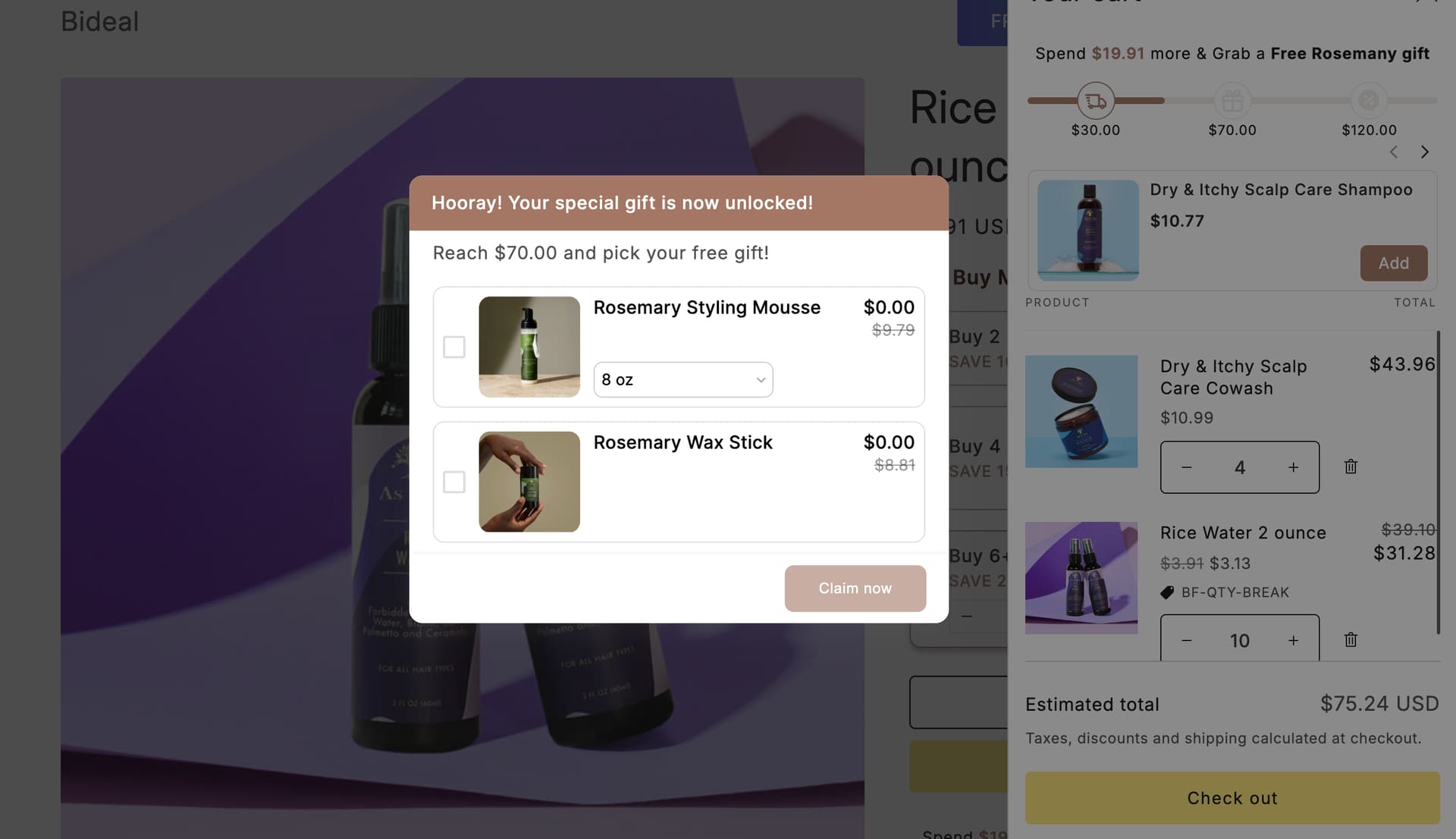

 You can use Cartly’s Reward bar feature:
  Its Reward bar feature does exactly what you’re looking for.
