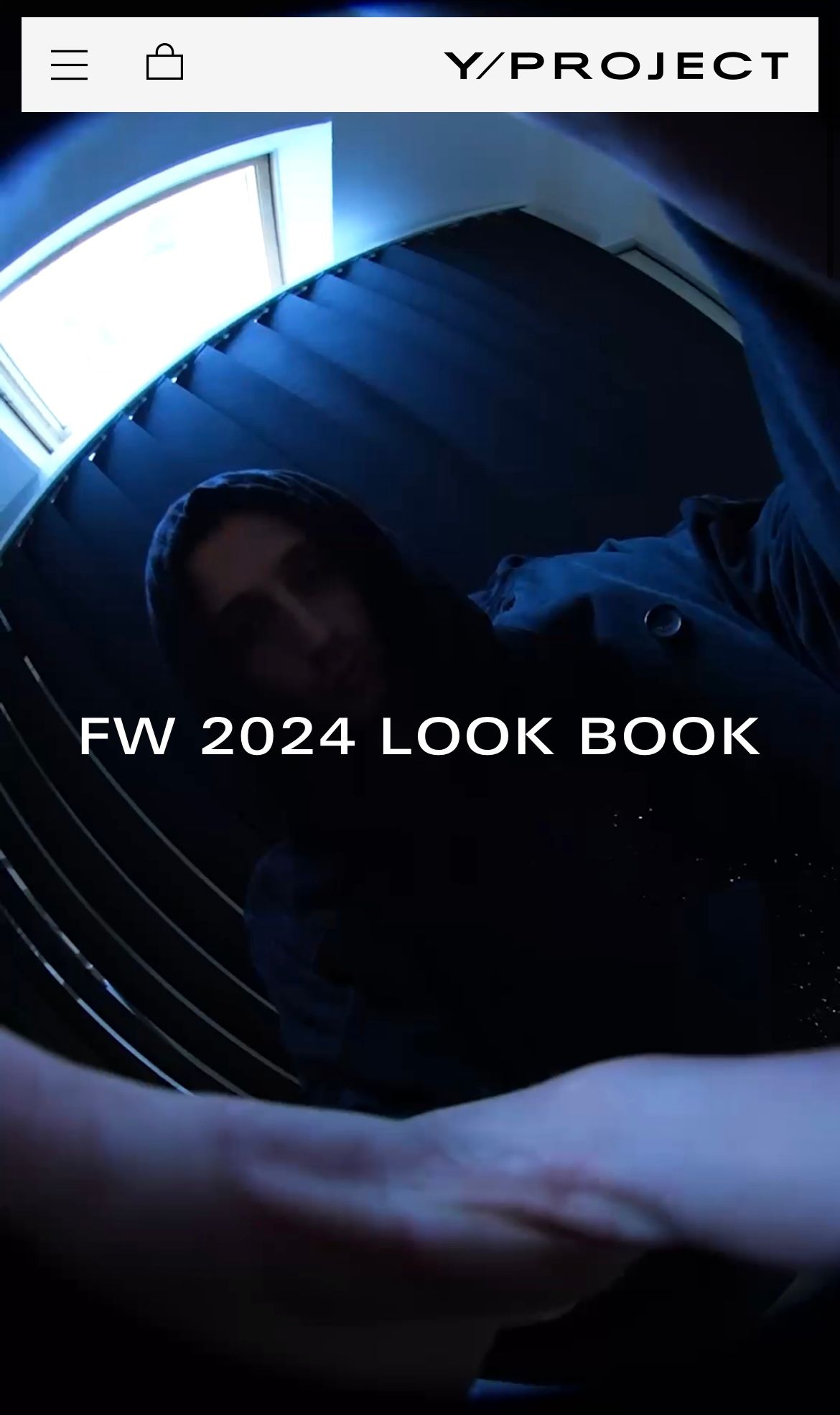
Make the header not occupy the entire top part of the screen

Topic summary

A user seeks to modify their Shopify theme (Stiletto 3.1.0) to create a header with margins that doesn’t span the full screen width, similar to the design on yproject.fr. They want a rectangular header with specific spacing, white background, logo positioned on the left, and search/cart/menu elements on the right.

Current Issue:

  • Default theme headers are limited in customization options
  • Header currently extends edge-to-edge without margins

Desired Outcome:

  • Header with margins on all sides (not attached to top of viewport)
  • Rectangular shape matching reference site’s proportions
  • Specific element positioning (logo left, utilities right)

Response:
Another user provided CSS code as a potential solution, though the code snippet appears corrupted or incomplete in the conversation. The discussion remains open regarding implementation details and whether the proposed solution fully addresses the layout requirements.

Summarized with AI on November 11. AI used: claude-sonnet-4-5-20250929.

Hello hello!

I was wondering if something similar to what www.yproject.fr has in its header could be done, that is, that the header does not take up the entire screen and is not attached to the top but contains margins (my current theme is Stiletto 3.1.0 and my beta shop is: https://winnerofficial.com (password: y21)

I would love to have an identical rectangular shape (with the same margins as in the reference photos) to the one they have on their website, with the logo on the left (not the right) and everything else (search, cart, menu, on that exact order) on the right. I would like the background of the header to be white. (I attach reference photos)

I think the options for headers are a bit limited in most themes and many people would be happy to know that there are more customization options for them!

Reference photos:

Hi @martujv , you can try recreate that by adding this code to your theme

header.css-3bMN686qBP {
    width: 100%;
    left: 0;
    margin-left: 0;
    top: 0;
}