Dear community members.
I need to make the title menu items clickable to direct to the correspondent collection.
e.g.
When I click “Cookies” to be directed to the cookies collection page.
Thanks.
https://sossascookies.myshopify.com/
Password: nawthi
A Shopify store owner using the Crave theme needs help making main menu titles (like “Cookies”, “Pistachio”, “Red Velvet”) clickable links that direct to their corresponding collection pages.
Current Issue:
Proposed Solution:
A community member (BSS-Commerce) provided detailed steps:
Status:
The original poster clarified their specific need with screenshots showing which menu elements should become clickable. The solution involves restructuring the navigation menu to properly link main titles to collection pages while organizing sub-items hierarchically.
Dear community members.
I need to make the title menu items clickable to direct to the correspondent collection.
e.g.
When I click “Cookies” to be directed to the cookies collection page.
Thanks.
https://sossascookies.myshopify.com/
Password: nawthi
Hi @Gaiar ,
The problem caused by settings in your Navigation is linking to product page.
In order for items in cookies to be linked to collection pages, please follow these steps:
Result:
Before:
After:
Good luck @Gaiar !
Thanks @BSS-Commerce for your detailed reply.
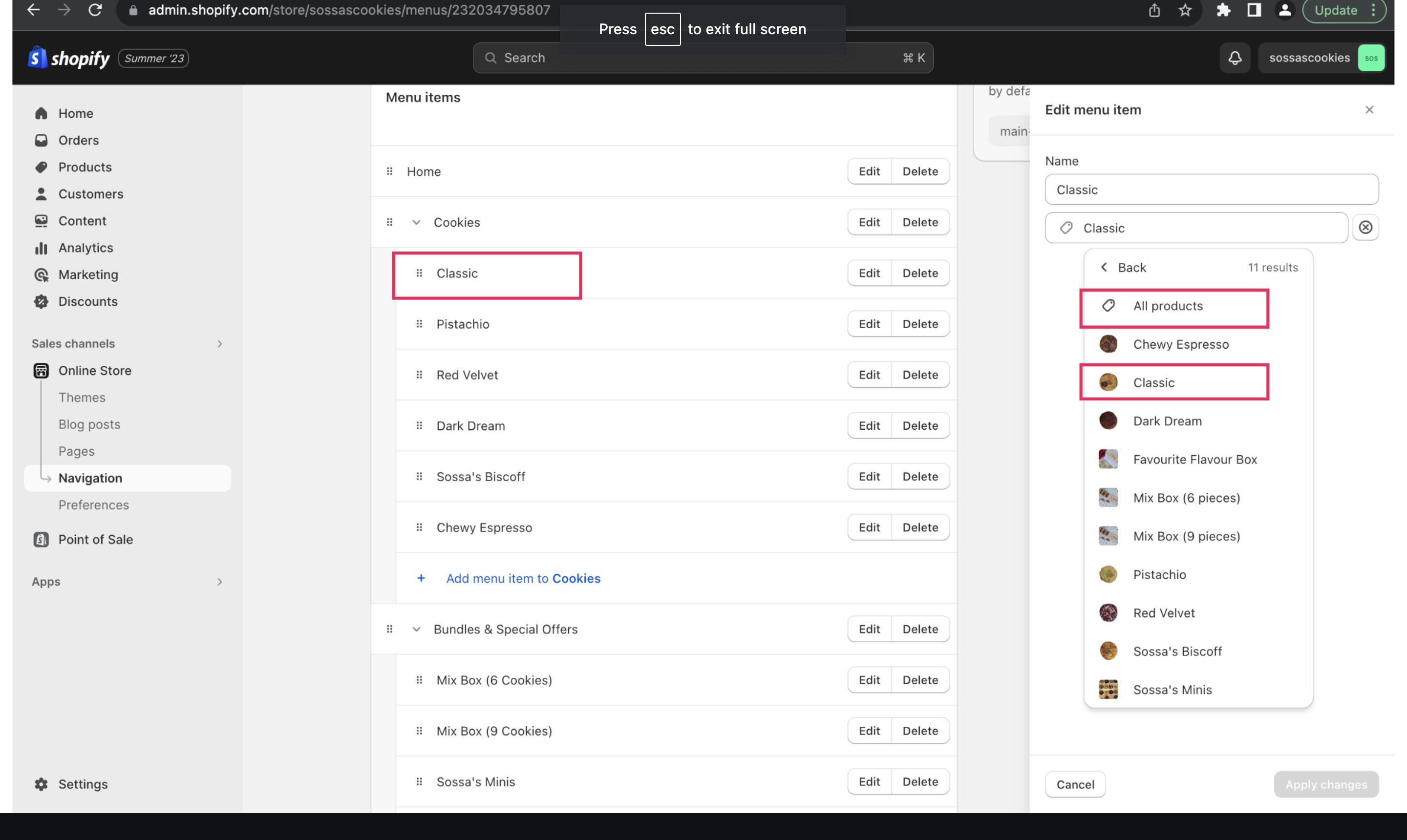
What I am trying to do is to make the menu titles (highlighted in the below screenshot) direct to the correspondent collection when clicked:
Cookies/Bundles & Special Offers, are collection pages:
Classic Pistachio,…etc. are product pages:
I hope this clarifies. Thanks a lot for your help.