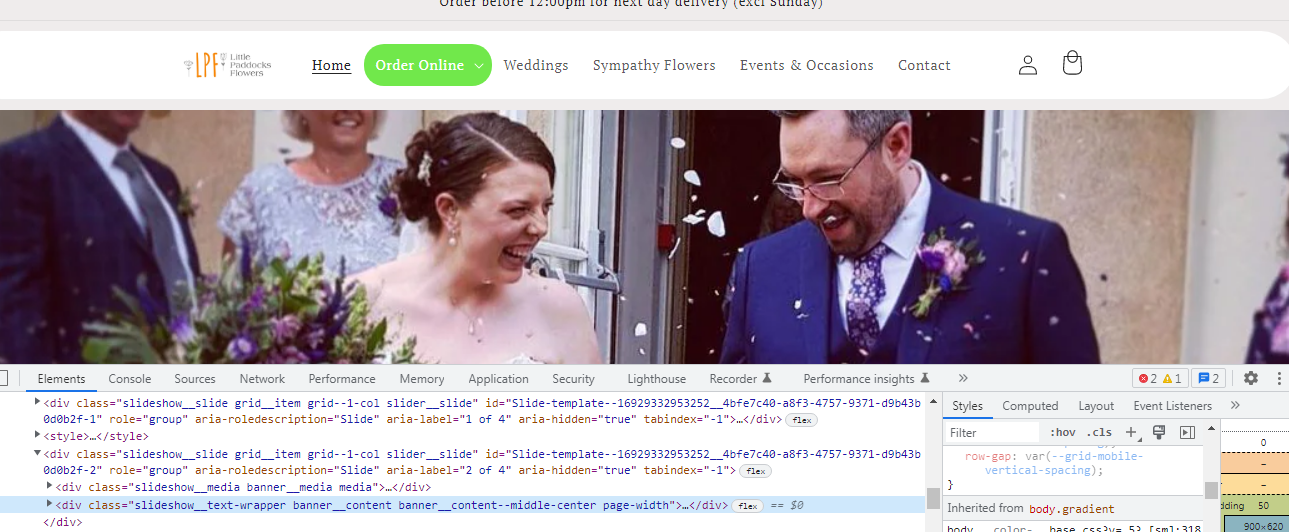
Hi, could someone please advise me on how I could add a pill shaped green box in the colour #41543B around the menu item ‘Order Online’ on my website littlepaddocksflowers.com
Many thanks!
A user seeks help adding a pill-shaped green background (#41543B) to the ‘Order Online’ menu item on their Shopify store.
Current Status:
Proposed Solutions:
All responses suggest adding custom CSS to the base.css file in the theme code editor:
ul.list-menu #Details-HeaderMenu-2 or nav.header__inline-menu .list-menu li:nth-child(2)background: #41543B and border-radius: 20px (or 50px for more pronounced pill shape)color: #ffffff to ensure readability against the dark green backgroundScreenshots demonstrate the expected visual outcome with the menu item displaying a rounded green background. The discussion remains open with no confirmation from the original poster on which solution was implemented.
Hi, could someone please advise me on how I could add a pill shaped green box in the colour #41543B around the menu item ‘Order Online’ on my website littlepaddocksflowers.com
Many thanks!
@arlo1 the site already has a green background on the menu item.
I dont know if i got this right but from what i understood you can try this. In your base.css file from theme code editor add this at the very bottom of everything
nav.header__inline-menu .list-menu li:nth-child(2) {
background: #41543B ;
border-radius: 50px;
}
This should be the result

If you want to change color since black is not easily readable add this
#Details-HeaderMenu-2 .summary.list-menu__item{
color: #fff;
}
Hi @arlo1
Let add this custom CSS code to the bottom of base.css file in Admin → Sale Channels → Online Store → edit code your current theme:
ul.list-menu #Details-HeaderMenu-2 {
  background: #41543B;
    border-radius: 20px;
}
ul.list-menu #Details-HeaderMenu-2 summary.header__menu-item {
  color: #ffffff;
}
The result will be:
Hello @arlo1
ul.list-menu #Details-HeaderMenu-2 {
background: #71e84b;
border-radius: 20px;
}
ul.list-menu #Details-HeaderMenu-2 summary.header__menu-item {
color: #ffffff;
}