Hello, does anybody know how to create separate product pages for bundles that display a multiple variant selection as seen on this website: https://www.nakie.co/collections/hammock-bundles/products/sustainable-down-puffy-blanket-x-4-family-combo?variant=42072584552646
I am trying to avoid the bundle also becoming its own SKU but rather the products being added as their own individual line once at checkout. This app does something similar with a feature called Unbundle: https://apps.shopify.com/bundleup
Thank you in advance.
1 Like
Hi @NatureBed
This is Jun from Bundle Kit. You would need to use a third-party app for this functionality.
You can create a bundle using our app and have multiple variant selections.
Bundle Kit bundles are built on top of normal Shopify products, and Shopify supports up to 3 variant options and 100 variants per product.
To achieve this, create a dummy bundle product first in Shopify. Using our app, convert this into a bundle. We have step-by-step instructions here: https://help.bundlekit.io/creating-a-multi-variant-bundle
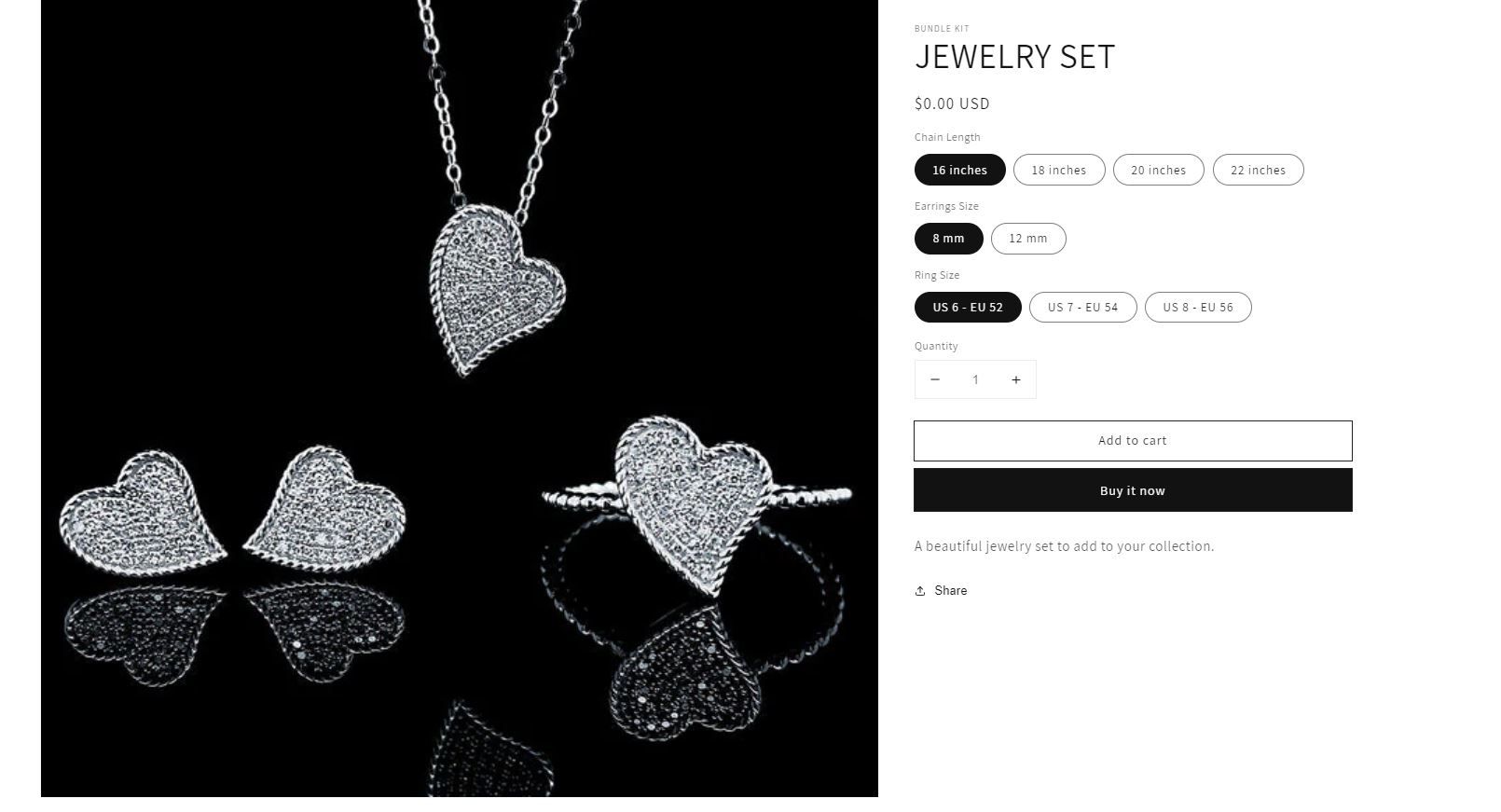
Here’s a sample bundle product we have:
The bundle inventory is automatically set based on the available inventories of the bundle item(s), including the inventories of the variants.
Proper quantity will also be taken out of the inventory of each bundle that is being purchased.
Each of the bundle products will also have its own line at the end of checkout. You may check this link for the sample screenshot: https://help.bundlekit.io/hide-bundle-items-from-customers-order-status-page
Let us know if you have any questions.
Does this adjust quantities for only the bundle or the individual SKUs for each bundled product?
It will adjust the individual SKUs for each bundled product.
Hi
There are 2 different types of bundle apps.
One type is creating custom pages in your theme and letting your buyers select different items as part of a bundle before check out. These are then added as individual order lines and a discount is added at checkout.
The other type is the way we do it with Bundleup in that the buyer purchases a single product line and we update it post purchase.
Sounds like you may want to go with a theme based one where those apps create custom product pages for you which you then configure.
Regards
Tom
1 Like
I did try out your app but as you said it wasn’t quite what I needed. Do you have any specific app names that could help me with the first type of bundle apps you described?
Hi
The example you sent is a simple product with 3 options so you don’t need anything extra to set it up on your store. The only limitation is you can only have 100 variants.
If you do want it to act more like 3 separate product choices then a variation product have a search for bundles on Shopify that work on basis of custom pages. I have never tried any so can’t give you any examples.
Regards
Tom
Hi @NatureBed , in case you haven’t found the right bundling app, you can try our app, Simple Bundles. However, one difference between what you’ve described and how Simple Bundles works is the bundle contents are added to the order after the order is created which means that the customer only sees the bundle product at checkout. The inventory is updated at the individual SKU level and the bundle quantity available is calculated based on its contents.
Please let me know if I can help further! 
Hey @NatureBed
Looks like there have already been some solid answers here (and some clever workarounds suggested) — so I’ll just sneak in with another option that might be right up your alley.
I’ve built an app called NeatBundles that’s designed specifically for this type of “mix & match” bundle setup. Instead of forcing you into a single SKU for a bundle, NeatBundles lets you create a guided flow for your customers:
-
You set up steps that your shoppers go through.
-
At each step, they either pick products (based on rules you define) or enter custom info into fields you provide.
-
At checkout, the individual products are added as separate line items, not just one bundled SKU.
I just pushed out a big update, so now the app:
 Supports translations and multi-currency out of the box (minimal setup required).
 Has a clean, clear analytics dashboard so you can see how bundles are performing.
 Best part — it’s currently free for a limited time. If you sign up soon, you’ll lock in free access forever.
So if you’re looking for something flexible, merchant-friendly, and a little more fun than wrangling custom code, NeatBundles could be a great fit.
 You can check it out here: NeatBundles: Easy Mix & Match
Hope this helps!