No function to create a new template on my site?

Topic summary

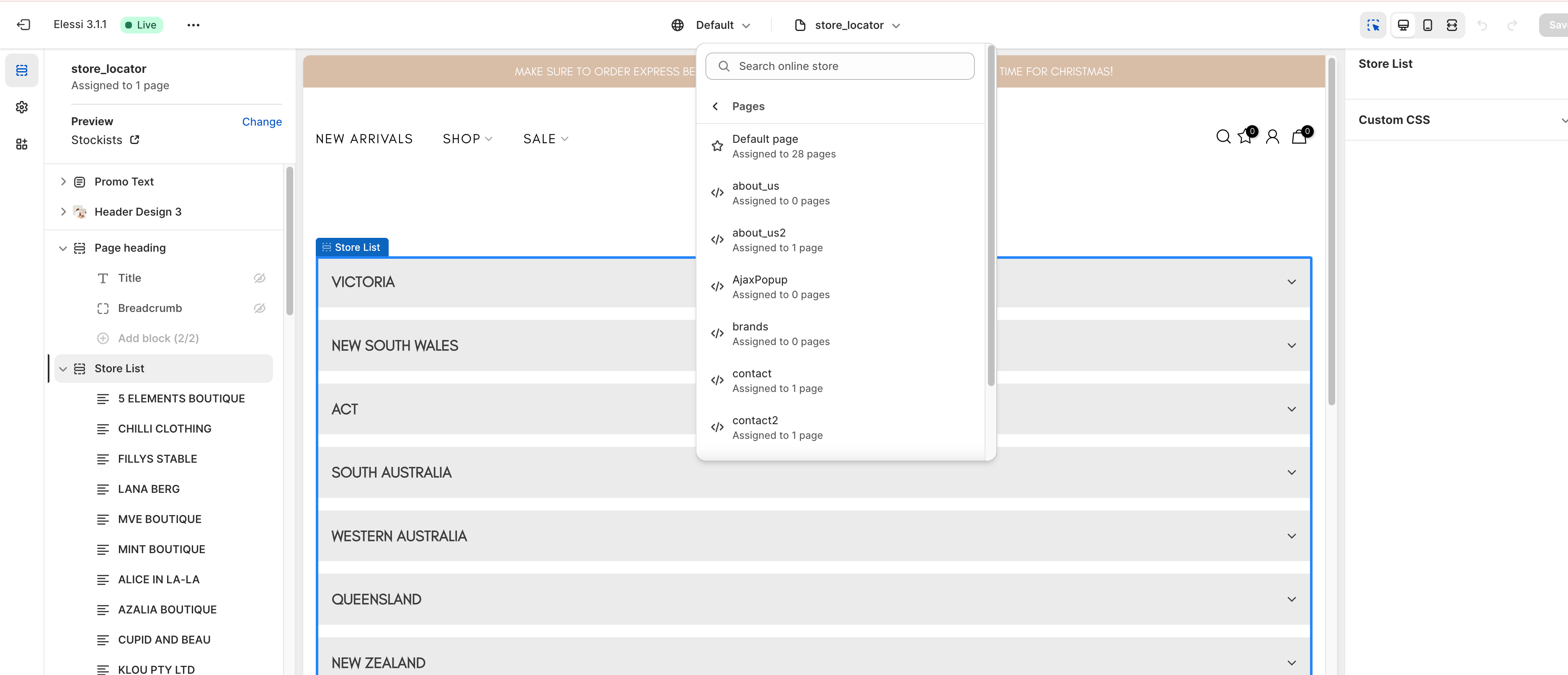
A user cannot create a new page template on their Shopify site, despite having the option available on another site using the same theme. Screenshots are attached showing the missing functionality.

Suggested Solutions:

  • Browser troubleshooting: Clear cache or try a different browser to rule out technical issues.
  • Contact Shopify Support: Reach out via the help center chatbot if the problem persists.
  • Theme compatibility: The issue may stem from the theme not being Online Store 2.0 compatible. Online Store 2.0 is required for the template creation feature in the admin interface.
  • Workaround: As a temporary solution, manually create template files through the code editor by navigating to Online Store > Themes > Edit code > Sections.

The discussion remains open with no confirmed resolution, pending further troubleshooting or theme upgrade.

Summarized with AI on November 14. AI used: claude-sonnet-4-5-20250929.

Needing some help with site templates.

I am trying to make a new page template on my site, but there is no option to create a new template on my site. I have another site which uses the same template as the site i am working on, and i can create a template on my other site just fine. Unsure why there is no option to create a new page template on this site. Screenshots are attached.

Try another browser with a clear cache, or clear the cache of the current browser.

If still an issue contact shopify support directly through the help center chatbot by asking for a “support advisor”

As a temporary fallback use the code-editor for the theme to create new alternate templates.

Hi @deonikla1 ,

Creating a new template is only available for Online Store 2.0

Maybe your theme is not OS 2.0, so if you want to create a new template, you will need to create a new file template in your Online store > Themes > Edit code > Sections.