ive set up my shopify store i just need to know, how shipping should get set up
so that when somebody buys something they get the thing and i get payed
Hi @matteoo24
Thanks for your questions. Here are steps you can take.
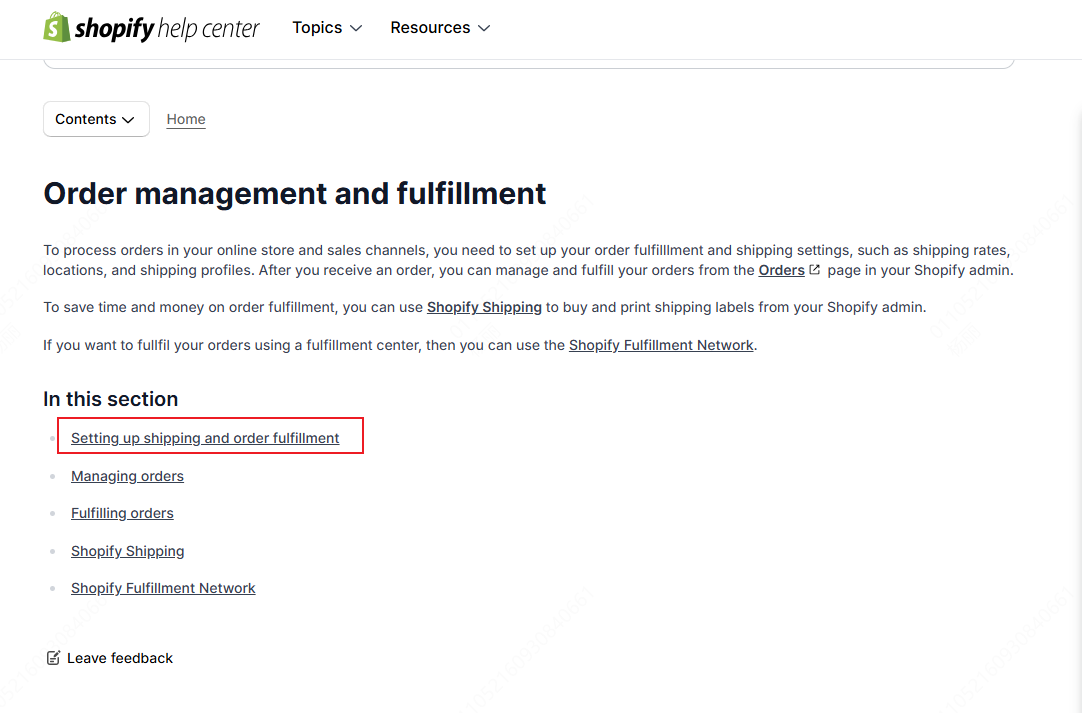
Go to the Shopify Help Center, find the Manage section, and click Order management and fulfillment. Here, you can find information about setting up order fulfillment and shipping settings.
Except for shipping, order tracking is also a key part of improving customer satisfaction. TrackingMore specializes in real-time order tracking and logistics tracking.
If you have less than 50 order inquiries per month, the TrackingMore free quota is enough for you and you can check it out here. Of course, if you have a large order volume, we offer a 14-day free trial. If you want to extend the trial period to 30 days, be sure to use this link when installing TrackingMore.
Hi @matteoo24 ,
Great to hear. Here’s a step-by-step guide to setting up shipping so that your customers receive their orders and you get paid:
Step 1: Set Up Shipping
- Go to Settings > Shipping.
- Add shipping zones and rates.
- Create shipping profiles for your products.
- Set up order fulfillment methods.
- Print and attach shipping labels.
Step 2: Process Payments
- Ensure your payment gateway is set up in Shopify Settings > Payments.
- Choose a payment method (e.g., credit card, PayPal, Shopify Payments).
- Set up your payment settings, including transaction fees and payout methods.
Once everything is set up, when a customer buys something, Shopify will handle the payment processing, and you’ll receive the funds in your account. Additionally, using a third-party solution like Zopi allows you to fulfill orders effortlessly with just a few simple clicks, saving you valuable time. You can read this article for further ỉnfo: https://help.zopi.io/fulfill-orders-automatically-with-the-zopi-app.html