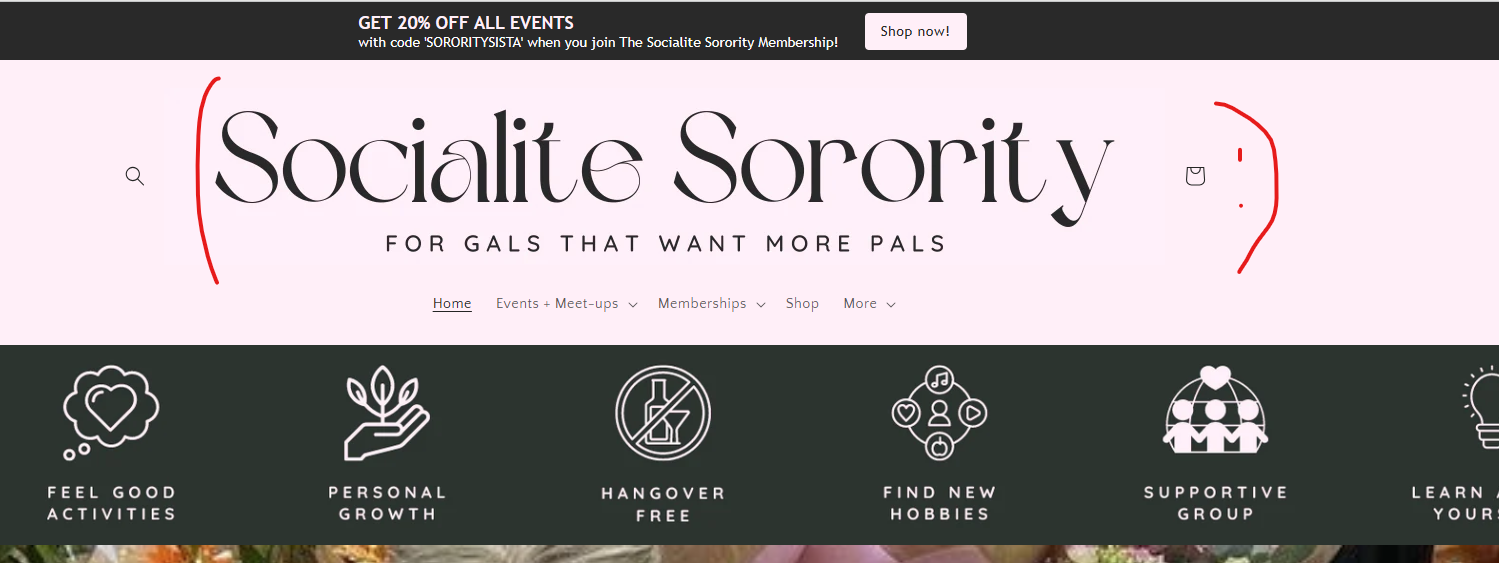
I wanted my logo bigger so amended to code to the following -
settings_schema.json under Config. On about line 22 is the max logo width of 300. I changed it to 900.
My image is 900 x 160 px.
The image is now a good size but super pixelated - thesocialitesorority.co.uk
How do I fix this please?
Thanks
UPDATE -
I have also tried amending the code to max logo width 450 px and amended my image to 450 x 80 px but it is still pixelated.
Hi
The image you uploaded seems to be of very low resolution. It should actually be higher. Can you please send the exact link of the image you uploaded?
Your uploaded image size: 300x53
Required image size: 1001x177
If you upload it with the specified resolution, there shouldn’t be any issues. If you still encounter problems, let me know.
and delete height : 210px !
Terence.
This is really helpful, thank you. I think I’ve made the necessary changes, and the logo looks less pixelated but still slightly, it also is squished on mobile version.
I’m not fluent in code at all for reference.
Here’s a direct link to the image in Canva - https://www.canva.com/design/DAGG6m4yyWE/gWD2gAMHSwi9oiUbo3-0QA/view?utm_content=DAGG6m4yyWE&utm_campaign=designshare&utm_medium=link&utm_source=editor
Have I done something wrong?
Thanks a lot,
You are welcome.
After you upload the image to your Shopify website, could you send it as a link? If you’re uploading it directly from Canva, that might be causing the problem. Also, if you don’t have coding knowledge, I recommend not tampering too much with the ‘json’ files. We can find a way to solve the issue you’re experiencing.!
Below JavaScript code will work for your needs. However, the logo size is not suitable for mobile. The current logo is too wide horizontally, causing the software to compress it. If you can create a different logo suitable for mobile and send me the link, we can upload a logo specifically for mobile.
Mobile logo resolution: 170x177
Additionally, the color scheme on your website is very nice, but the images under the header on the mobile side appear distorted.
-
Navigate to the ‘Edit Code’ option in your theme settings, then search for ‘theme.liquid’ in the search bar.
-
Paste the following code below the ‘’ tag. Please refer to the attached screenshot for guidance.