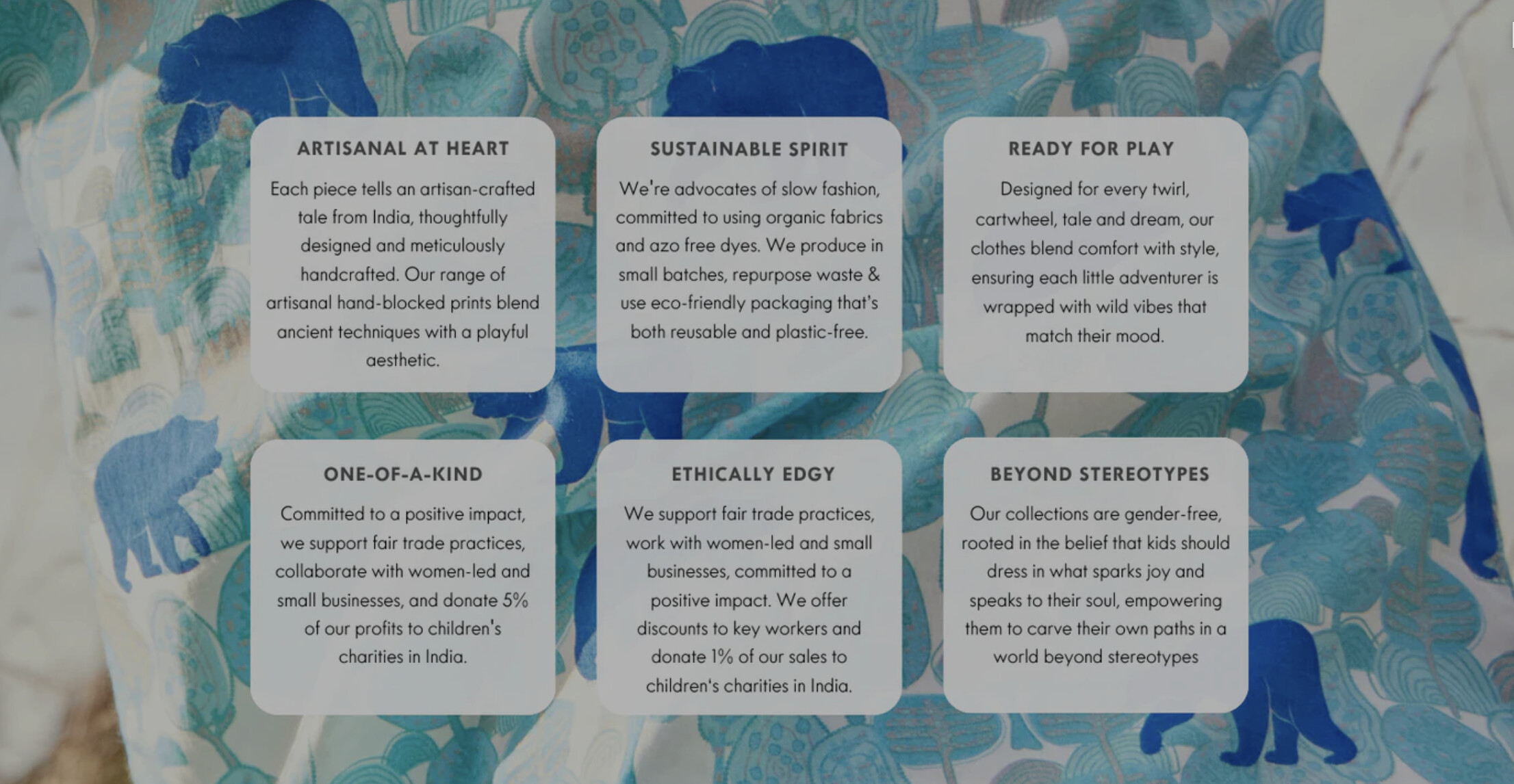
Hello,
I’m trying to create a section as in the image shared. I’m not sure if I’m missing something obvious. Thanks!
A user seeks help creating a section in the Prestige theme featuring a background image with multiple text blocks overlaid on it.
Solution Provided:
Code Approach:
.section-spacing {
    background-image: url('path/to/your/image.jpg');
    background-size: cover;
}

.multi-column__item {
    background: white;
    padding: 10px;
}
Outcome:
The solution was successfully implemented. The user confirmed it worked as intended. Minor modifications to the provided CSS may be needed to match the exact desired appearance.
Hello,
I’m trying to create a section as in the image shared. I’m not sure if I’m missing something obvious. Thanks!
Hey @sb1984 ,
Could you please write your message in a more helpful way. Because I see there is no detail shared. Whether you want to create this section that shared in the image or somehow you facing issue there?
Waiting to hearing back.
Thanks
Hi @sb1984 ,
You can do this with the multicolumn section.
Add the section in the theme editor. find Custom CSS in that section,
.section-spacing {
    background-image: url('path/to/your/image.jpg');
    background-size: cover;
    background-position: center;
    background-repeat: no-repeat;
}

.multi-column__item {
background: white;
padding: 10px
}
This code will need slight modifications to get what you want. Here is a quick version I made within prestige.
If you’d like help with this customization or anything else, feel free to reach out! Just click the link below 
Hope that helps, Jake
this worked, thank you very much Jake!