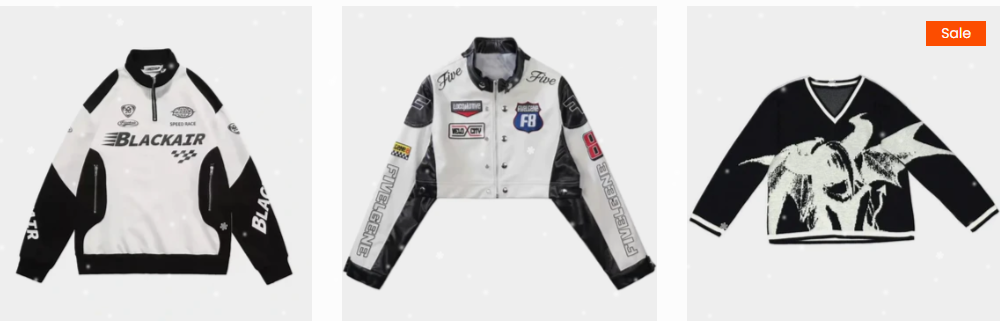
A user encountered an issue where product images on their collection page fit awkwardly within borders, and the grey background disappeared when clicking into individual product pages.
Solutions Provided:
Three community members offered CSS fixes targeting the same element (.product .flickity-viewport span.nt_bg_lz:after). The solutions involved:
Adding custom CSS code to the theme.liquid file
Setting background-color to transparent (#00000001)
Adjusting positioning properties (top, left, right, bottom to 0)
Implementation Steps:
Navigate to Online Store > Themes > Edit code
Open theme.liquid file
Insert the CSS code either after <head> or before </body>
Alternatively, one responder suggested adding code to style.min.css instead.
Outcome:
The issue was resolved. The user confirmed the grey background problem was fixed after implementing one of the suggested solutions.
Summarized with AI on November 13.
AI used: claude-sonnet-4-5-20250929.
Recently I’ve ran into an issue where my product images in the collection page fit awkwardly inside the borders. Furthermore, whenever you click into a product page the grey background disappears. Is there a quick fix to this?