I would like to be able to remove the first three collection titles that show up beneath the collection in this row. When I use the editor it seems as though I can only remove all of them at once. Is there a way to accomplish this?
Topic summary
-
Main issue: In the Ritual Theme, the user wants to remove only the first three collection titles that appear beneath collection items in a specific row.
-
Limitation observed: The theme editor currently allows toggling all collection titles on or off, but not selectively per item or position.
-
Clarification: “Collection titles” are the text labels under each collection card/image; the request is to hide them for the first three only, leaving others visible.
-
Visual context: A screenshot (attached) shows the row layout and the titles in question, which is central for understanding placement.
-
Status: No solution or workaround provided yet; the user is asking if selective removal (potentially via CSS) is possible. The discussion remains open.
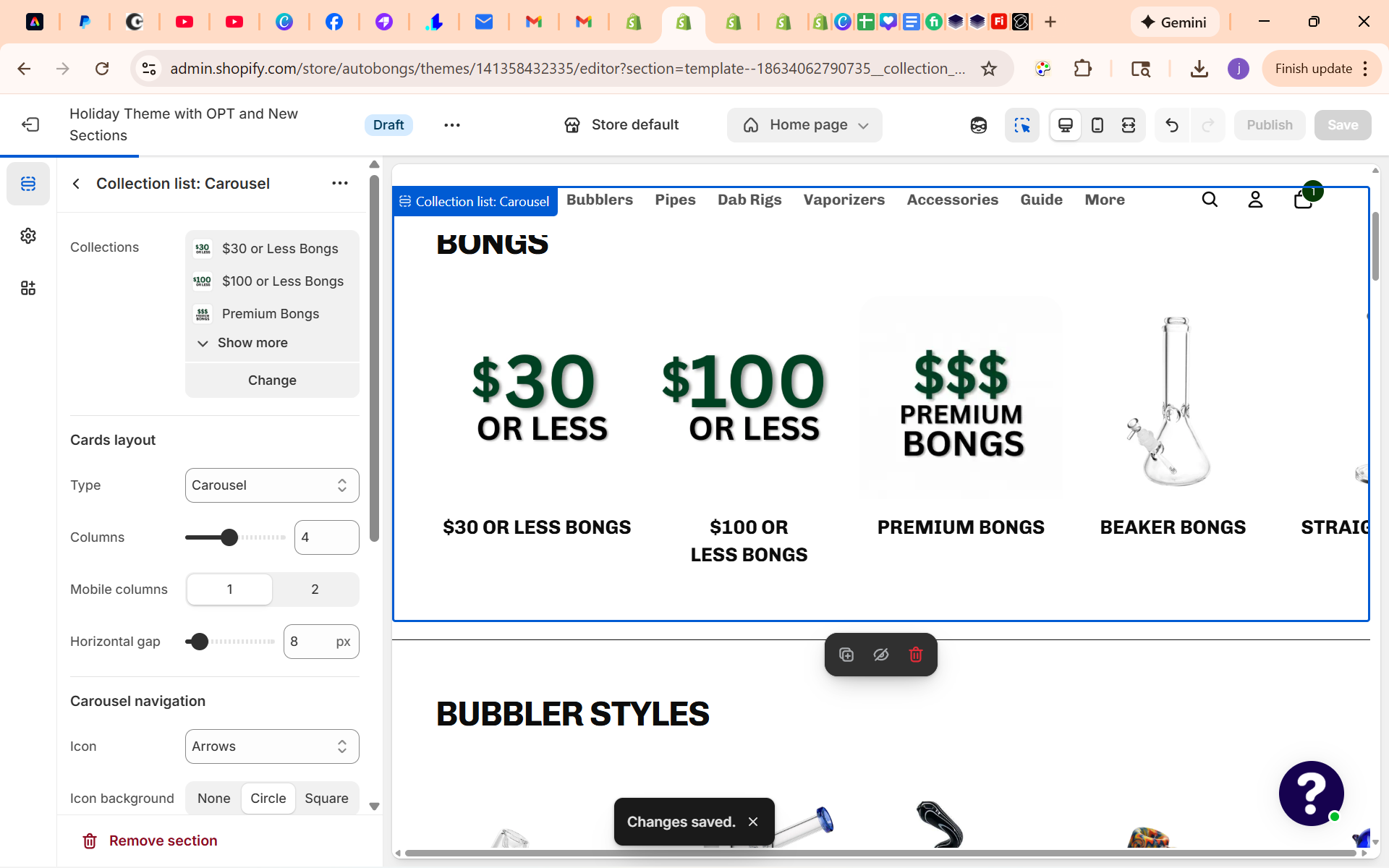
Hey @ABdev1
I don’t see this on your website homepage, do you have it disabled? If yes then enable it and let me know.
Best,
Moeed
This is currently in an unpublished version that I am working on
Share the preview URL of the draft theme then

When I do that it just shows as my regular url and when I try to copy it via the button it just straight up doesnt copy to my clipboard at all.
That code didnt work but this is what i found from the inspection,
$30 or Less Bongs
I’d start with the code like this:
.mega-menu__link-title {
  display: none;
}

.mega-menu__column:nth-child(3) ~ li .mega-menu__link-title {
  display: block;
}
This should be fine in sections “Custom CSS”


Sorry, ignore that code, it was for wrong section, I guess.
Try this one:
.collection-card__content {
  display: none;
}

slideshow-slide:nth-child(3) ~ * .collection-card__content  {
  display: flex;
}
1 Like
Hi @ABdev1,
Great catch on the inspection! That screenshot confirms exactly what we needed. The specific class your theme uses for that text is .mega-menu__link-title.
The code you tried didn’t work because of a small syntax error (CSS doesn’t use dashes - to connect elements like that), but you were very close!
Here is the corrected code combining your finding with the “First 3 items” logic:
Please replace your current CSS with this:
/* Hide the title ONLY for the first 3 items */
li:nth-child(-n+3) .mega-menu__link-title {
  display: none !important;
}
Why this works:
-
We target the list item
li:nth-child(-n+3)(which means “The first 3 items of the list”). -
Inside those specific items, we hide the class you found:
.mega-menu__link-title. -
The rest of the items (Item #4, #5, etc.) will remain untouched.
Let me know if this finally clears those titles!
1 Like

This worked perfectly thank you.
Thank you so much for your help I tried Tim’s solution first and it worked but thank you for everything.
You are very welcome, @ABdev1!
I’m glad to hear Tim’s solution worked out perfectly for your theme. The important thing is that those titles are finally gone so your graphics look clean.
Best of luck with the store launch!