hi. i am working with a client right now and he want to add minimum order value to rs499. he does not want to add any paid app. i am using DAWN theme and need a code to set minimum order value yo rs499. i dont know much about coding kindly provide a exact code so i can copy and paste to set the minimum order price to rs499
Hi @notlakshay , You can add a condition to disable the checkout button if the price is less than rs499. If you are using the Dawn theme find the “cart-drawer.liquid” snippet find the checkout button and add the below condition to it.
{% if cart == empty or cart.total_price < 49900 %}
              disabled
            {% endif %}
Review the screenshot for reference.
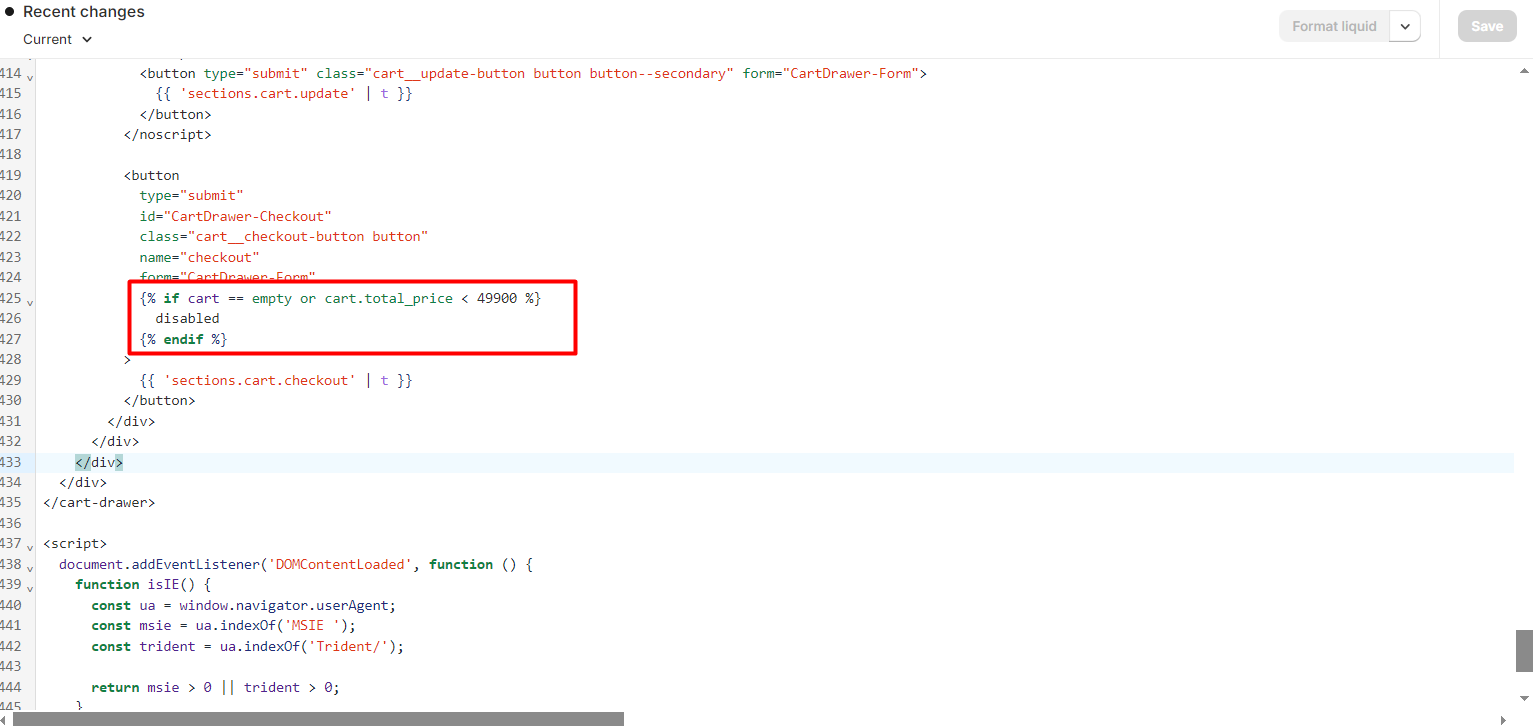
Do the same for the Cart Page. You will find the code in “main-cart-footer.liquid” file in the sections.
AT…