Hi!
I want to display more than 24 products on my main product page . Here is the URL - https://www.blueberrybackdrops.com/collections/all
How do I go about this please? At the moment, users have to go through 9 pages to view all my products which isn’t ideal. I actually would like them to view all products on one page if that is possible (just one continuous scroll)
Screenshot attached.
Thanks so much,
Margarita
2 Likes
Hey @Margarita29 ,
I just check your store and found that you are using the Shopify Studio theme. I read the documentation of the theme and found that they have built in option to ensure that we can show more products of the collection per page. but unfortunately it does’t offer to show all products.
For more info please read the theme documentation from here.
-If the theme does’t provide us this feature then the next solution is to update the collection page code to ensure it show all the products on collection page.
For this I could require the collab code so that I can get access of your store.
Waiting to hearing back from you with your response.
Thanks
To display more than 24 products on your main collection page and allow users to scroll continuously instead of clicking through multiple pages, you’ll need to modify the default pagination
1 Like
Hi @Margarita29
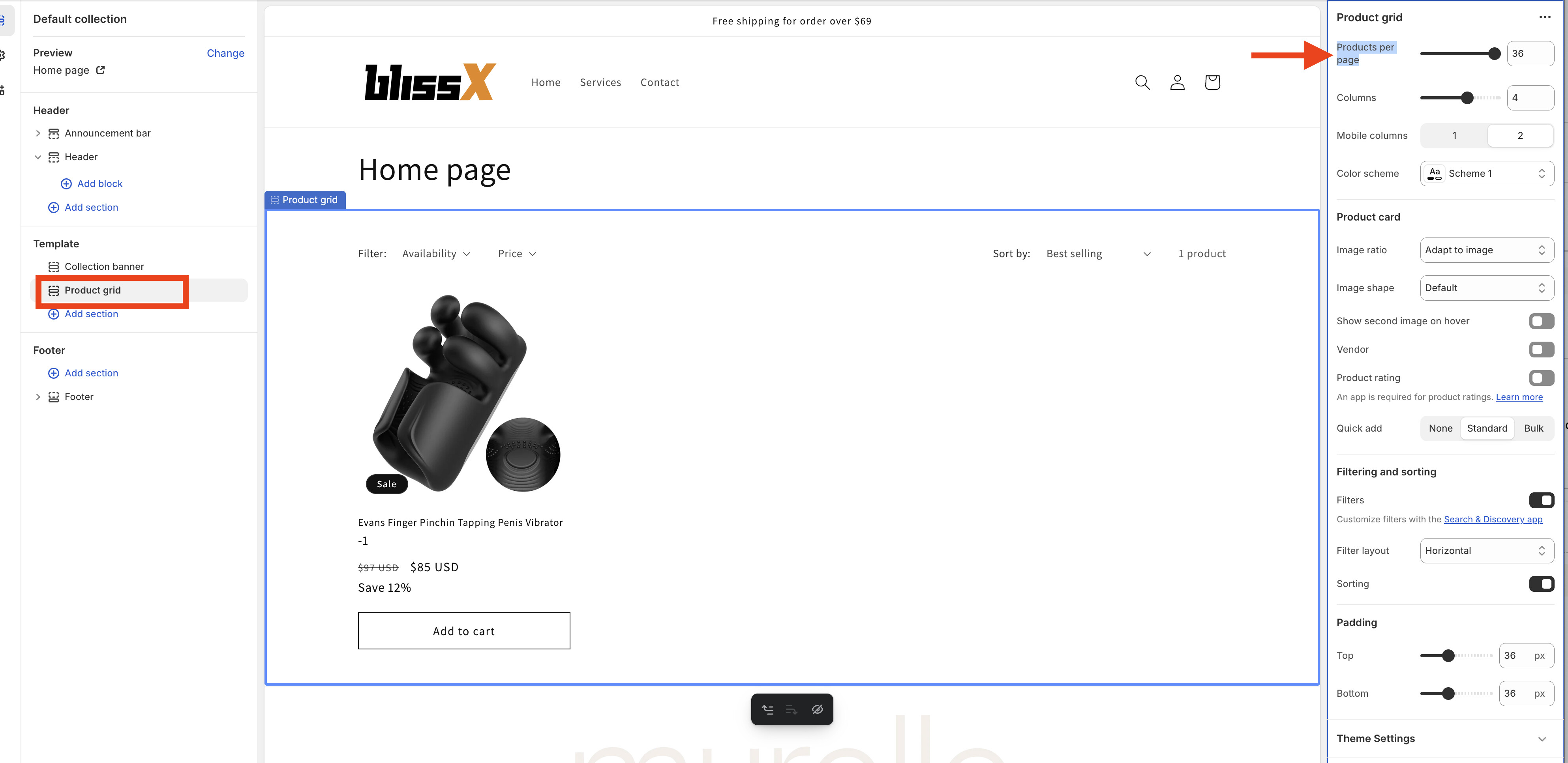
You can go to your store admin > Sales channels > Online Store > Themes > Customize > click Homepage dropdown > Collections > Default collection > Product grid, increaseProducts per page option more than 24.
You also can increase this max value from your collection to 50 (this is maximum value shopify allow) by changing code in main-collection-product-grid.liquid file, change “max”: 36, or “max”: 24, under value products_per_page in file to “max”: 50, save file and change setting
1 Like