Hi everyone
The size chart I currently have is appearing too small on desktop/ phone (I have inserted it as a picture):
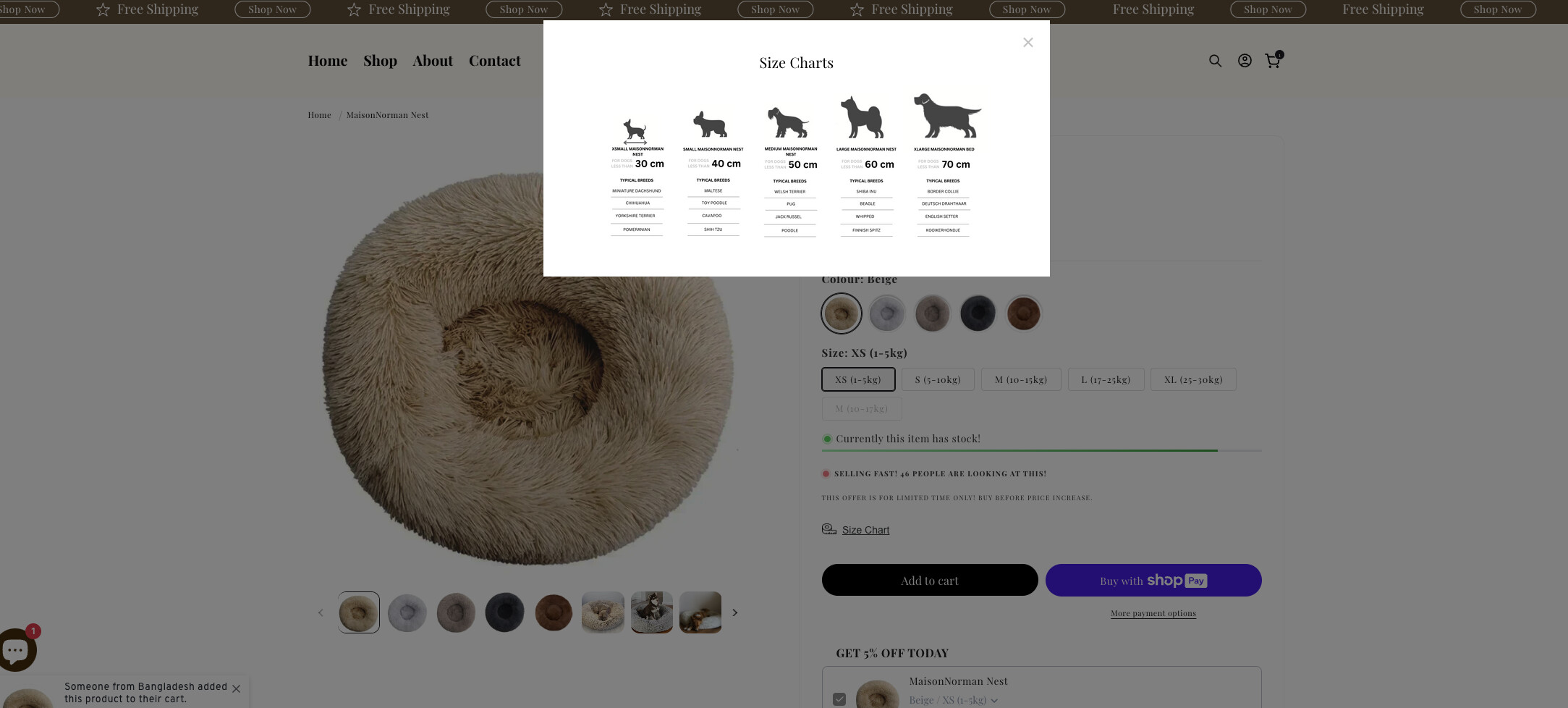
The resolution is also low and bad. My store is www.maisonnorman.com. Anyone able to help? Thank you and best!
A Shopify store owner is experiencing issues with their size chart displaying too small and with poor image quality on both desktop and mobile devices.
Initial Problem:
Solutions Provided:
Multiple users suggested adding CSS code to increase the modal width, with variations including:
base.css filetheme.liquid above </head> tagMost common CSS solution:
.scr-modal { max-width: 1200px !important; }
.scr-modal img { width: 100%; }
Current Status:
Hi everyone
The size chart I currently have is appearing too small on desktop/ phone (I have inserted it as a picture):
The resolution is also low and bad. My store is www.maisonnorman.com. Anyone able to help? Thank you and best!
Looking at the site, I can see what’s happening - the chart is being restricted by some CSS and the image itself needs a quality boost. Nothing too complicated to fix!
Here’s what you need to add to your theme’s CSS:
.scr-modal {
    max-width: 1200px !important; /* Change this by any number you want it to be */
}
This should fix the sizing, but you’ll also want to internally replace that size chart image with a higher resolution version. This image should be editable somewhere in your theme or any app you are using for this.
Drop me a PM if you need a hand implementing this. I work with Shopify stores regularly and can help get this sorted quickly.
Cheers!
Hi @moralana
You can try to follow this step
Step 1: Go to Edit code
Step 2: Find file base**.css** and add this code at the end of the file
.scr.basic {
    text-align: center !important;
}

.scr-modal {
    max-width: 1100px !important;
}
Result:
Best,
Liz
Hello @moralana Check out the solution marked as a reply here https://community.shopify.com/c/shopify-design/size-chart-increase-the-size/m-p/2936619 and I believe it should guide you in increasing the size chart in your store too.
Hi @moralana
I hope you are well. You can follow our instructions below:
1/ Shopify admin > Online store > Edit code
2/ Search for “theme.liquid” file
3/ Open the file and search for tag and add the following code above tag
Here is the code for Step 3:
{% style %}
div.scr-modal {
    max-width: 1100px !important;
}
div.scr-modal img {
    width: 100% !important;
}
{% endstyle %}
If this helpful, please let us know by giving us a like and marking its as a solution. Thanks you 
Hi @moralana
Please add this code to Custom CSS in Online Store > Themes > Customize > Theme settings.
.scr-modal { max-width: 1200px !important; }
.scr-modal img { width: 100%; }
Hi Dan!
I did and the size is bigger now so thank you but the image is pretty blurry. I am using a 1200x800px (tried SVG and PNG formats) Chart through the BF Size Charts App. I set the width to 1200 px as suggested above so I am not sure why it may still be blurry. Any idea?
Cheers,
Mora Lana
Hi JavierMiz!
I did and the size is bigger now so thank you but the image is pretty blurry. I am using a 1200x800px (tried SVG and PNG formats) Chart through the BF Size Charts App. I set the width to 1200 px as suggested above so I am not sure why it may still be blurry. Any idea?
Cheers,
Mora Lana
Hi Mora,
Are you using a 3rd party app for the size charts? I have checked the image link, and it is very small, so I guess it automatically resizes your image. Here is current image link so you can check


