Hi all. I am setting up a folder filled with digital products that I will be selling. Which app can I use to sell my digital products and include a compressed preview of each product so my customers can see what they are. The folder I will be selling is my own stock footage for my niche so I want my customers to be able to scroll and download which pieces of footage they like, not scroll through files labelled IMG IMG IMG etc. Is there an app I can use for these previews? Hope that makes sense
Hi @Jskaesthetics ,
For showcasing different pieces of footage on your product page and allowing customers to select and download them, I recommend using the Free Easify Product Attachments app. It’s a great tool that can help you achieve this seamlessly  .
.

Here’s a step-by-step guide on how to set it up:
- After installing and activating the app, create a new attachment for each piece of footage you want to showcase. Upload your footage file. It’s important to note that the allowed file types & sizes for uploading may depend on your Shopify plan.

- Select the relevant product(s) where you want to display each piece of footage. Additionally, you can upload an icon for the footage to make it visually appealing on the storefront.

-
Save your settings and repeat the above steps to create attachments for additional pieces of footage.
-
Add the attachment blocks to your current theme. Save the changes, and you’re all set!
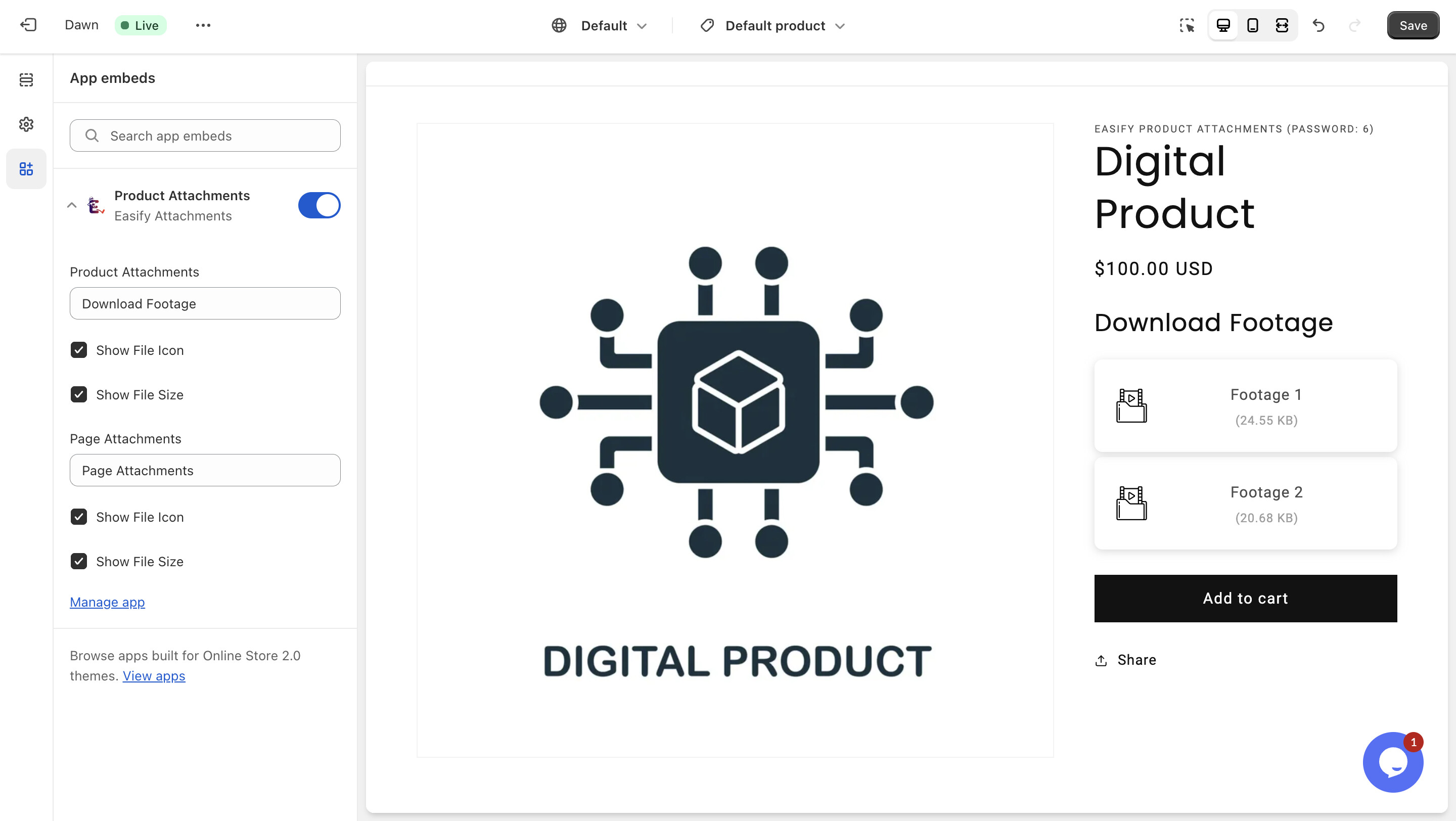
The Free Easify Product Attachments app is designed to cater to your specific needs  . If you have any questions or need further assistance,just let me know.
Hey Jskaesthetics,
any luck finding a solution for your issue?
If not, just let me know - I’m thinking of building a solution for the exact problem you’re dealing with.
Cheers,
Robert