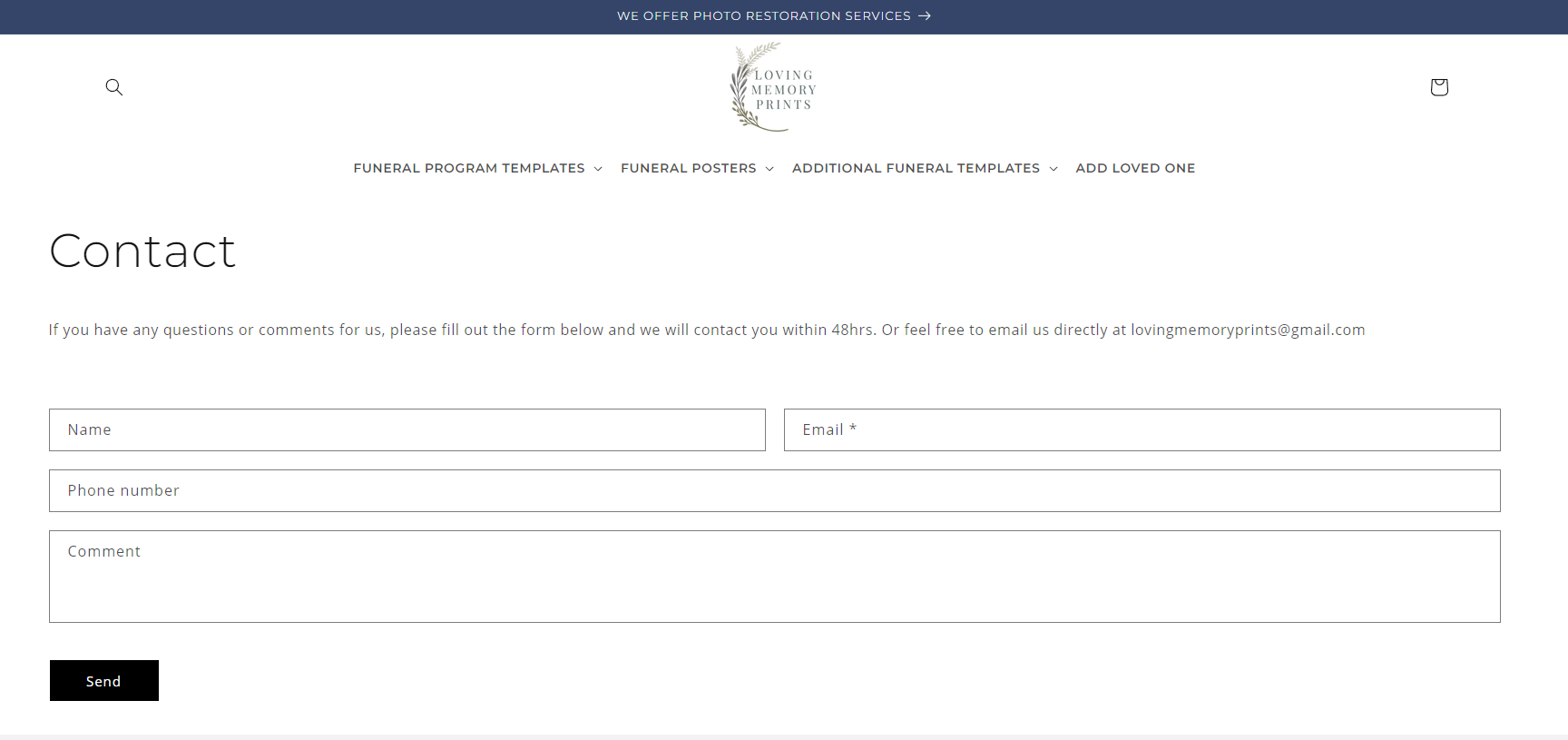
A Dawn theme user encountered an invisible submit button on their Contact Us page form. The button was functional but not visible to users.
Solution provided:
Navigate to Online Store → Edit Code → theme.liquid file
Insert custom CSS code above the </body> tag
The CSS targets the contact form submit button to make it visible
Outcome:
The solution successfully resolved the visibility issue. The problem appears to be a CSS styling conflict in the Dawn theme that prevents the contact form button from displaying properly by default.
Summarized with AI on November 13.
AI used: claude-sonnet-4-5-20250929.
I’m using the Dawn theme. On my Contact Us page, the form is there, but the button to submit is invisible. How do i fix this? The button is there I can click it, you just can’t see it. Here is a link the the contact us form Contact – lovingmemoryprints
Thank you for your reply. I’m glad to hear that the solution worked well for you. If you require any more help, please don’t hesitate to reach out. If you find this information useful, a Like would be greatly appreciated.