Has anyone ever worked out how to change the variant selector so it’s a slider rather than a dropdown or button? (Dawn theme). Haven’t found any apps that can do this yet, but happy to be proven wrong.
Hi @tailormade1
You can try Easify Product Options! It offers both Image Swatch and Color Swatch with a slider option, all with no coding required. This lets you display options in a more interactive way instead of using a dropdown or buttons. Here’s an example of Image Swatch Slider:


- This is the app setting: You just need to create an Image Swatch as usual
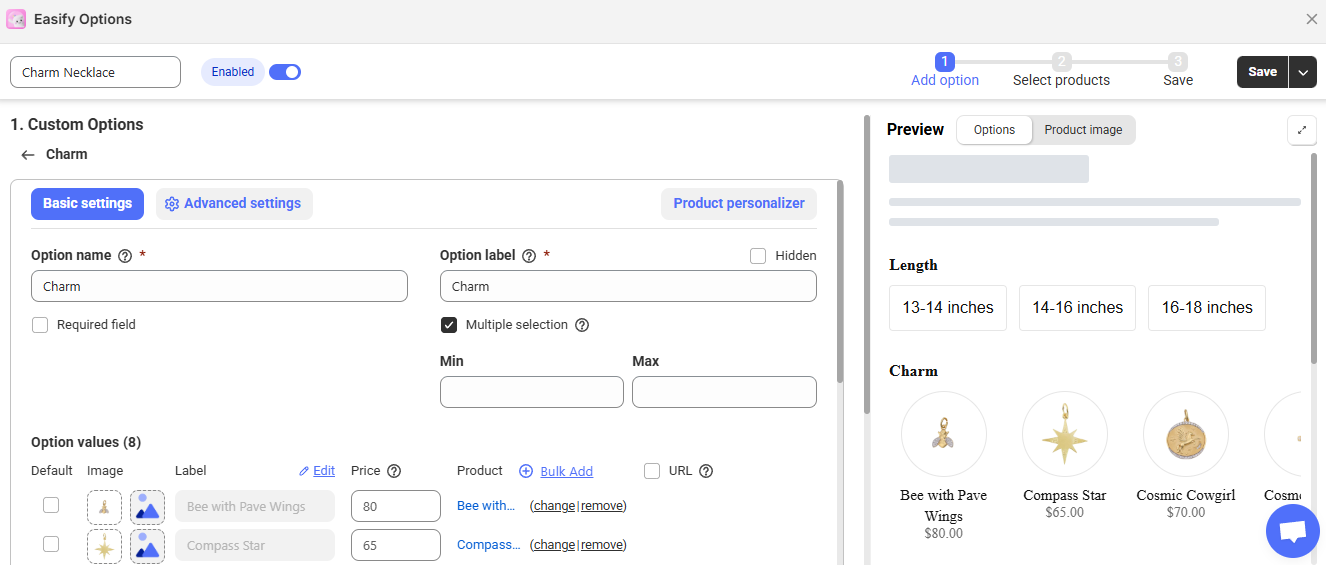
Then go to Advanced Settings to enable Show Image Slider and choose the slider style you like

This app is easy to use, and I highly recommend giving it a try. If you need any help, feel free to ask or contact Easify! 
Hmm, not quite an image slider, I’m more after a slider for a number if that makes sense. So let’s say we’ve got 0 at one end of the slider and 10000 at the other—the user needs to be able to slide this along to select their number.
Thank you so much for your interest!  Unfortunately, Easify Product Options doesn’t currently support a number slider—only Color Swatches and Image Swatches have this feature. That said, the slider length won’t be an issue. You can add numbers as images and use the Image Swatch Slider to achieve a similar effect, but this might take a lot of extra work.
If we introduce a Number Slider in the future, I’ll be sure to let you know! Thanks again