General Profile for Shipping + Shipping Discount Not Working, site shows free shipping over $100

Topic summary

A store owner encountered a discrepancy between their configured shipping settings and what displayed on their test site. They had set up:

Configuration:

  • General shipping profile with flat-rate domestic shipping (no free options)
  • Automatic shipping discount for free shipping on orders over $75

Problem:

  • Cart displayed a countdown message indicating free shipping at $100 instead of $75
  • Could not identify the source of this conflicting threshold

Resolution:

  • The $100 free shipping banner was generated by the Vivid theme, not Shopify’s shipping settings
  • Found a toggle switch in the theme editor under Cart settings to disable the banner
  • Issue resolved by adjusting theme configuration rather than shipping/discount settings
Summarized with AI on November 1. AI used: claude-sonnet-4-5-20250929.

I created a General Profile for shipping and added a Discount for free shipping on orders over $75. But the test site (for my not-yet-open store) shows a countdown to $100 in the cart for the shopper to get free shipping. I can’t figure it out. Here’s what I did:

Shipping Rates: I created a General Profile under

Settings > Shipping & Delivery > General Shipping Rates

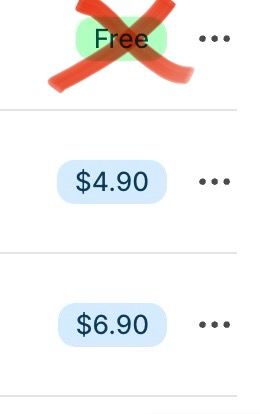
My shipping rules apply to all products from a single fulfillment location. All rules are for flat-rate shipping domestically. None of the offered rates is free (all the rates show with a blue bubble and a value, not the green bubble that says “free”).

### ### Discount: I also set an automatic shipping discount

Admin > Discounts

So…where is the $100 countdown coming from?

Solved. My theme (Vivid) was putting the banner up. I found a toggle switch under Cart in the theme editor. I also found this solution, which I had planned to try until I found the toggle. Happy to move on!