lariwo
1
Hi all,
I want to have a page wide search bar in the header of my home page.
Right now i have it fixed so that the search bar is permanently displayed in stead of the search icon.
like this:
When i reduce the size of the page it goes to the page wide search bar after a certain point, but i want to have it like this for all page sizes.
can someone help me out with this?
lariwo
2
and i also would like to have the menu from the first image underneath the searchbar
Moeed
3
Hey @lariwo
Could you please provide your Store URL and, if applicable, the Password too? Your cooperation is greatly appreciated!
Best Regards,
Moeed
lariwo
4
Hi Moeed,
I have the site live now in a different version of the theme.
I am making these changes in the lastest version of the theme and wanted to make it live when i have everything fixed.
Is there a posibility to share this even though it is not live?
Kind regards,
Lariwo
Moeed
5
Hey @lariwo
You can share the preview link of the draft theme.
Best Regards,
Moeed
lariwo
6
Moeed
7
Hey @lariwo
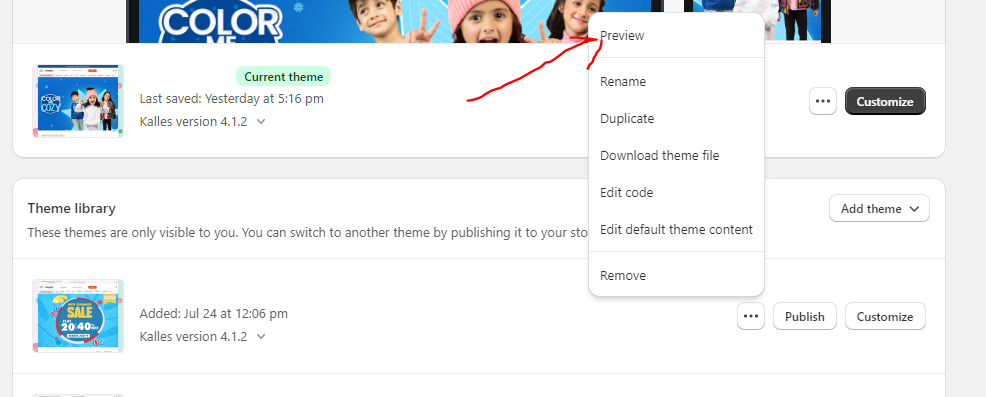
Choose your draft theme and click Preview then in the bottom you will see Share Preview then just simply copy paste that link here.
Best Regards,
Moeed
lariwo
8
Hi @lariwo
This is Henry from PageFly - Landing Page Builder App
You can try this code by following these steps:
Step 1: Go to Online Store->Theme->Edit code.
Step 2: Search file base.css
Step 3: Paste the below code at bottom of the file → Save
header.header.header–top-left.header–mobile-center.page-width.header–has-menu.header–has-social.header–has-localizations {
display: flex;
flex-direction: column;
}
.search-modal__form, .search-modal__form > * {
width: 1100px !important;
}
Hope that my solution works for you.
Best regards,
Henry | PageFly
lariwo
10
hi @PageFly-Henry ,
Thank you for the reply.
I tried your method but it didnt quite work.
I got the search bar on the place that i want but it doenst make it page wide.
I think i am going to sitck with the always visible search bar in the top right corner anyway.
Thank you very much for the help so far! and @Moeed also!