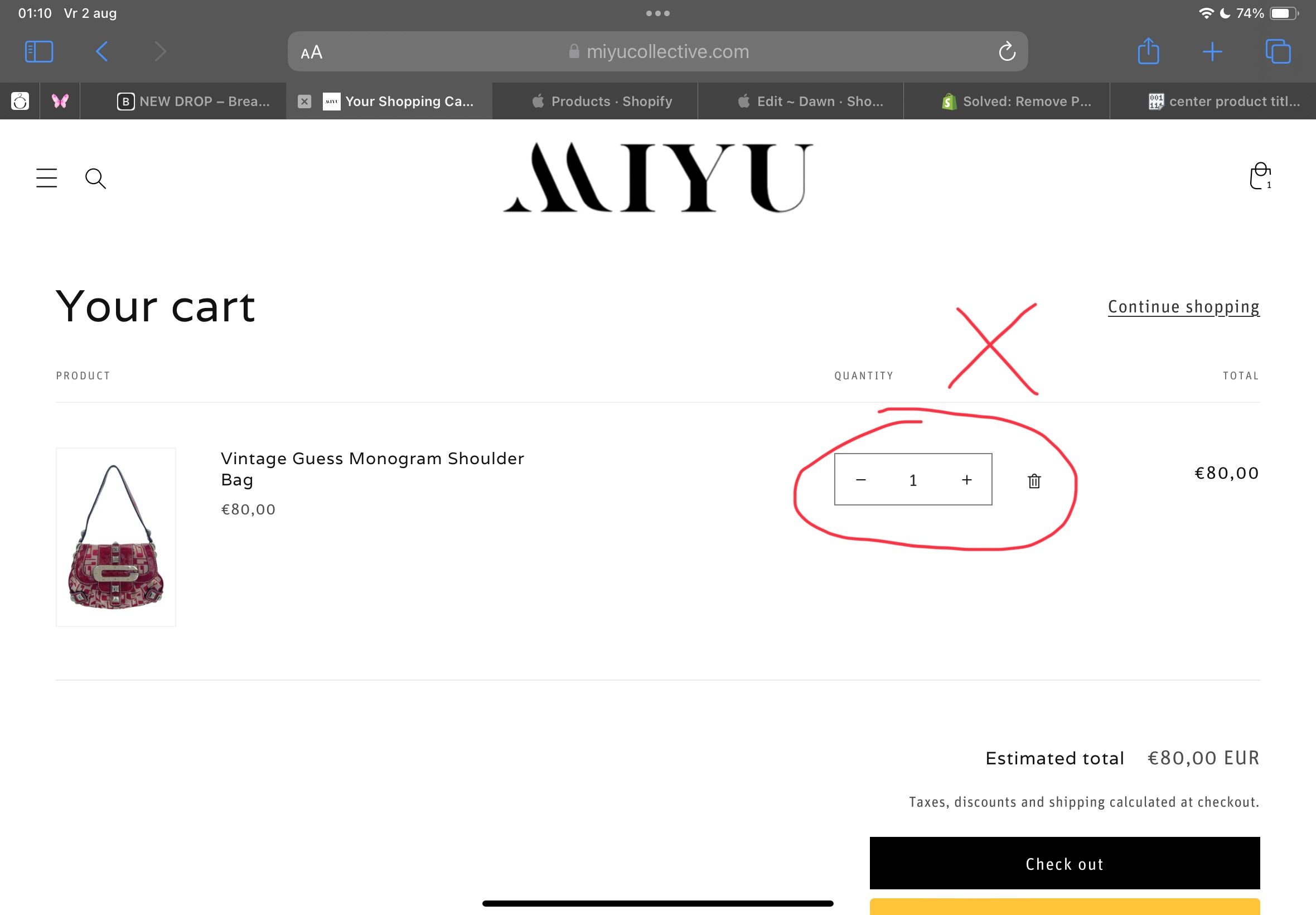
Hi guys,
Can anyone help me to remove the quantity buttom on the product page and cart page. I sell one of a kind products
Hi guys,
Can anyone help me to remove the quantity buttom on the product page and cart page. I sell one of a kind products
th.cart-items__heading--wide.cart-items__heading--quantity.small-hide.caption-with-letter-spacing, td.cart-item__quantity {
    display: none;
}
for cart page add code in base.css
@Nienke_pr for product page follow
Hi @Nienke_pr
You can remove quantity on product from Online Store > Themes > Customize > Products > Default product, hide or remove Quantity selector block under Product information
And please add code to Custom CSS in your Online Store > Themes > Customize > Theme settings to remove quantity on the cart page
.quantity-popover-container { display: none !important; }
Hello @Nienke_pr ,
You can try this code; it will be helpful to you.
Go to the Online Store->Theme->Edit code->Assets->base.css>add this code at the bottom of the file.
.product-form__input {
    display: none;
}
quantity-popover {
    display: none;
}