Core Issue:
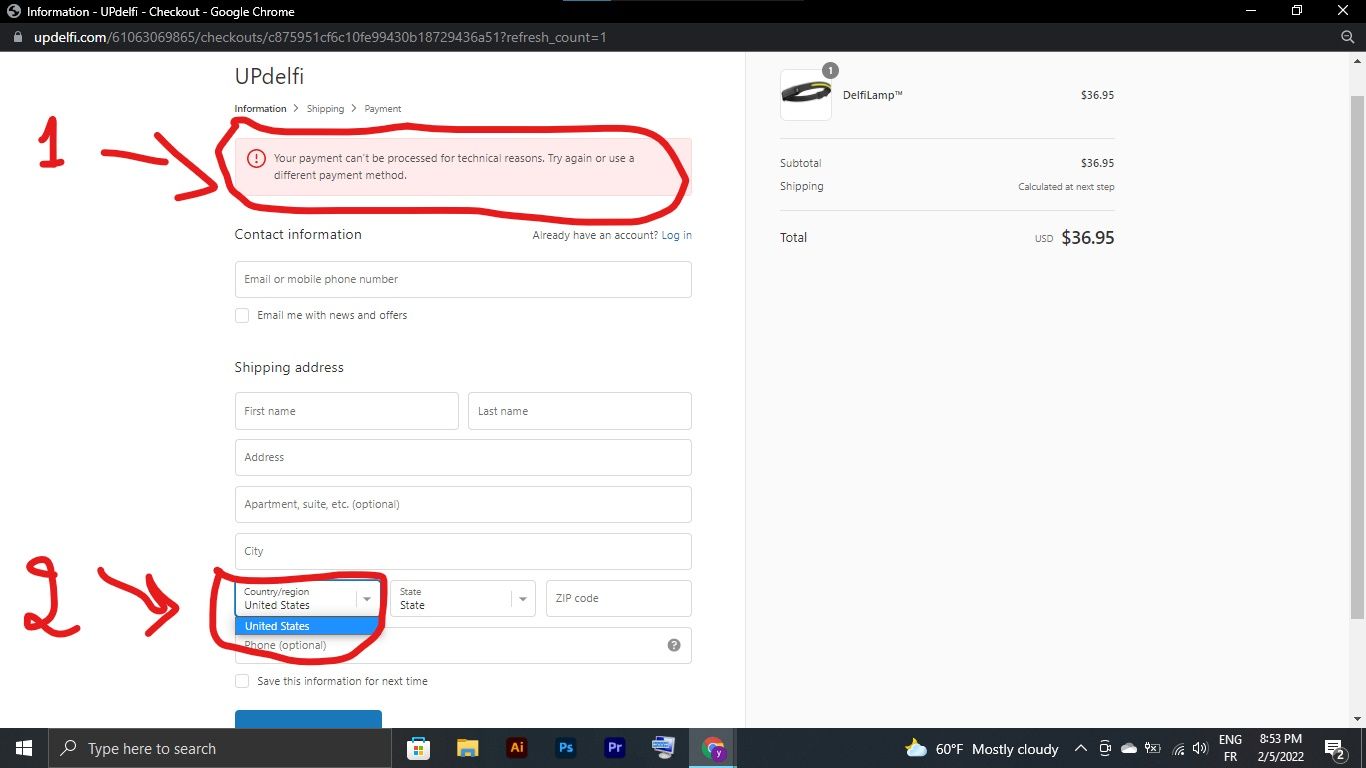
Store owners encounter a non-responsive country/region dropdown during checkout, preventing customers from completing purchases. The field appears blank or unclickable, blocking progression to payment.
Root Cause & Solution:
The problem stems from missing shipping zone configurations. Countries must be explicitly added to shipping zones to appear in the checkout dropdown.
Resolution Steps:
Navigate to Settings > Shipping > Manage rates
Set up shipping zones and rates for each target country
For newer Shopify versions: Go to Settings > Markets > International > Activate
For digital/pickup-only products: Disable “requires shipping” in product settings
Key Points:
Any country without a configured shipping zone will not appear as selectable
Multiple users confirmed this solution resolved their issues
The problem can occur suddenly after Shopify updates to the Markets feature
Screenshots show the dropdown appearing completely blank when misconfigured
Current Status:
Multiple participants successfully resolved the issue using these steps, though several newer inquiries remain unanswered and appear to need individual troubleshooting assistance.
Summarized with AI on November 1.
AI used: claude-sonnet-4-5-20250929.
I’d be happy to give you a hand with that. Have you already setup shipping rates for all of the countries that you ship to? As mentioned in the above thread, any countries that aren’t included in a shipping zone won’t be selectable in the checkout. You can check your zones by navigating to Settings > Shipping > Manage rates (beside each shipping profile). You’ll see all of the countries you currently have shipping zones for under the “Shipping to” section. You can find more help with that here. If you’ve done this already, let me know and I can take a look for you. Cheers!
If those are digital products, you likely just need to turn off the “this item requires shipping” option in the product’s settings. Are those digital, or are your items pickup only? Cheers!
Hi Brie, Im having the same problem… Rates are setup correctly for the USA but USA does not appear on the drop down? The product’s weight is also within with the rate specs so it’s not that. see attached, and her is the store link: https://www.deskstand.com/
Hey , I was facing the same issue. I tried what you said . In the country/region drop-down it’s only showing United States, though I want other countries to be shown too. As my customers are texting me this Issue. I have mentioned other countries in the shipment zone but it’s not showing. Help Please.