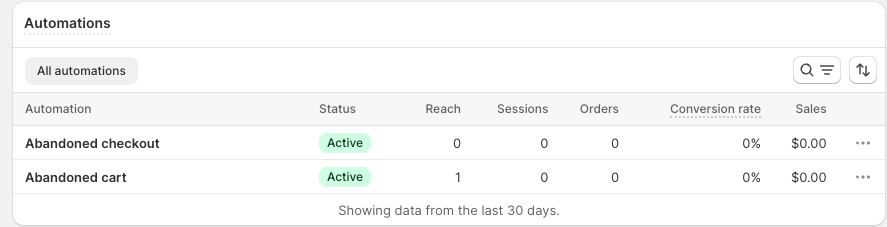
We have enabled automation for abandoned shopping cart/checkout, but cannot see that an email is being sent to any customers. The workflow is correct as far as we can see, but it still doesn’t work.
What could be the issue here?
(Don´t know if this matters, but sorry if “label” is completely wrong. I couldn´t find any by search, so I just clicked one of the previewed ones)
I set up the automation and I know that I have visitors to the website, including abandon browse and abandon cart but in the automation analytics it is saying that no emails were sent to the website visitors.
Most of the issues I’ve ran into with the automations not working have to do with the double-optin being enabled. I’m not sure if and/when Shopify will fix this issue but here is how to remove it to get your automations to work.
Remove the double-optin:
Go to your Shopify settings
Click on notifications
Scroll all the way down until you find ‘Marketing’
Under double-opt in, remove the check marks under email and sms
Hey can you clarify on Welcome New subscriber not working for double-opt-in? It would be helpful if you paste the workflow as well as let us know which email capture tool you use.
Hi, I’m having a similar issue with the abandoned cart and abandoned checkout. The workflow looks fine but no emails are sending. We do not have a double-opt in enabled under settings.
There’s one more thing you should look into is if the customer actually typed in their email address on checkout page. If they didn’t enter it then it won’t deploy.
These workflows require some sort of customer data either a email address or phone number if you’re doing abandoned checkout through SMS.
I would suggest trying it with your email address and see if it deploys, then you’ll know if it’s working or not.
One suggestion is: At the end when you edit the “email” sent to customers, choose the options " send email to all and don’t click the " to subscribed customers who chose email marketing"