Hi, so i have set some compare at prices on my website, but they are not visible!
i can see them on customization page but they are missing on actual website.
I use the ride theme.
Thanks in advance
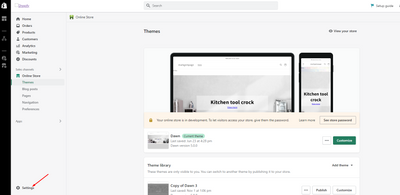
here are the screenshots and my website itself:
A Shopify store owner using the Ride theme discovered that compare-at prices (sale prices) were visible in the theme customization editor but not displaying on the live website.
Root Cause Identified:
Shopify has a default setting that hides compare-at prices for European Economic Area (EEA) customers. This feature can be found in:
Solution:
Disabling the “Hide compare-at prices for European Economic Area (EEA) customers” setting resolves the issue and makes sale prices visible again.
Additional Troubleshooting Tips:
The issue was successfully resolved after adjusting the EEA pricing visibility setting.
Hi, so i have set some compare at prices on my website, but they are not visible!
i can see them on customization page but they are missing on actual website.
I use the ride theme.
Thanks in advance
here are the screenshots and my website itself:
Hello there,
Working fine!
Screenshot :- https://prnt.sc/F28ETNd_iAV1
Thanks!
i guess there’s some error on my side
Hello @Snikersi
This new feature from Shopify.
You can follow these steps:
1.Go to Online Store->Settings
I hope the above is useful to you.
Kind & Best regards,
GemPages Support Team
Hi, I do not see “preferences” when I view market in settings. Is there an update to allow “compare at prices”?
Hello, I made on tutorial on how to fix this. Watch it here : How To Solve ‘Compare-at Price Not Showing’ Problem On Shopify
https://youtu.be/Z66eX-cfCFw
I found out the hard way that if you have a lot of variants for your product and only 1 of the compare prices isn’t the same value as all the others it will mess up your compare price, so it might only show in bundles.
when I checked i saw that one of my compare prices was different so I made it the same as the others and my problem was fixed.
hope this was useful
After trying every other solution I found online, this worked! Thank you!!!