How to add "Empty cart" bottom using Dawn theme

Topic summary

Main issue: The Dawn theme’s cart lacks an “Empty cart” button, and customers cannot remove items by setting quantity to 0 (blocked by a restriction). The store owner seeks a code-based fix since Shopify support won’t assist with theme code.

Proposed direction: Contributors suggest the cart’s quantity input likely has a minimum set to 1. In the cart template, change min=“1” to min=“0” or remove the min attribute so quantity 0 is allowed (effectively enabling item removal).

Where to edit: Look in theme cart-related files such as cart.liquid, main-cart.liquid, cart_body.liquid, or cart-items.liquid, and search for the quantity input field with the min attribute.

Notes: This approach addresses item removal via quantity 0 rather than adding a dedicated “Empty cart” button. No specific button implementation was provided.

Status: Unresolved/ongoing. The store owner asked where to find the exact code location, and no final guidance was given beyond file names to search.

Summarized with AI on December 19. AI used: gpt-5.

Hi All

Im doing my first website using Shopify and I’m struggling a bit to add an “empty cart” bottom to my shop.

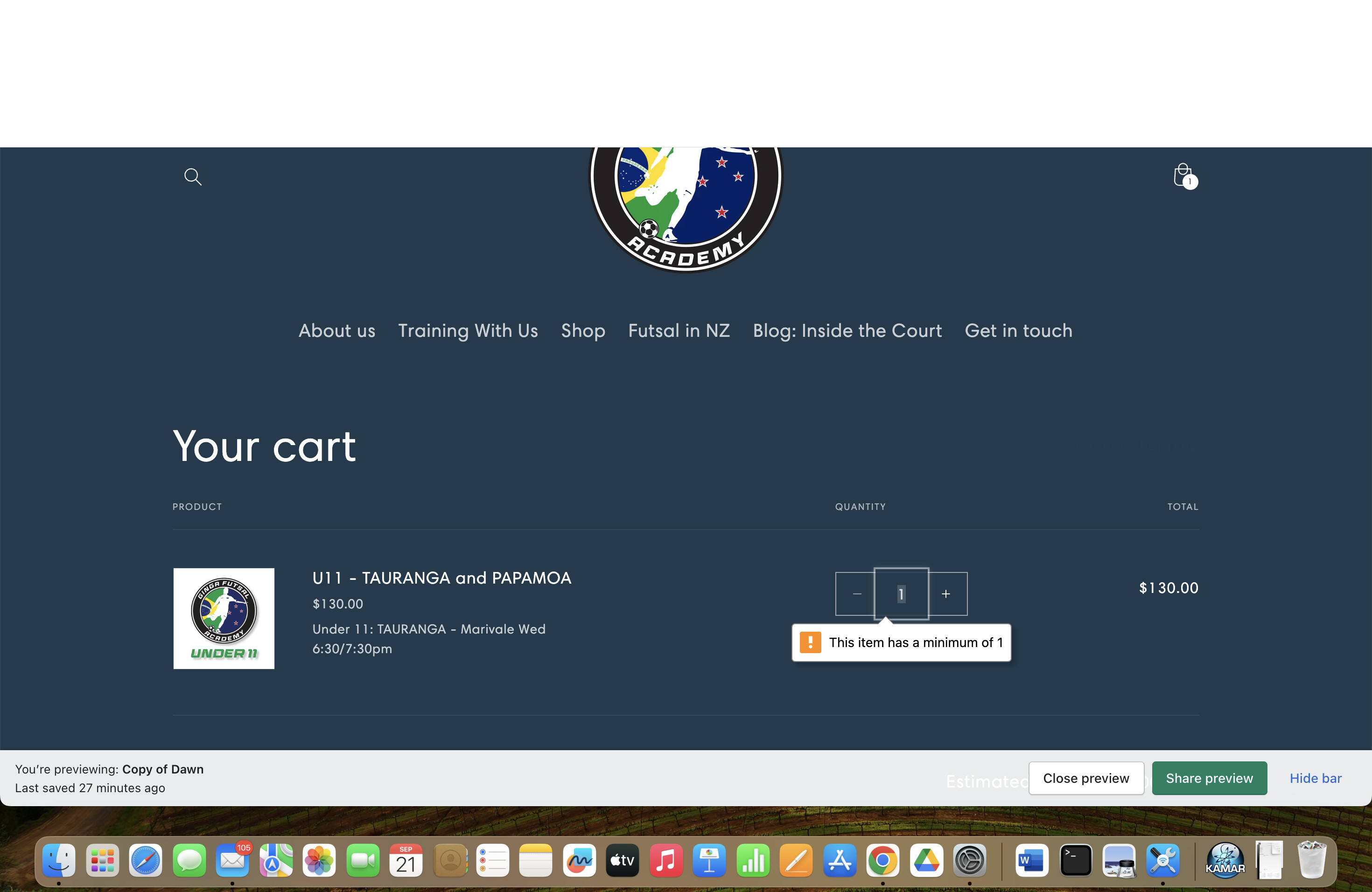
As you can see on the photos, i don’t have any Empty Cart bottom available for my costumers. and when they tried remove the product setting up 0 it says they are not allowed.

How can i fix it please? The support online says they are not trained to help with codes… (what they said is the only way to fix it)

Thanks

@MarioRamos please check cart page code and check if you have any restrictions on quantity , which is set to 1, need to make change in it

1 Like

Hi @MarioRamos
It looks like you have quantity restriction on cart item, You can update it in code and that should work fine
Search for a file like cart.liquid OR main-cart.liquid OR cart_body.liquid OR cart-items.liquid
You will find similar file, search for min=“1” and set min=“0” or remove min attribute

If I managed to help you then, don’t forget to Like it and Mark it as Solution!
Thanks!

1 Like

Thanks for the help

Do you know where ca I find this code?

1 Like