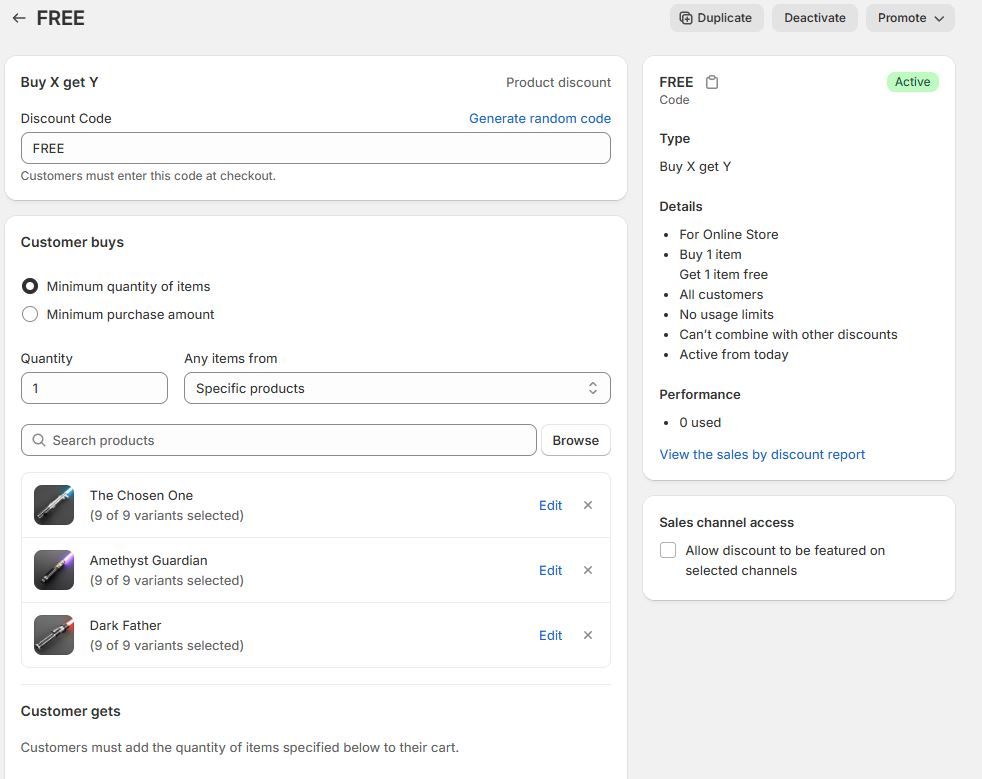
Buy one get one free discount code won't work

I’m making a buy one get one free sale on 3 specific products and then they get one free item of my choosing if they use the code only on one of those free items. But when I test the code in the checkout, I get the error message “discount code isn’t valid for the items in your cart” but it should be valid based on my settings.

I have attached screenshots of my settings for the code, as well as what the code looks like in my checkout. Please can someone help me!!

Hi @FantasySabers ,

This is because the customer needs to add the second product as well to the cart to avail this discount. I know this is counterintuitive but Shopify does mention this when you’re configuring the discount.

Hope that clarifies. Try adding both the Buy and the Get product to cart and then apply the discount!

Hey @FantasySabers,

You have created a buy one get one free discount on Shopify using Shopify’s native Buy X Get Y discount code. For Shopify discount codes to work, you have to manually add the gift product to your cart along with the purchased product.

If you’re looking to automatically add the gift product to your customer’s cart, I recommend you try Monk Free Gift from the Shopify app store, which we have built specifically to ease free gifting in Shopify.

Using Monk, you can add the gift product automatically at the cart or the checkout, based on the cart conditions, like item quantity, cart value, specific products, specific collections, customer tag, specific language and geographic location. You can also remove the gift automatically if the conditions are no longer met.

For a highly automated user experience, you can create a shareable link for the BOGO offer using Monk, that will automatically add the free gift product to the cart and won’t require a discount code to be added manually.

You can use highly customizable banners from Monk to clearly showcase the offer details in the product page and the cart, so the customers won’t miss the offer.

Demo Monk here!