I need to verify my identity and I accidentally typed the wrong name. Does anyone know how to change the name?
Hey @Watchnlight .
Thanks for reaching out.
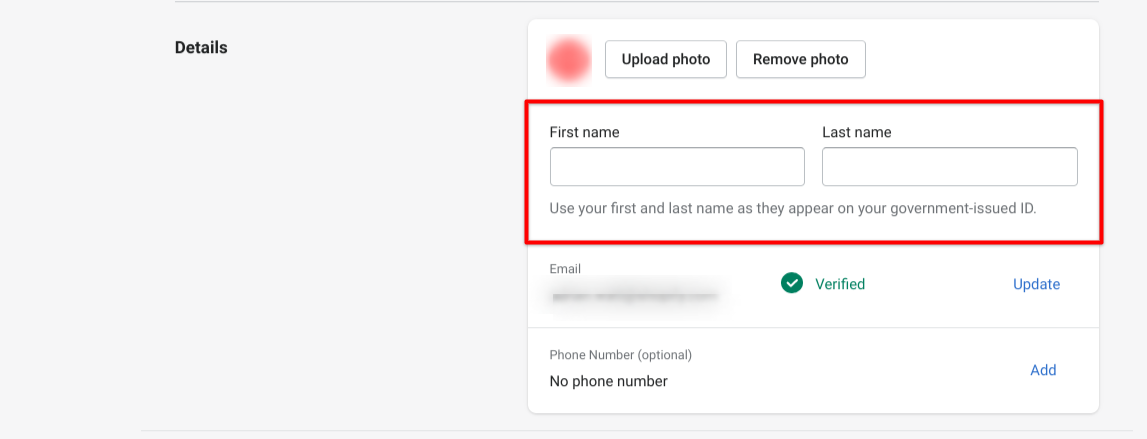
That is a great question! I am happy to inform you that you should be able to make the changes to the user by selecting your user name towards the top left of the Shopify admin. Once you click on your user name, you will see a drop down menu with the option to Manage Account.
I took a screenshot from my test store to show you the section I am referring to:

You can then make changes to the name of the user.
Let me know if you have any questions.

Hey @Watchnlight .
Thanks for the quick response.
I appreciate the screenshot of the error message you are receiving as that is very helpful! Since I cannot authenticate you over the Community forums due to the sensitive information that would need to be shared, I am unable to view any account specifics. In this case, it would be best to reach out to our live support to assist you with submitting the documents. You can reach out to our live support by attempting to login to your online store using the Contact Us page. This will allow us to securely verify you as the store owner.
Once you successfully login, or select the option to Continue without logging in - you will be directed to the Help Center. Select the topic that you would like assistance with to locate the options to Get Support and speak directly with a Support Advisor about the situation.
Let me know if you have any questions.