This is pretty much beginner of shopify and that I had a good day, but people were viewing my store and they werent buying anything why i
Can one of you guys please help me and figure out why they arent buy anything.
A new Shopify store owner is experiencing traffic but no conversions and seeks feedback on their activewear store.
Technical Issues Identified:
Design & UX Problems:
Trust & Credibility Gaps:
Recommended Solutions:
The discussion remains open with multiple contributors offering detailed improvement suggestions.
This is pretty much beginner of shopify and that I had a good day, but people were viewing my store and they werent buying anything why i
Can one of you guys please help me and figure out why they arent buy anything.
Welcome to our community!
As you said, can you share the site url to let us check?
If customer access to your store & not checkout maybe have some reaasons:
site isn’t attractive
price too high
fee shipping not small
payment issue
Especially, did you account have any discount strategy to more attractive people?
Let try BiDeal Bundle Volume Discounts app. It’s free & easy to customize the widget to display.
The features include:
Let me know your feedback & free here to assistant you to increase AOV
Thanks!
My Store here is the store link can you please tell me whats wrong cause then i can fix it.
I’ve just checked your store & found issue about discount quantity on product detail isn’t consistent when I click add to cart
I selected 3 different variants but it added me same variant with quantity is 3.
.
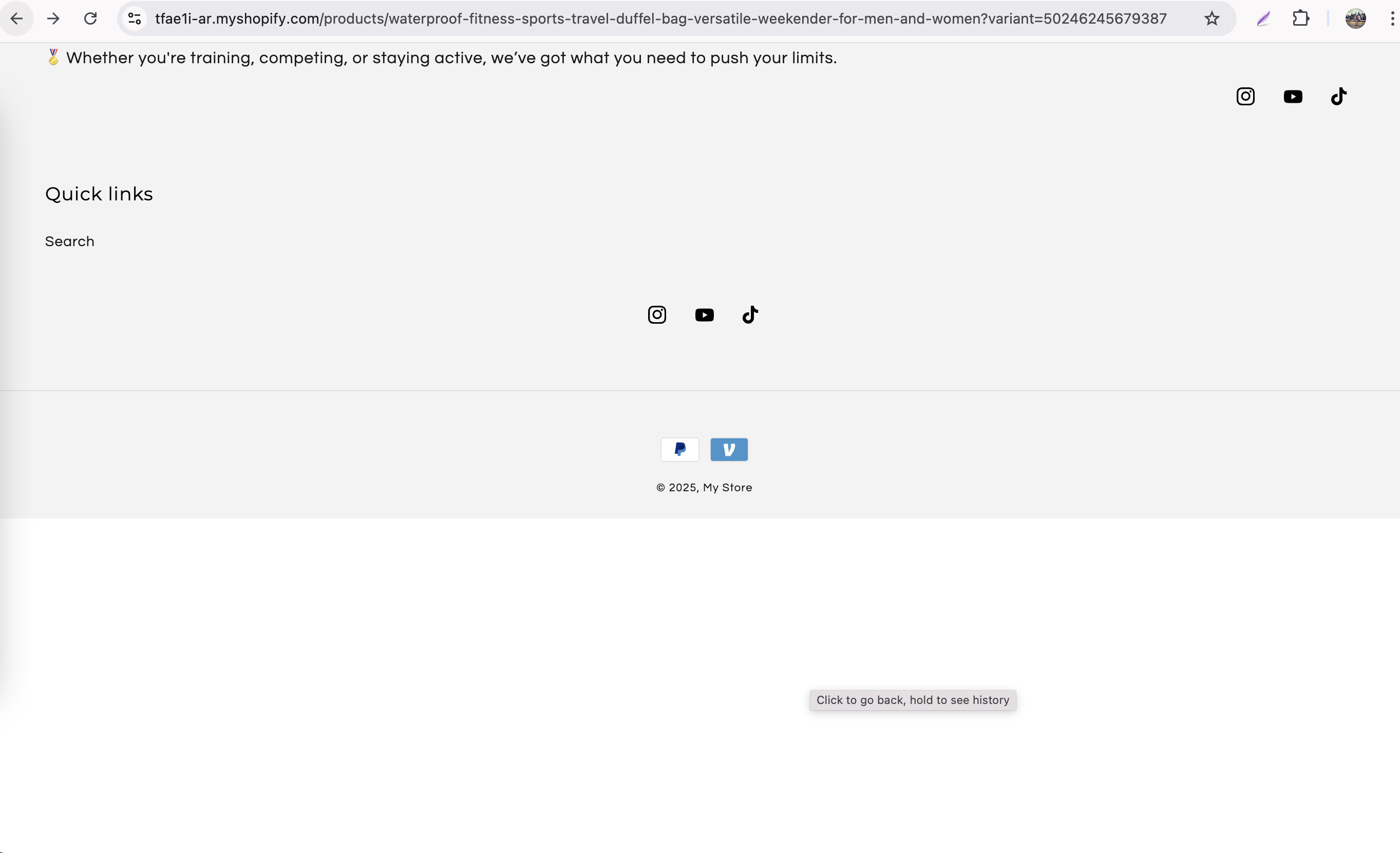
Footer should have list short menus where customer can click to reference other
Footer should have only 1 social network links (currently have more than 1)
Make the header sticky when users scroll up, or apply a distinct background to clearly separate it from the content and enhance its visual appeal.
Thanks for reaching out to the Shopify Community! I’m Donna from MooseDesk , your go-to Live Chat, WhatsApp and FAQ App.
I happened to come across your post and wanted to share some thoughts on your store UX as a UX enthusiast. Hopefully my recommendations can provide some better customer experience advices, please kindly check 
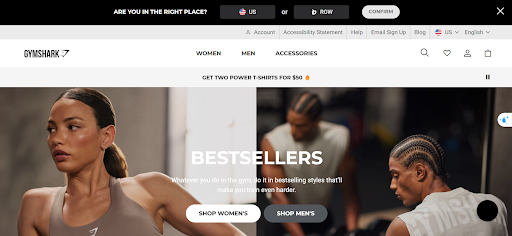
The homepage has a clean layout, but it currently lacks visual storytelling and guided navigation. Consider adding a strong hero banner with high-quality imagery and a short tagline that clearly communicates your brand concept (e.g., “Effortless Activewear for Everyday Moves”). Adding a few key product blocks such as Best Sellers or New Arrivals would guide visitors into browsing. Also, ensure that your primary CTA (like Shop Now) stands out with a contrasting color to improve conversion.
Navigation bar:
Additionally, the current navigation menu only includes “Home,” “Catalog,” and “Contact,” which lacks specific product categories.
Suggestion: Add more defined categories such as “Activewear,” “Accessories,” and “Workout Equipment” to help customers browse and find products more easily.
References:
2. Optimize  Cart Page
The cart page covers the basics but could benefit from more trust signals before checkout. You might want to add icons or messages like “100% Secure Checkout”, show supported payment methods (e.g., Visa, PayPal), and include a link to your return policy near the subtotal. If your store allows guest checkout, make sure that option is clearly visible—it’s a proven way to reduce friction for first-time buyers.
3. Add a Live chat Support
I can see that your website lacks a help widget and live chat feature to allow customers to contact you immediately. How about having a powerful live chat to assist potential customers instantly, addressing their questions or concerns in real time? This can help prevent abandonment and encourage purchases
I suggest exploring MooseDesk, a FREE Live Chat, WhatsApp & FAQ App. You can easily reach customer support via WhatsApp, ensuring immediate assistance for inquiries. Also, the widget provides multi self-Service options such as Order tracking, Translation and FAQ section empower customers to resolve common questions on their own, reducing the need for direct support.
—————
As an enthusiast in UX, I recommend implementing these changes to improve customer experience when scrolling through your store.
If this is helpful for you, please let me know by giving me a ‘LIKE’. If your question is answered please mark this as 'SOLUTION’.
Thank you for reading. Wish you a nice day ahead!
Hey there @brandynSplashbr here are a few suggestions I have for you
Add sections for best sellers and new arrivals on the homepage.
Add some Gifs or short videos to make the products look even more appealing
Utilize discounts, subscriptions, and bundles offers in your store.
Hi @brandynSplashbr ! Thanks for reaching out to the community. It’s Tracy from BON Loyalty, the essential loyalty app for Shopify businesses.
I’ve gone through your website, and I have to say, it’s great! The minimalist design and variety of products are really impressive. However, there are a few areas where I think I can offer some suggestions to help improve the site and make it even better:
1. The current text is a bit hard to read
You might want to consider switching the text to black, reserving the main green color only for key text. Also, changing the font could be something to think about. Easier-to-read text would allow customers to quickly scan product information and make decisions more easily.
2. Regarding the color usage
The all-green text makes some parts blend in, which makes it harder to read. You could keep the CTA buttons green but switch the regular text to black and see how that improves the readability.

3. The images are too large and a bit blurry
This affects the professionalism of your website. You should update the images to make sure they’re high-quality and appropriately sized.
4. The text on the product images is too big
It overshadows the product details and CTA buttons. You’ll want to reduce the size so that the text is more balanced, allowing more information to be displayed clearly.
5. The size recommendation section isn’t zoomable. I found it hard to read the measurements while browsing.
6. Offering limited payment methods might make some customers hesitate to make a purchase
It would be a good idea to add more prominent payment options.

7. Adding a favicon to your website will give it a more professional touch.

These are just a few suggestions I’ve got for you, and I really hope they can help improve your website. Wishing you the best of luck!
I have checked your store, it has minimalistic design. As a customer, Why I’ll not buy from your store:
The store doesn’t have a logo & a dedicated domain.
Have a lot of product images but no proper Title and description (seems like copy-pasted from another site/AI)
Big Blurry Images and nothing listed on the collection page
Less payment options
Shipping price not mentioned
No proper information to contact you
No reviews from previous customers
Social media accounts are not linked
and much more.
This are a few reasons why people are not buying. If you are a beginner or need help addressing this issue, we’d be happy to help.
It’s great to hear that you’re getting visitors to your Shopify store, that’s a big first step. If people are browsing but not buying, you’re definitely not alone. This is a common challenge for new store owners. One of the most effective ways to turn those window shoppers into customers is by setting up retargeting campaigns. Retargeting works by showing ads to people who have already visited your website, reminding them of your products, encouraging them to come back and make a purchase.
What makes retargeting so effective is that it keeps your brand top-of-mind for people who have already shown interest, whether they browsed a product page, checked out your collections, or even added something to their cart but didn’t complete the purchase. Retargeting campaigns can be tailored to different segments of your audience, such as those who viewed specific products or abandoned their cart-allowing you to deliver personalized messages that really resonate. For example, showing someone an ad featuring the exact item they looked at can nudge them to come back and buy, especially if you sweeten the deal with a limited-time discount or free shipping offer.
Retargeting also tends to deliver a better return on ad spend (ROAS) than many other marketing strategies. Since you’re targeting people who are already familiar with your store and have shown some level of intent, your ads are more likely to result in sales, making your marketing dollars go further. Plus, with tools designed for Shopify, it’s easier than ever to set up and manage retargeting campaigns that track user behavior and optimize your ads for maximum engagement.
If you’re just starting out, consider experimenting with simple retargeting campaigns on platforms like Facebook, Instagram, or Google, and gradually move toward dynamic retargeting as you get more comfortable. Analyze your store’s data to see where visitors are dropping off, and use that insight to craft targeted ads that address their hesitations or remind them of what they’re missing.
With a thoughtful retargeting strategy, you’ll be in a much better position to turn those curious visitors into happy customers. If you’re looking for a straightforward way to get started with retargeting and loyalty, our Ako Marketing app is a fantastic all-in-one solution. It combines retargeting with a comprehensive loyalty program, making it easier to bring back past visitors and encourage repeat purchases.
Best wishes! If you have any more questions or need a free professional consultation, feel free to let us know! Don’t forget to like and mark it as a solution if you find this helpful.