Hi @Holly18 ,
Thanks for reaching out to the community. We are MooseDesk, a comprehensive Live Chat, FAQ & Helpdesk App designed to elevate your customer support experience.
Congrats on your store! Your store looks stunning. I can tell you have put a lot of effort into building this. However, I have some comments to make the good get even better. Here are some of my recommendations for better customer experience for your product page, please kindly check.
1. Improve Image Interaction:
Customers should be able to click anywhere on the image to view it in full screen. Currently, the image can only be enlarged by clicking the magnifier icon, which may feel inconvenient. Optimizing this process with smoother transitions will improve the experience.
This is what I mention:
2. Preview Consistency in Slider:
When customers browse through images, the preview should follow the current image instantly. At the moment, the preview is fixed on the first few images, even when viewing later images in the slider. Ensuring the preview updates with each image will create a more professional and seamless experience, contributing positively to the customer buying journey.
3. Adjust Button Layout:
The “What’s this?” button is slightly misaligned compared to the other elements on the section. It creates an imbalance in the design. Also, clicking the button doesn’t display any information at the moment, which can harm the user experience if critical details are missing.
4. Reconsider Tooltip Placement:
The current placement of the tooltip requires users to click, though tooltips are typically used for hover interactions. Many customers might miss this, especially since it contains important information about alternative payment methods that could facilitate their purchase.
You can create a ‘What’s this?’ button, similar to the one in the previous section, for this section:
5. More Payment Options UX:
When clicking on “More payment options,” it redirects to the checkout page immediately. This isn’t ideal, as customers often just want to see available payment options without proceeding to checkout. This could frustrate users who then have to navigate back to the product page.
6. Enhance Font Readability:
The current font is a bit difficult to read. Consider switching to a more legible font or increasing the font size for better readability.
7. Revamp the Size Guide:
The current layout of the size guide makes it hard for customers to compare measurements. Presenting it in a table format will improve clarity and help customers find the right size more easily.
8. Streamline Customer Support:
Directing customers to Instagram to ask questions about your product adds an unnecessary step. It’s more user-friendly to provide a communication option directly on your website. I suggest adding a communication widget that pops up when they click a relevant button, allowing customers to reach out easily without leaving your store.
Feel free to explore MooseDesk, a FREE LiveChat, FAQ & Helpdesk App that can help your support experience easier, better, faster!
With MooseDesk’s Omnichannel Support, you can engage with customers through live chat, manage inquiries with a robust ticket system, and provide quick responses via a WhatsApp button.
Or you can let customers resolve questions faster with in-built FAQ, Order tracking module, and more.
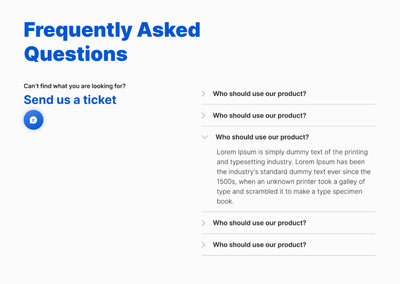
With FAQ builder, here are some of our templates:
FAQ page:
Contact us page:
As an expert/enthusiast in UX, I recommend implementing these changes to improve customer experience when scrolling through your store.
If this is helpful for you, please let me know by giving me a ‘LIKE’. If your question is answered please mark this as 'SOLUTION’.
Thank you for reading. Wish you nice day ahead
MooseDesk - All-in-one Shopify FAQ & Helpdesk App