Live chat support on Shopify is still available, but the path has changed. The original poster can’t find it under Contact and is being redirected to forums and help articles.
The poster reported the chat page shows their name and store grayed out and won’t proceed. Their store is password-protected while making theme changes, and they want support access without exposing the site.
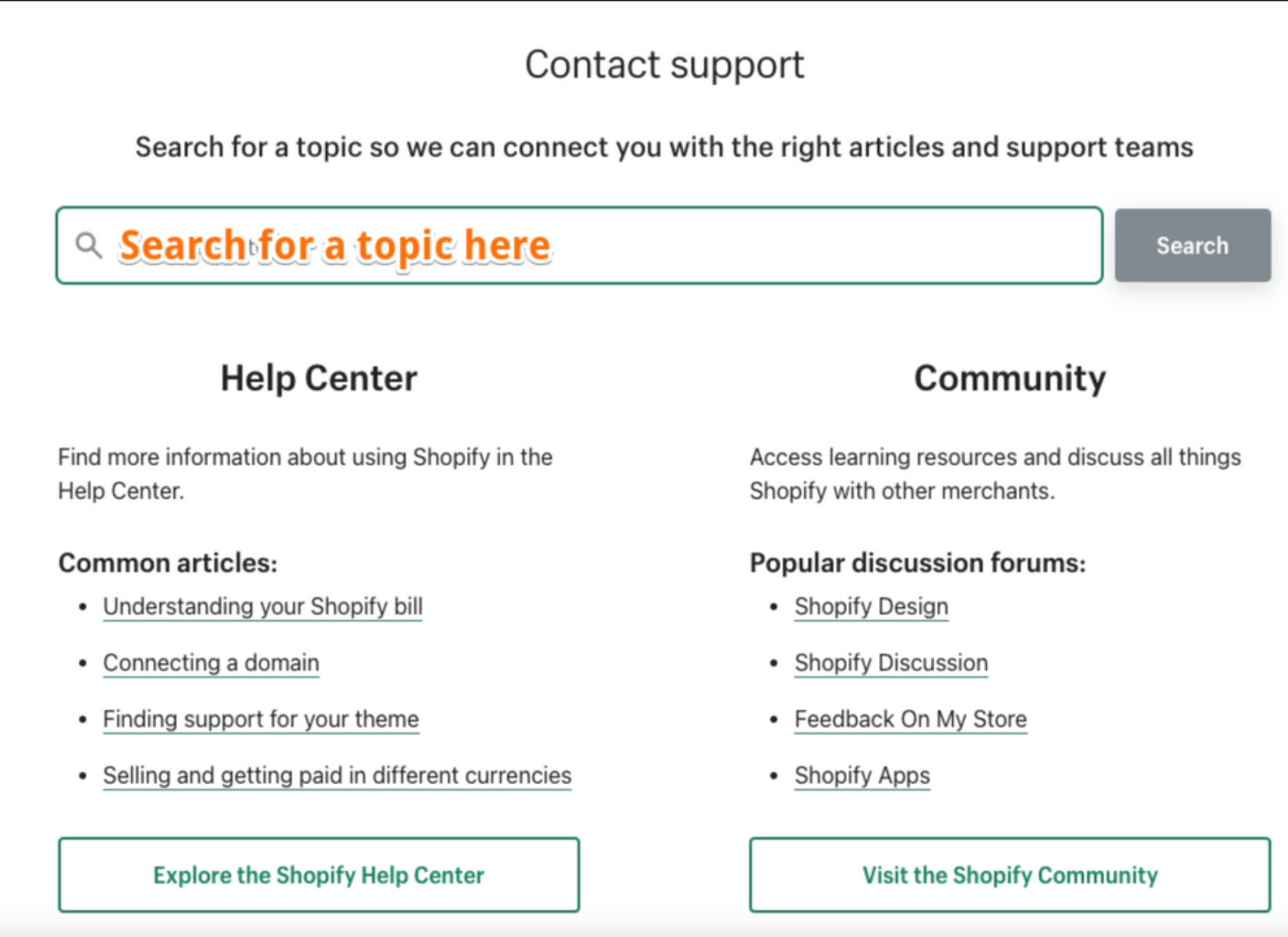
A Shopify staff member advised using the Help Center portal (https://bit.ly/3cJkx8V) to log in and create a support request. If login is not possible, choose “Continue without logging in.” Then:
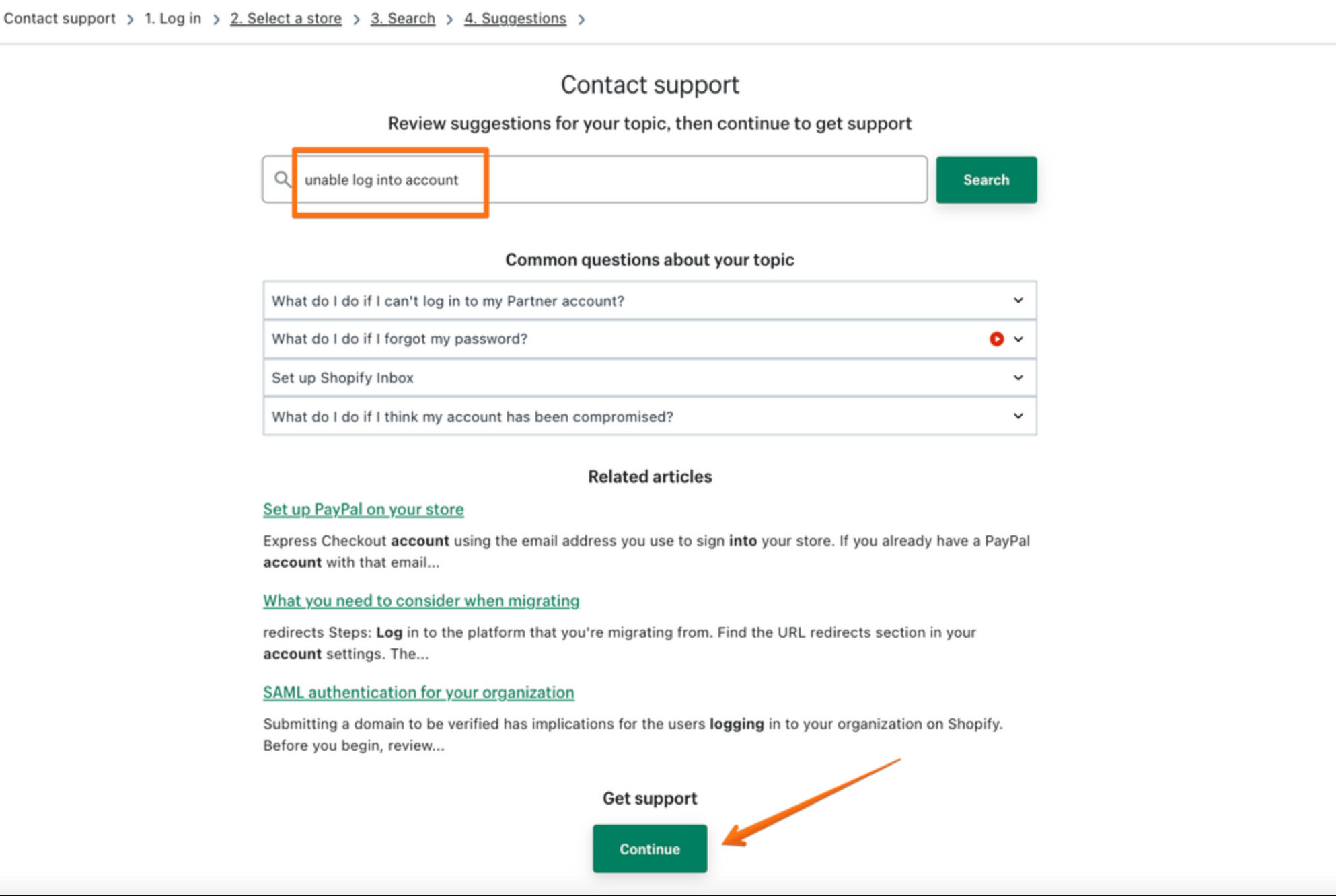
• Select a topic to view relevant documentation.
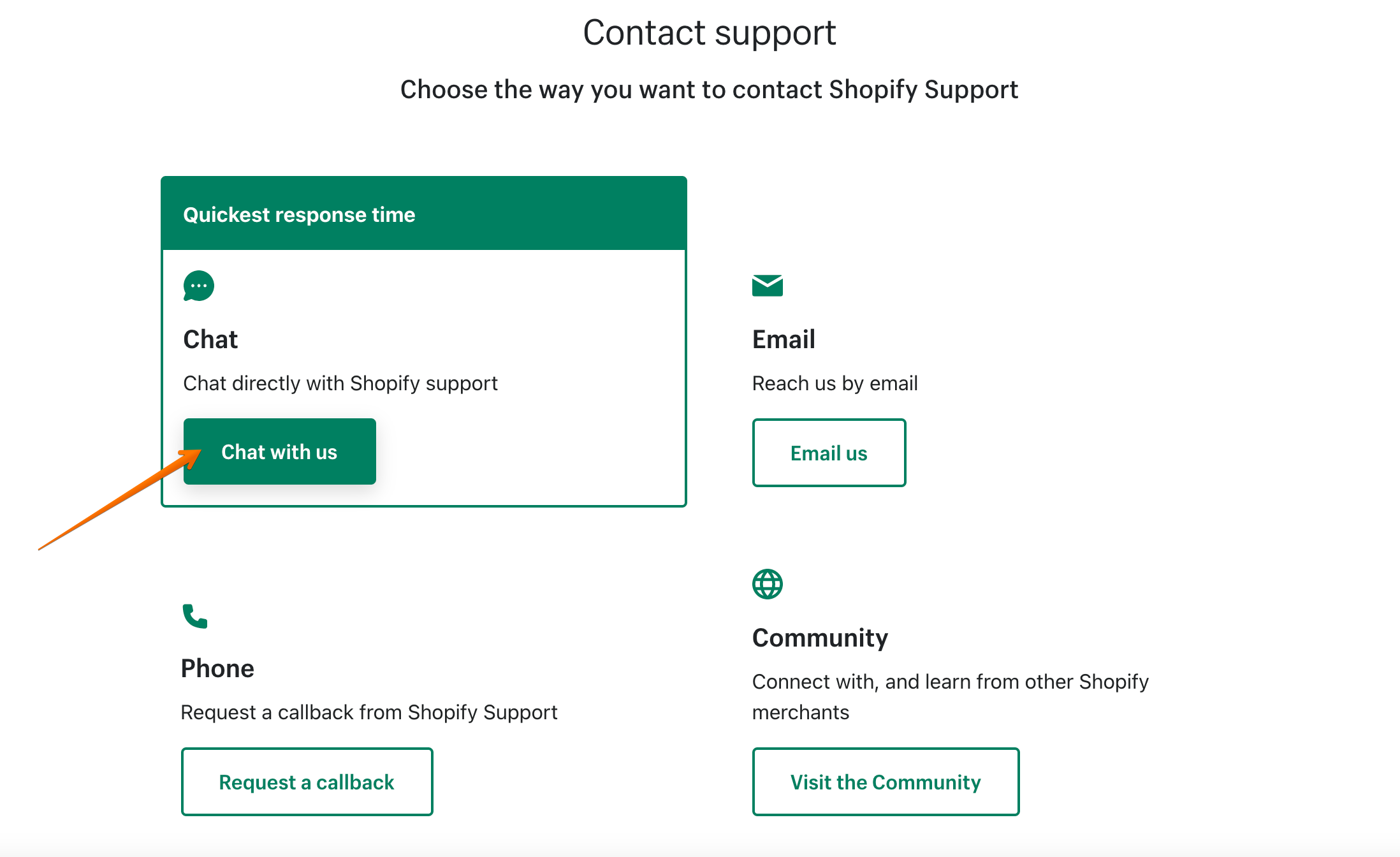
• Use the “contact us” option that appears to access available support channels (including live chat).
• Screenshots were provided to illustrate each step.
Status: Instructions provided; no confirmation yet that the chat issue is resolved.
thanks but that shows me my name and site grayed out and I cannot get it to work. I have my site on password protect to change themes and edit things but it should still work and I should still be able to get help without customers watching the site live and being wonky and fixed
Doing this will present you with links to relevant documentation on our Help Center, but there will also be an option to contact us directly if you require further help: